
Video Overlay
The Video Overlay section allows you to create eye-catching promotional banners by combining background videos with customizable text, buttons, and overlay effects. Ideal for showcasing new collections, seasonal campaigns, featured products, or brand stories, this section helps capture customer attention the moment they visit your store. With responsive layouts and flexible content settings, Video Overlay delivers an immersive browsing experience while maintaining excellent performance across desktop and mobile devices.
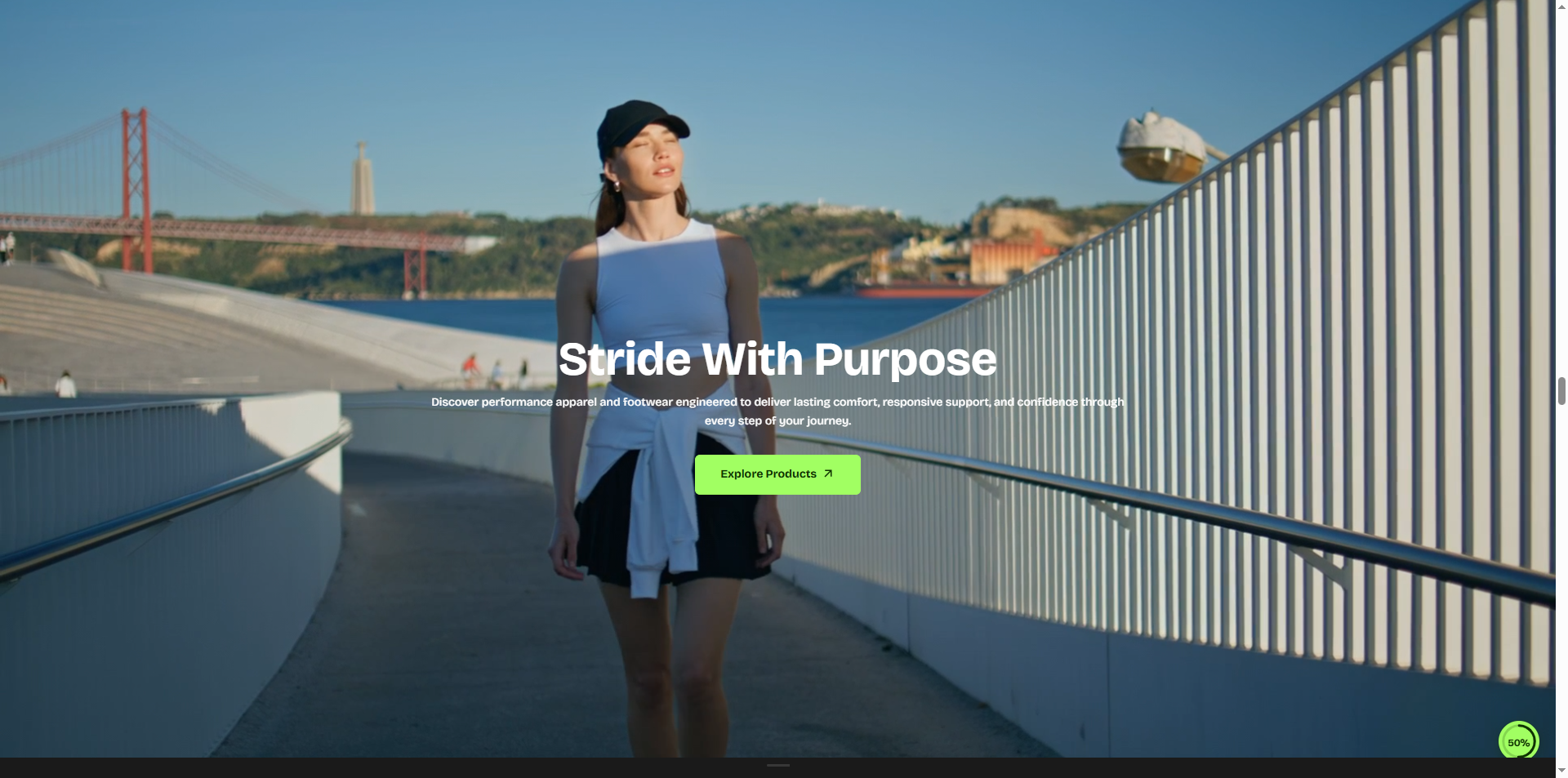
How to Add the Video Overlay Section
- From your Shopify admin, go to Online Store → Themes.
- Click Customize on the Velocity theme.
- In the Theme Editor, use the drop-down selector to choose the page where you want to add or edit the Video Overlay section.
- Click Add Section (or select an existing Video Overlay section if already added).
- Click Save to apply your changes.
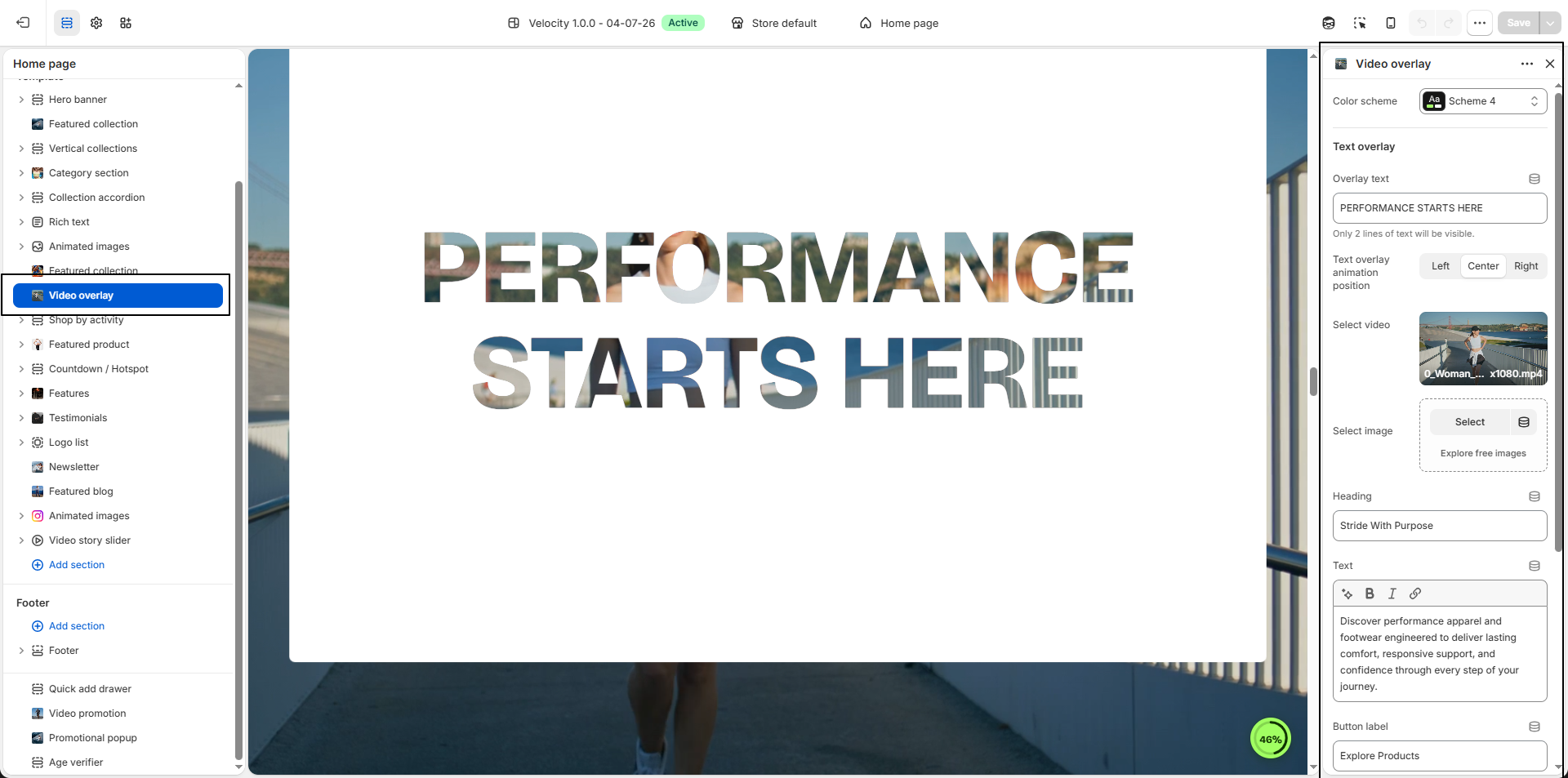
How To Configure The Video Overlay Settings
- Color Scheme: Select a predefined color scheme (e.g., Scheme 4) to control the overall background and text styling of the Video Overlay section.
- Overlay Text: Enter a short promotional text that appears over the video or image. For best results, keep the content within two lines.
-
Text Overlay Animation Position:
Choose where the animated overlay text appears.
- Left: Aligns the overlay text to the left side.
- Center: Centers the overlay text.
- Right: Aligns the overlay text to the right side.
- Select Video: Upload or choose a promotional video to display as the main background media for the section.
- Select Image: Upload a fallback image that will be displayed when a video is not selected or supported.
- Heading: Add the main heading to highlight your promotion or featured content.
- Text: Enter a short description to provide additional information about the promotion, collection, or featured products.
- Button Label: Customize the call-to-action button text (e.g., Explore Products).
- Button Link: Select the page, collection, or product where customers will be redirected after clicking the button.
- Content Width: Adjust the maximum width of the content area (e.g., 850px) to control the layout and readability of the text.