
Featured Collection
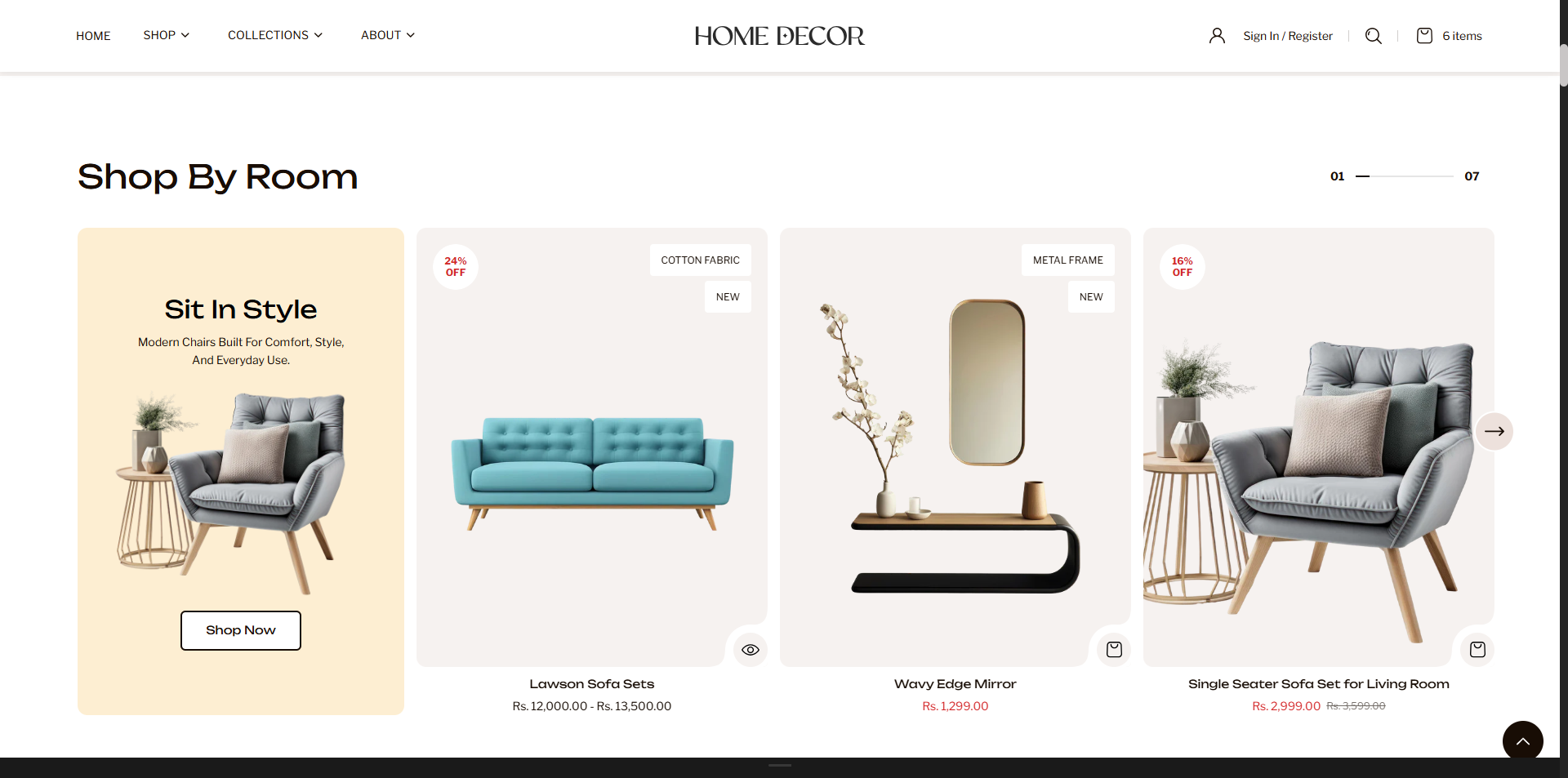
The Featured Collection section allows you to showcase a selected collection of products directly on your homepage or any page. It helps highlight specific categories, seasonal products, or best-selling items in a visually engaging layout. With flexible display options such as grid or slider view, customizable headings, and content blocks, this section makes it easy to guide customers toward key products and improve product discovery.
Key Features
- Collection Selection: Choose a collection (e.g., Living Room) to display products dynamically.
- Custom Heading: Add a section title such as Shop By Room to introduce the collection.
- Block Content: Optionally display a custom block with heading, text, and image to highlight specific products or promotions.
- Grid or Slider View: Choose between a grid layout or a horizontal slider to display products.
- Pagination Progress: Show progress indicators when using slider mode.
- Product Limit: Control how many products are displayed in the section.
- Responsive Layout: Adjust the number of columns per row for optimal viewing across devices.
- Quick Actions: Supports features like quick view or add-to-cart directly from product cards (if enabled).
How to Add the Featured Collection Section
- From your Shopify admin, go to Online Store → Themes.
- Click Customize on the Renovate theme.
- In the Theme Editor, select the Featured Collection section from the left sidebar.
- Adjust the settings, blocks, and layout options according to your preferences.
- Click Save to apply your changes.
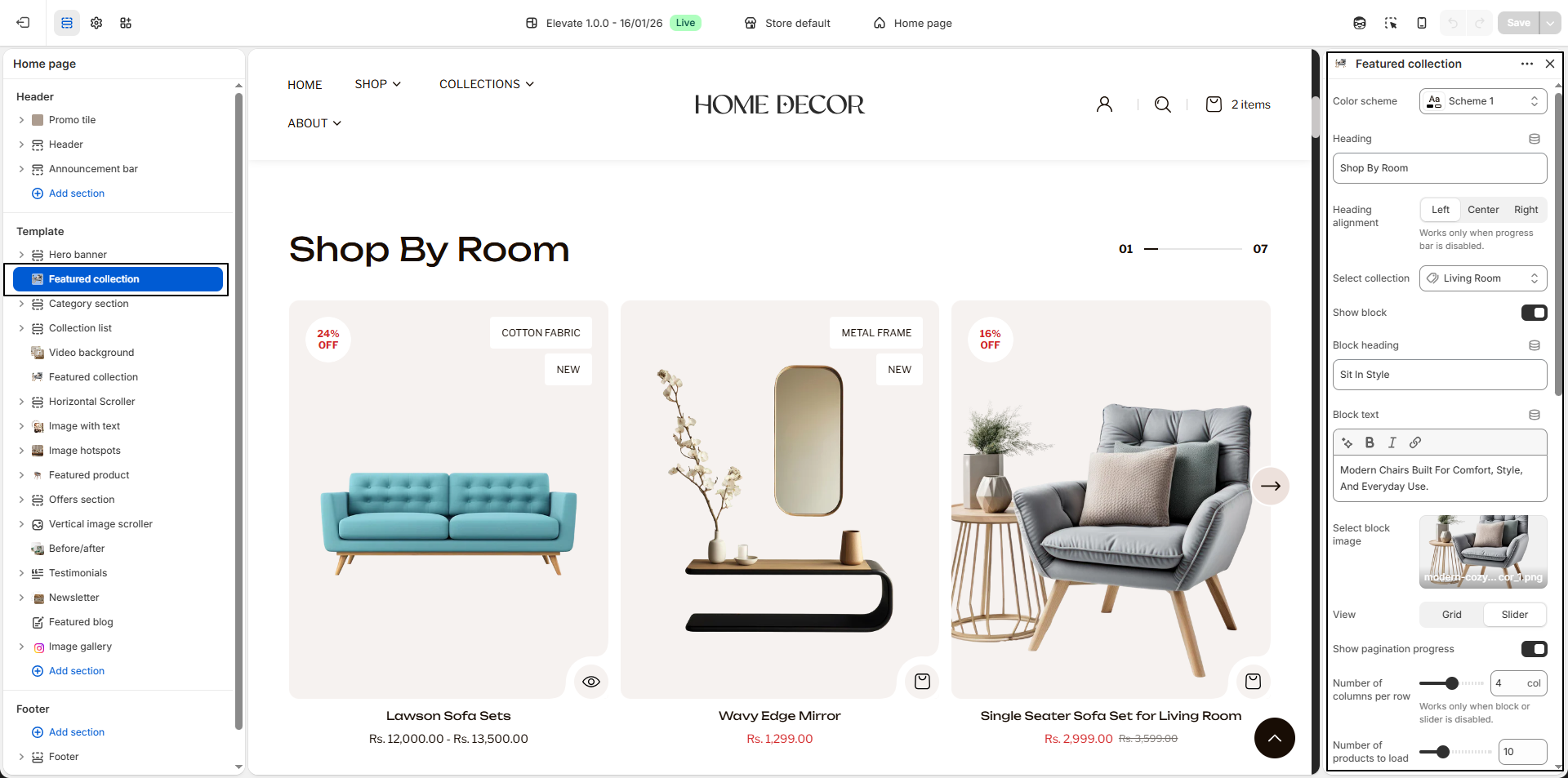
- Color Scheme: Select a predefined color scheme (e.g., Scheme 1) to control background and text colors for the section.
- Heading: Add a title for the section (e.g., “NEW COLLECTIONâ€) to introduce the featured products.
- Heading Size: Choose the size for the section heading (e.g., H5) to match your store's style.
- Select Collection: Choose the collection you want to showcase (e.g., Latest Arrivals, Best Sellers).
- Number of Products to Load: Set how many products from the collection will display in the section (e.g., 10).
- Number of Columns per Row: Select how many products appear per row (e.g., 5).
- Enable Slider: Toggle this option to display products in a sliding carousel format instead of a grid.
- Product Cards: Configure the appearance of product cards.
- Image Aspect Ratio: Choose how product images are displayed (e.g., Portrait, Square, or Landscape).
- Show Vendor: Toggle to display the product vendor/brand name.
- Show Product Options: Display available product options such as color or size on the product card.
- Enable Quick View: Allow customers to preview product details in a popup without leaving the page.
- Show Variant Image Instead of Color: When enabled, displays variant images instead of color swatches.
- Mobile Layout: Configure how the section appears on smaller screens.
- Number of Columns: Choose how many product cards appear per row on mobile devices.
Pro Tips:
Use high-quality collection images for a professional look.
Highlight best-selling or seasonal products to drive
conversions.
For sliders, limit the number of items for smoother
scrolling and faster load times.
FAQs
How can I change the shape of product card images?
To customize the product card image shape:
- Go to the Customizer.
- Navigate to the Featured Collection section.
- Adjust the border radius setting to achieve your desired look.
How do I enable the product slider?
To showcase products in a slider format:
- Open the Customizer.
- Locate the Featured Collection section.
- Toggle the Enable Slider option to On.
How do I add color swatches on featured collection section pages?
Absolutely! Renovate supports color swatches on product cards. If your product variants use the color swatch metafield, swatches will automatically appear on collection pages.
Learn more about setting up swatches here.