
Featured Blog Section
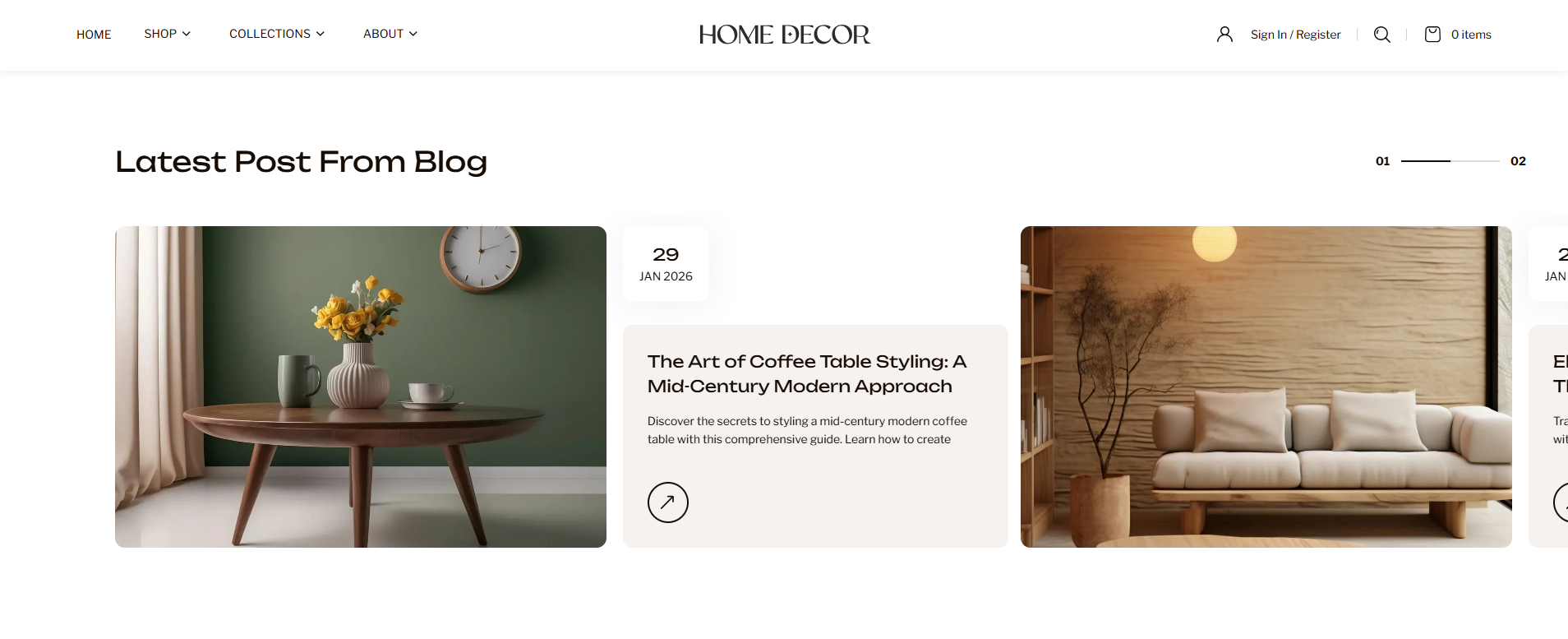
The Featured Blog Section is designed to showcase your latest or curated blog posts in a visually appealing format. By highlighting featured articles with images, titles, and additional details, this section helps drive engagement and keeps your audience informed with relevant content. It is ideal for sharing styling tips, product guides, brand stories, or updates, while also improving content discovery and encouraging users to explore more from your blog.
How to Add the Featured Blog Section
- From your Shopify admin, go to Online Store → Themes.
- Click Customize on the Renovate theme.
- In the Theme Editor, select the Featured Blog section from the left sidebar.
- Adjust the settings, blocks, and layout options according to your preferences.
- Click Save to apply your changes.
How To Edit the Featured Blog Section
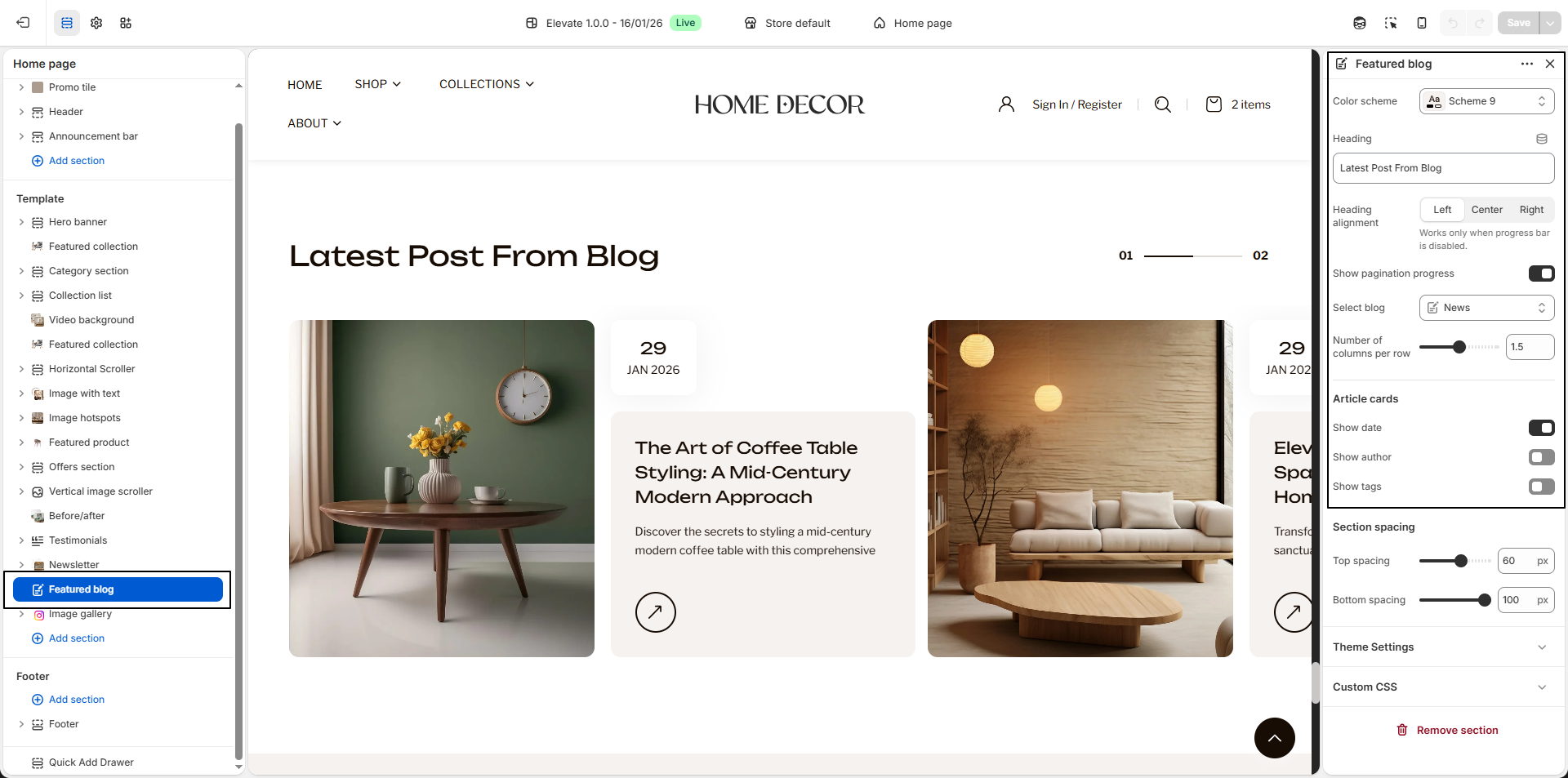
- Color Scheme: Select a color scheme to control the background, text, and overall visual style of the section.
- Heading: Enter the main heading for the section, such as Latest Post From Blog, to introduce your blog content.
-
Heading Alignment:
Choose how the heading should be aligned within the section.
- Left: Aligns the heading to the left side.
- Center: Centers the heading.
- Right: Aligns the heading to the right side.
- Show Pagination Progress: Enable this option to display a progress indicator showing the current position within the blog slider.
- Select Blog: Choose the blog (for example, News) from which posts will be displayed in this section.
- Number of Columns per Row: Adjust how many blog articles appear in a single row. Lower values show fewer, larger cards, while higher values display more items in a compact layout.
-
Article Cards:
Customize the information displayed on each blog card.
- Show Date: Enable to display the publish date of the blog post.
- Show Author: Enable to display the author name.
- Show Tags: Enable to display blog tags for better content categorization.