
Hero banner
The Hero Banner section in the Renovate theme is designed to create a strong first impression with visually rich promotional slides. It allows you to showcase featured products, collections, or seasonal campaigns using large lifestyle images, ticker text, headings, descriptions, and call-to-action buttons. With support for multiple slides, aspect ratio controls, and customizable content, this section helps drive customer attention toward key products while enhancing the overall visual appeal of your homepage.
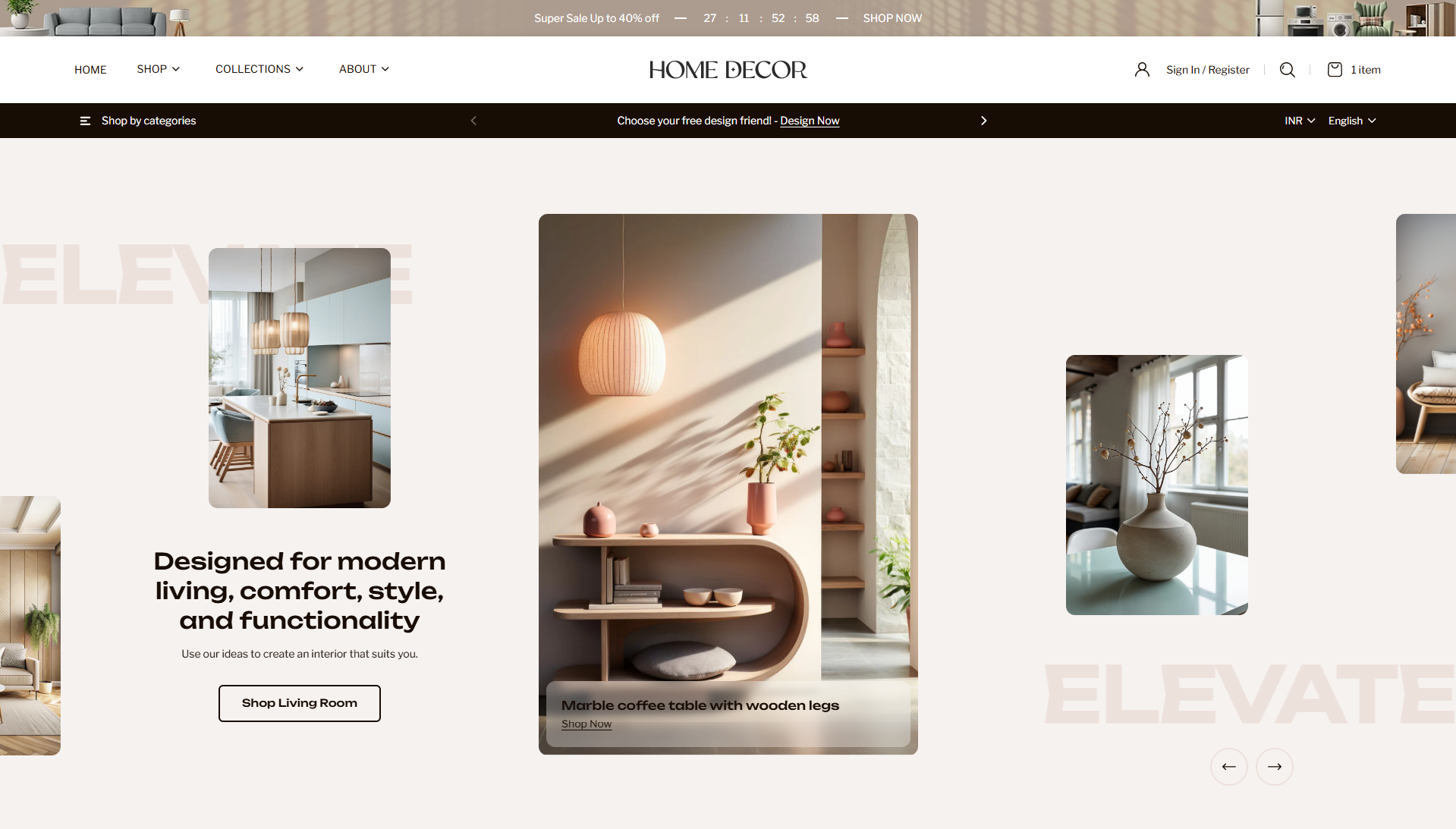
How to Add the Hero Banner Section
- From your Shopify admin, go to Online Store → Themes.
- Click Customize on the Renovate theme.
- In the Theme Editor, select the Hero banner section from the left sidebar.
- Adjust the settings, blocks, and layout options according to your preferences.
- Click Save to apply your changes.
How to Configure the Hero Banner Section
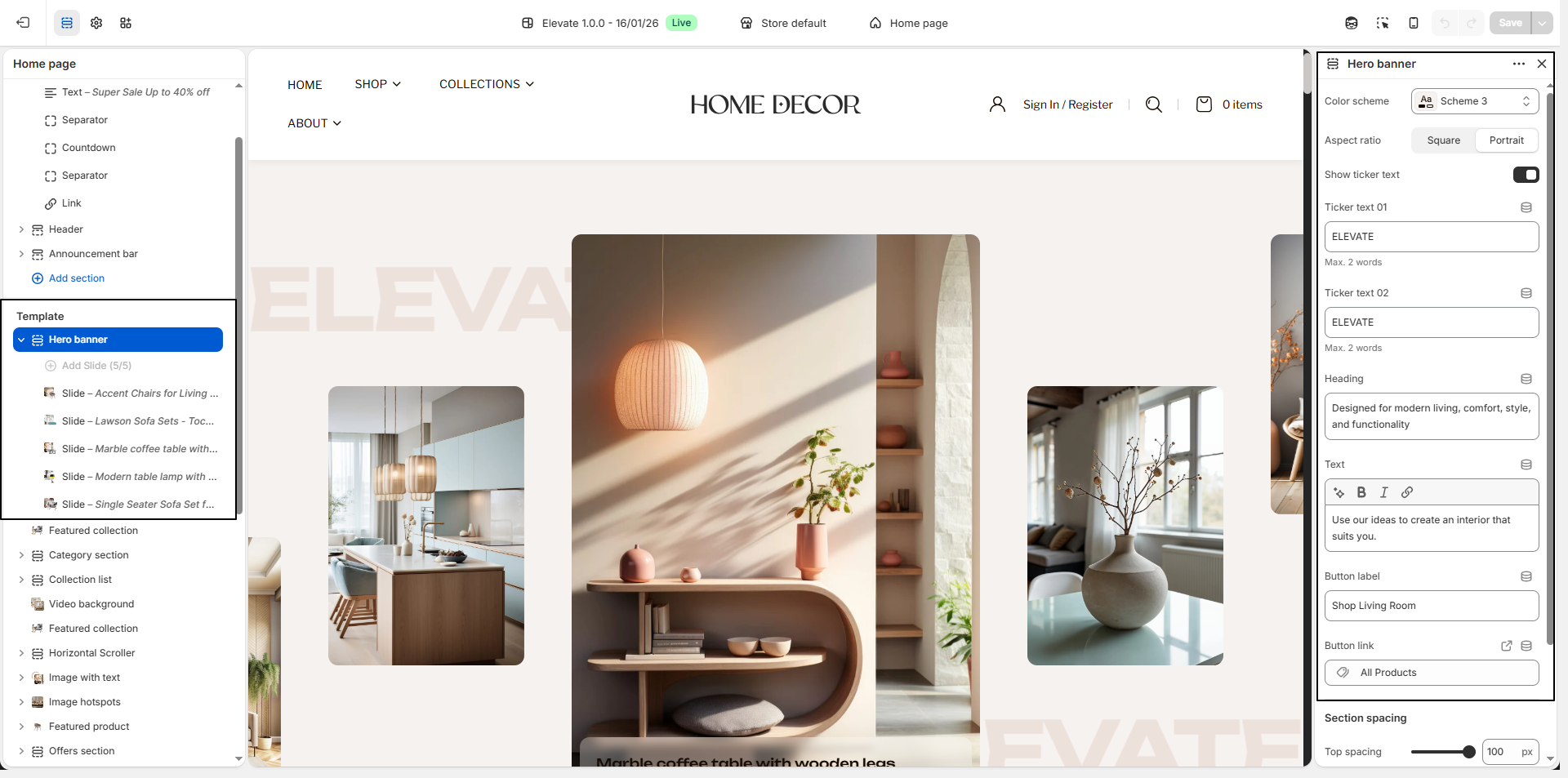
- Color Scheme: Select a color scheme (for example, Scheme 3) to control the overall background and text appearance of the hero banner.
-
Aspect Ratio:
Choose the banner image layout style:
- Square: Creates a balanced modern grid-style banner layout.
- Portrait: Displays taller images for a more editorial and lifestyle-focused design.
- Show Ticker Text: Enable this option to display animated ticker-style text in the background of the hero banner for stronger visual branding.
- Ticker Text 01 & 02: Add short branding or promotional words (maximum 2 words each), such as Renovate, to create a stylish moving text effect.
- Heading: Add a strong promotional headline to highlight your featured collection, campaign, or store message.
- Text: Use the description field to add supporting content that explains the featured products, design inspiration, or seasonal offer.
-
Button:
- Button Label: Enter the call-to-action text, such as Shop Living Room.
- Button Link: Select the destination page, collection, or product link where customers should be redirected.
-
Slide Block:
Add multiple slide blocks to create a rich hero slider experience.
- Select Product: Choose a featured product to connect the slide with shoppable content.
- Select Image: Upload a lifestyle or promotional image for each slide.