
Offers Section
The Offers Section allows you to highlight promotional categories and featured discount cards in an attractive and engaging layout. This section is designed to help merchants showcase ongoing offers, product categories, and limited-time deals in a visually appealing way that encourages customers to explore and shop.
It combines category tabs with offer cards, making it easy to present multiple promotional collections or product highlights within a single section.
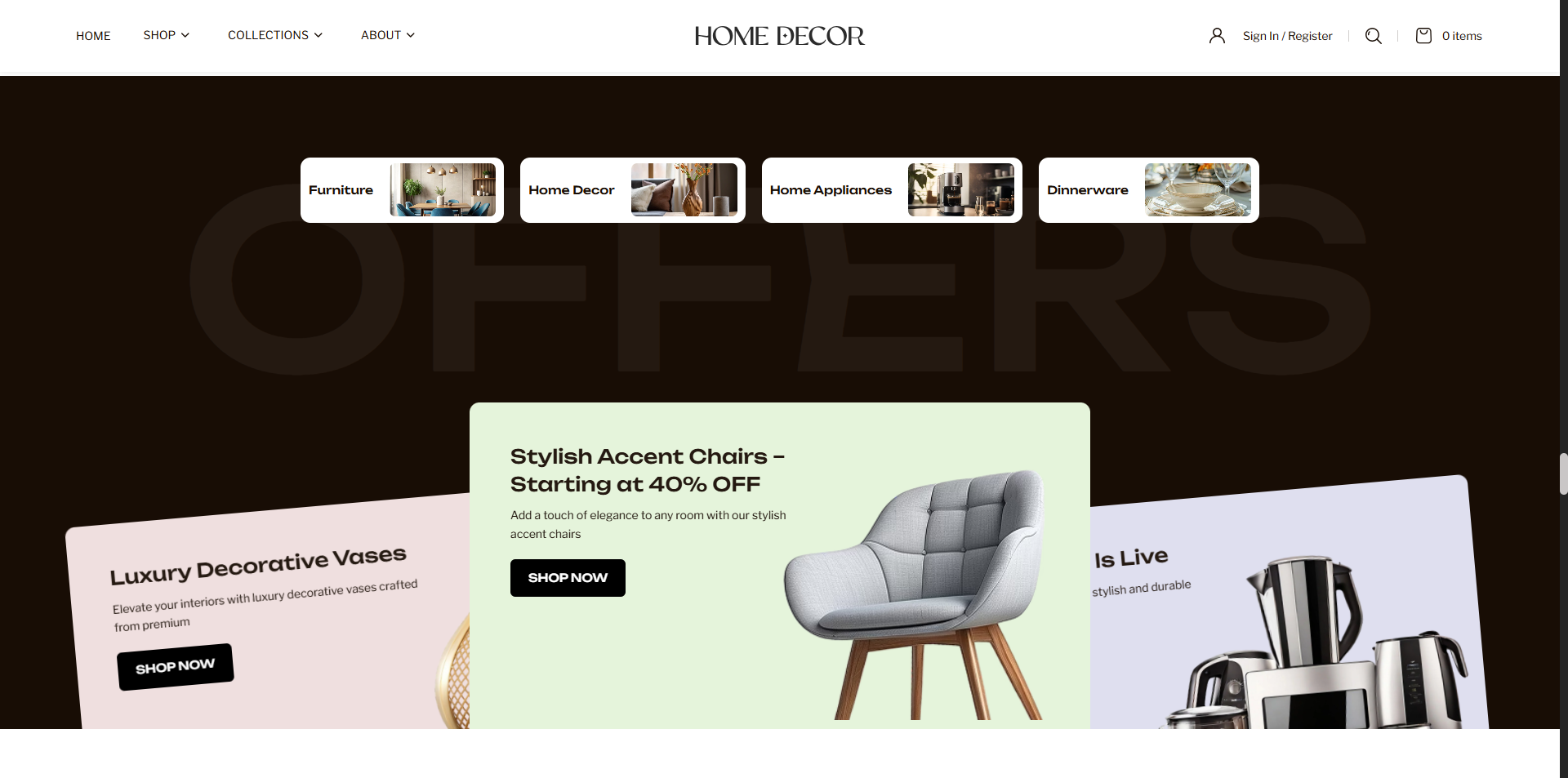
How to Add the Offers Section
- From your Shopify admin, go to Online Store → Themes.
- Click Customize on the Renovate theme.
- In the Theme Editor, select the Offers section from the left sidebar.
- Adjust the settings, blocks, and layout options according to your preferences.
- Click Save to apply your changes.
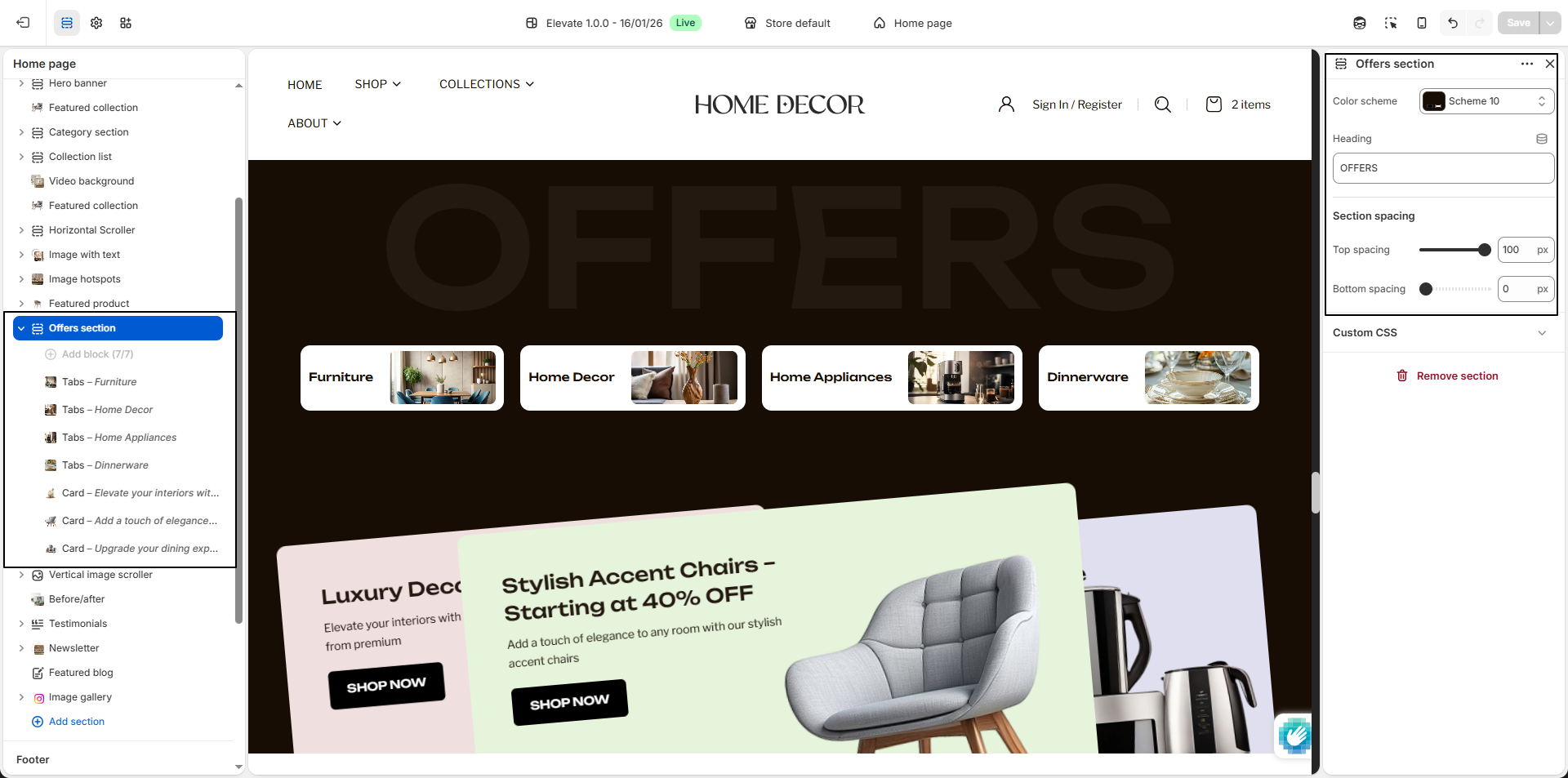
How To Edit the Offers Section
- Color Scheme: Select a color scheme to control the background, text, and overall visual style of the section.
- Heading: Enter the main heading for the section, such as OFFERS, to introduce the promotional content.
-
Tabs:
Use the tab blocks to display different product categories or collections at the
top of the section.
- Select Collection: Choose the collection you want to connect to the tab, such as Living Room.
- Collection Title (Optional): Enter a custom title to display for the tab, such as Furniture.
- Select Image (Optional): Upload an image to visually represent the collection tab.
-
Card:
Use card blocks to showcase promotional offers, featured products, or sale
highlights within the section.
- Block Background Color: Choose a background color for the individual offer card to match your design style.
- Select Image: Upload the main image you want to display inside the offer card.
- Heading: Enter the title of the offer card, such as Luxury Decorative Vases.
- Text: Add a short promotional description or supporting content for the offer.
- Button Label: Enter the text you want to display on the button, such as SHOP NOW.
- Button Link: Select the destination page, collection, or product where the button should redirect users.