
Rich Text Section
The Rich Text Section is designed to present content in a clean and structured format, combining headings, descriptive text, and call-to-action buttons. It provides a flexible way to communicate your brand message, highlight features, or guide users toward important actions. With customizable width, alignment, and styling options, this section ensures your content remains visually balanced, readable, and engaging across all screen sizes.
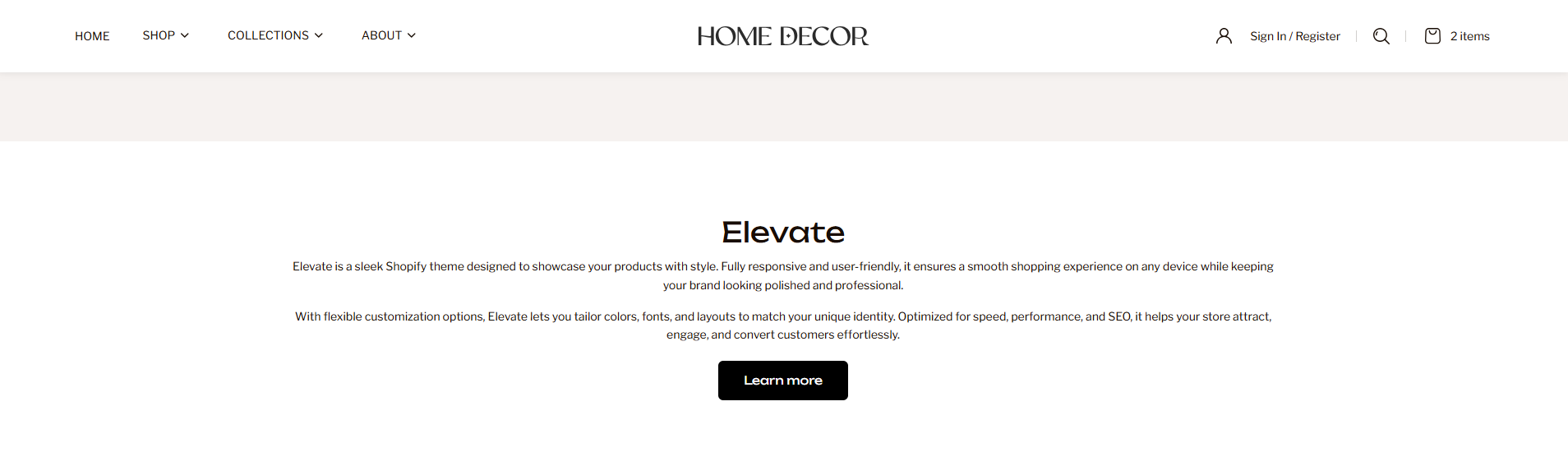
How to Add the Rich Text Section
- From your Shopify admin, go to Online Store → Themes.
- Click Customize on the Renovate theme.
- In the Theme Editor, select the Rich Text section from the left sidebar.
- Adjust the settings, blocks, and layout options according to your preferences.
- Click Save to apply your changes.
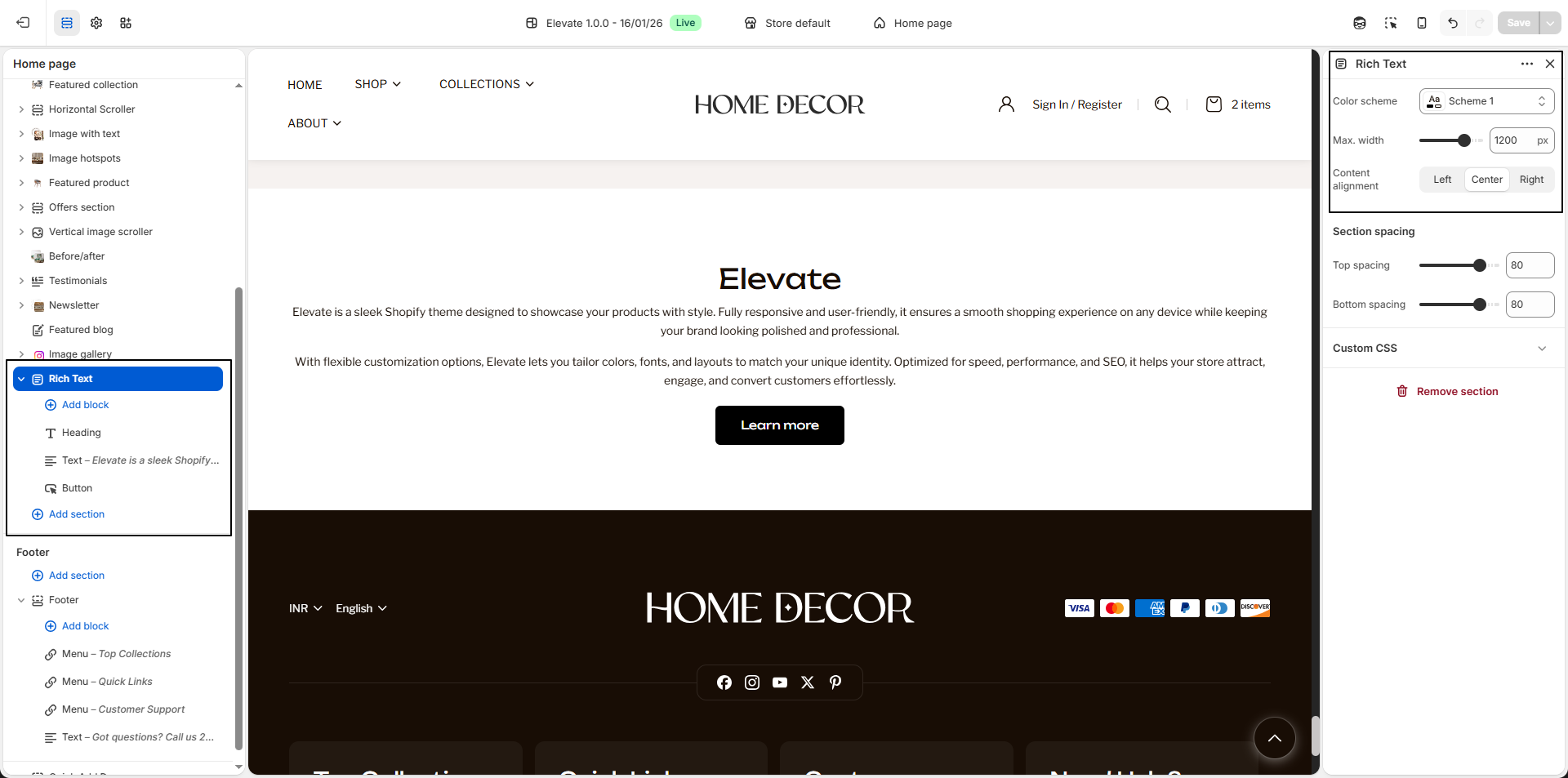
How To Edit the Rich Text Section
- Color Scheme: Select a color scheme to control the background, text, and overall visual style of the section.
- Max. Width: Adjust the maximum width of the content area (e.g., 1200px) to control how wide the text and elements appear within the section.
-
Content Alignment:
Choose how the content should be aligned within the section.
- Left: Aligns content to the left side.
- Center: Centers the content.
- Right: Aligns content to the right side.
-
Heading Block:
Use the heading block to add a title for the section.
- Heading: Enter the main heading text, such as Renovate.
- Heading Size:
Choose the size of the heading based on importance.
- H1: Largest heading size for primary titles.
- H2: Medium heading size for section titles.
- H3: Smaller heading size for subheadings.
-
Text Block:
Use the text block to add descriptive content, brand messaging, or
supporting information below the heading.
- Text: Enter the paragraph or content you want to display.
-
Button Block:
Add a call-to-action button to guide users to another page.
- Button Text: Enter the button label, such as Learn more.
- Button Link: Select the destination page, product, or collection where users will be redirected when clicked.
- Multiple Blocks: You can add and arrange multiple heading, text, and button blocks to create a fully customized content layout.