
Testimonials
The Testimonials section in Adorn allows you to prominently display customer feedback, reviews, and testimonials, making it simple to showcase the experiences of your satisfied customers. This feature is essential for fostering trust and credibility with potential buyers.
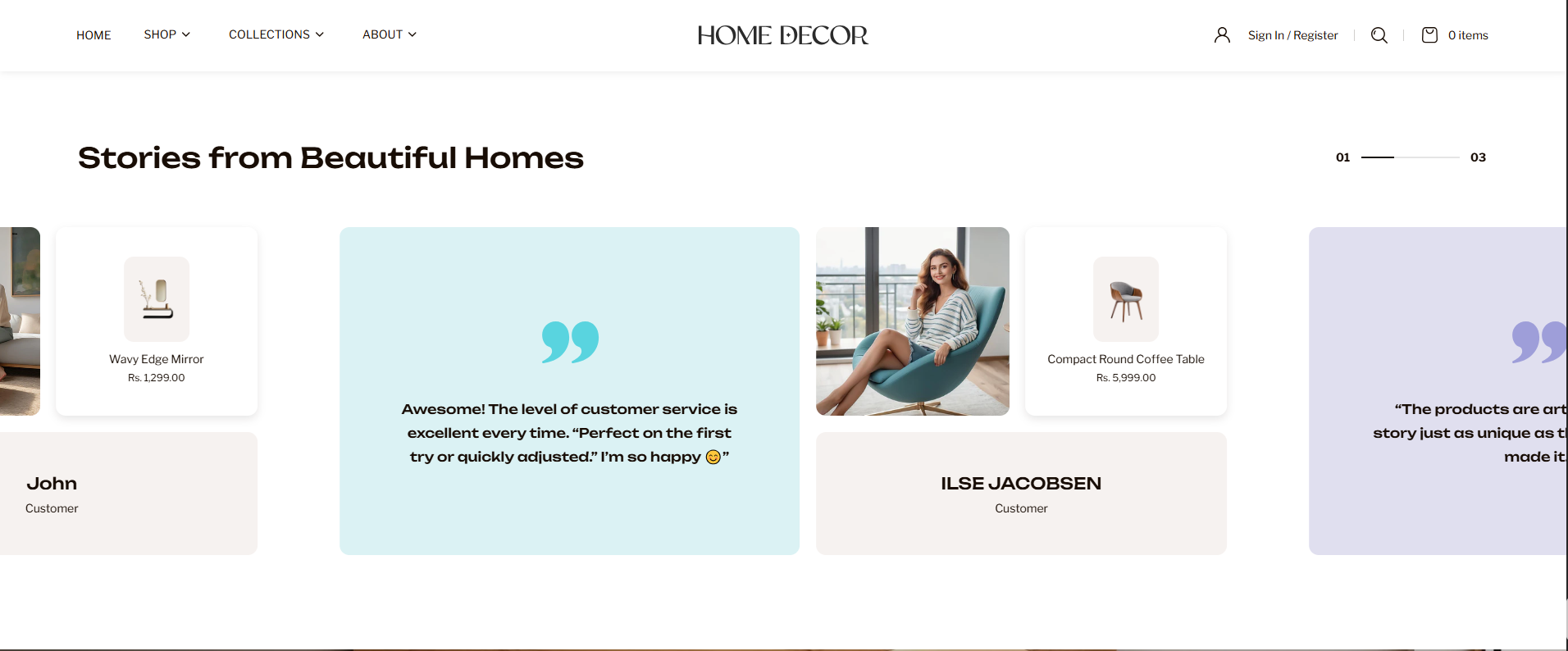
How to Add the Testimonials Section
- From your Shopify admin, go to Online Store → Themes.
- Click Customize on the Renovate theme.
- In the Theme Editor, select the Testimonials section from the left sidebar.
- Adjust the settings, blocks, and layout options according to your preferences.
- Click Save to apply your changes.
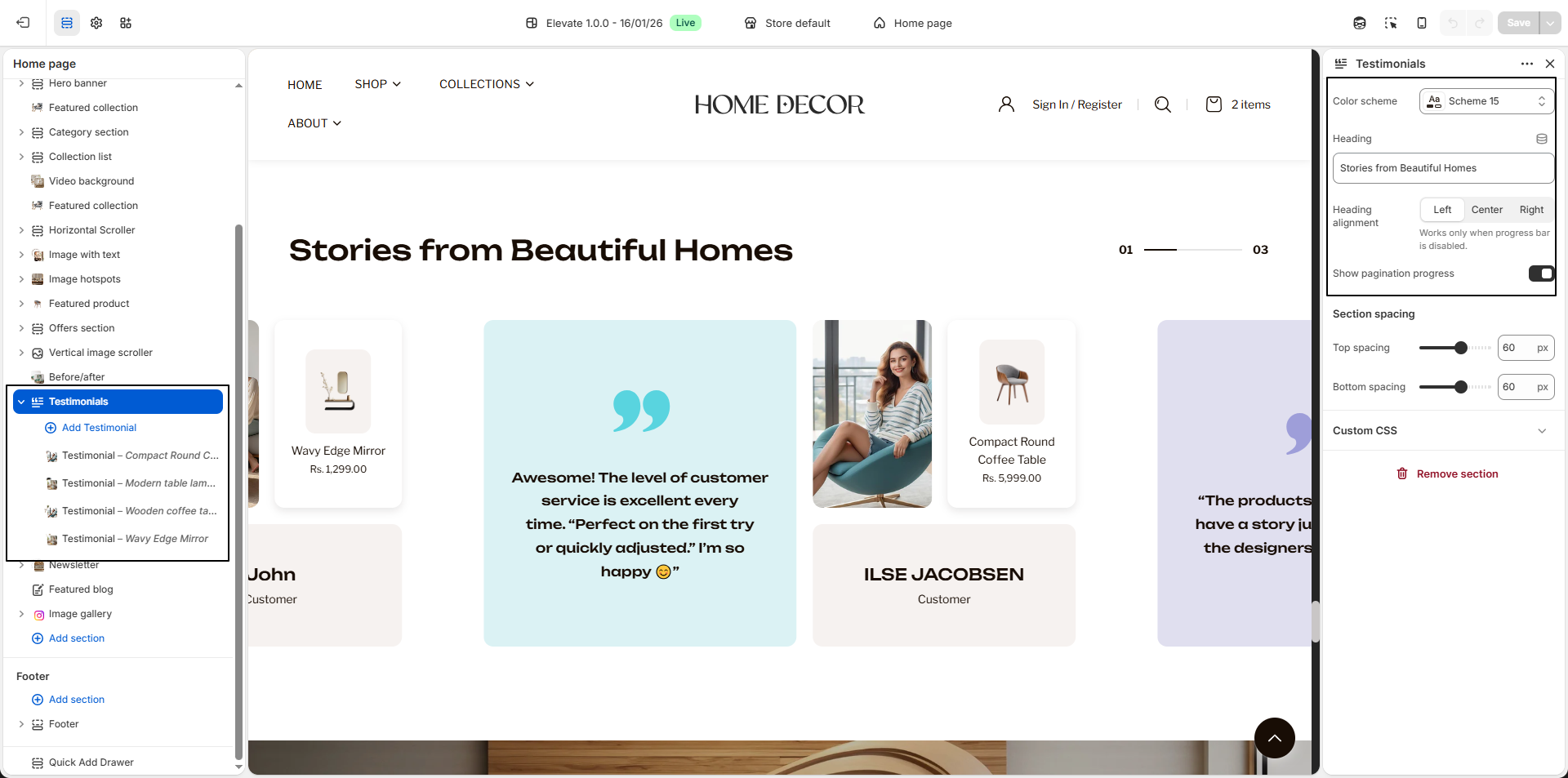
How To Edit the Testimonials Section
- Color Scheme: Select a color scheme to control the background, text, and overall visual style of the section.
- Heading: Enter the main heading for the section, such as Stories from Beautiful Homes, to introduce customer feedback.
-
Heading Alignment:
Choose how the heading should be aligned within the section.
- Left: Aligns the heading to the left side.
- Center: Centers the heading.
- Right: Aligns the heading to the right side.
- Show Pagination Progress: Enable this option to display a progress indicator that shows the current testimonial position within the slider.
-
Testimonial Block:
Use testimonial blocks to add individual customer reviews.
- Block Background Color: Choose a background color for the testimonial card.
- Quote Color: Select the color for the quote icon or highlight element.
- Select Author Image: Upload an image of the customer or related visual.
- Content: Enter the testimonial text or customer feedback.
- Author Name: Add the name of the customer.
- Author Designation: Add additional details such as Customer, Interior Designer, etc.
- Select Product: Optionally link a product to the testimonial to showcase related items.
- Multiple Testimonials: You can add multiple testimonial blocks to display a variety of customer experiences in a slider format.