
Cart Page & Cart Drawer
The Cart Page & Cart Drawer in the Voltix theme is provides a clear and organized overview of the products customers have added to their cart. It allows users to review items, update quantities, apply discount codes, and proceed to checkout seamlessly. Designed for ease of use, the cart layout ensures a smooth shopping experience by displaying essential product details, pricing, and order summary in a structured format.
Key Features
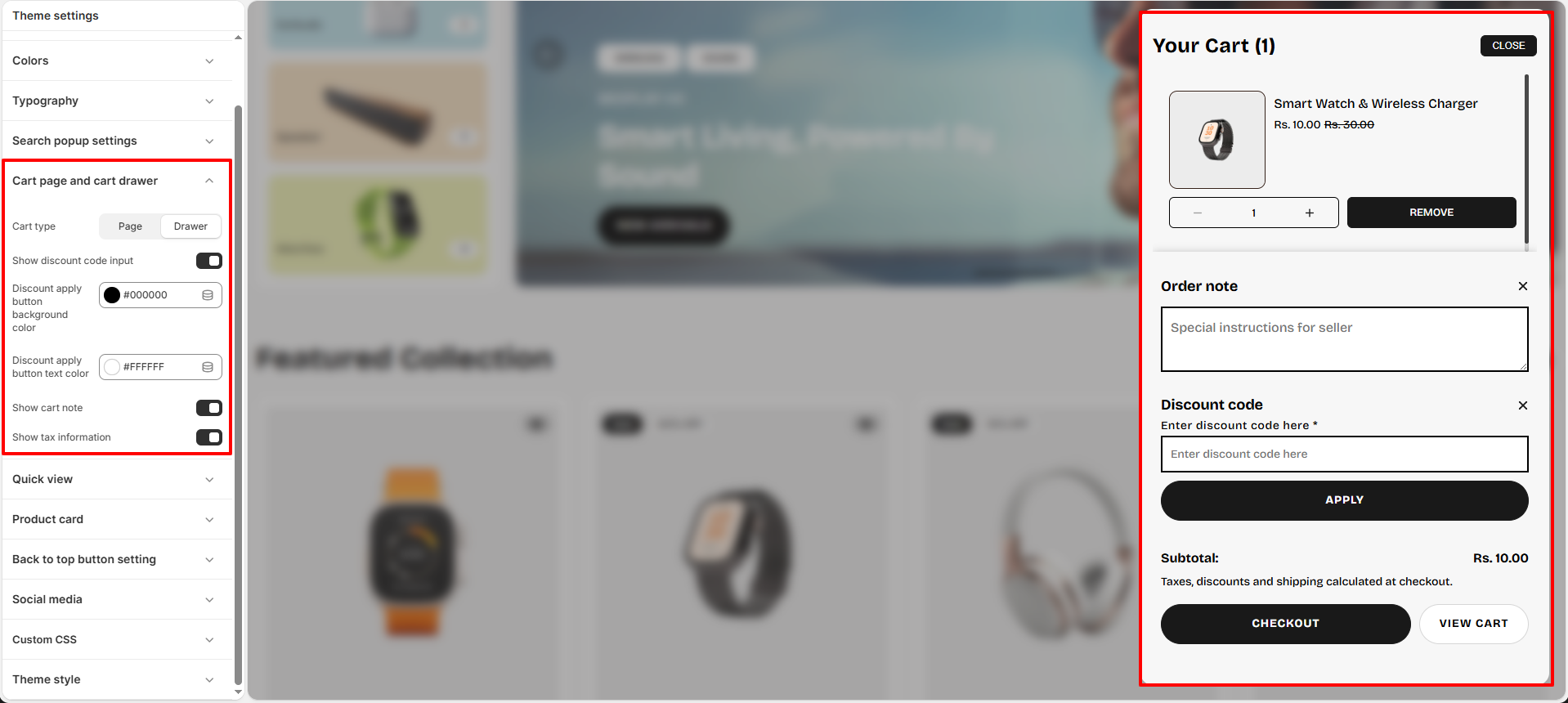
- Product Details: Displays the product image, name, selected variants, and pricing for each item in the cart.
- Quantity Control: Allows customers to easily increase or decrease product quantities directly from the cart.
- Remove Items: Allows customers to remove products from the cart with a single click.
- Discount Code: Customers can enter and apply coupon or discount codes to receive applicable discounts on their order.
- Order Note: Provides an option for customers to add special instructions or notes to their order.
- Subtotal Summary: Displays the total cost of items in the cart, including applicable discounts.
- Product Recommendations: Displays complementary or related products in the cart drawer when the recommendation option is enabled.
- Free Shipping Bar: Displays progress toward the configured free shipping threshold when the free shipping bar is enabled.
- Checkout Button: Provides a prominent call-to-action that directs customers to the checkout page.
- Continue Shopping: Allows customers to return to browsing products without losing the items already added to their cart.
How to Set Up the Cart
The Cart in the Voltix theme allows customers to review the products they have added before proceeding to checkout. You can configure the cart to appear as a drawer or a full cart page and enable additional features to improve the shopping experience.
- From your Shopify admin , go to Online Store → Themes and click Customize on the Voltix theme.
- In the Theme Editor sidebar, navigate to Cart page and cart drawer settings under Theme Settings (gear icon).
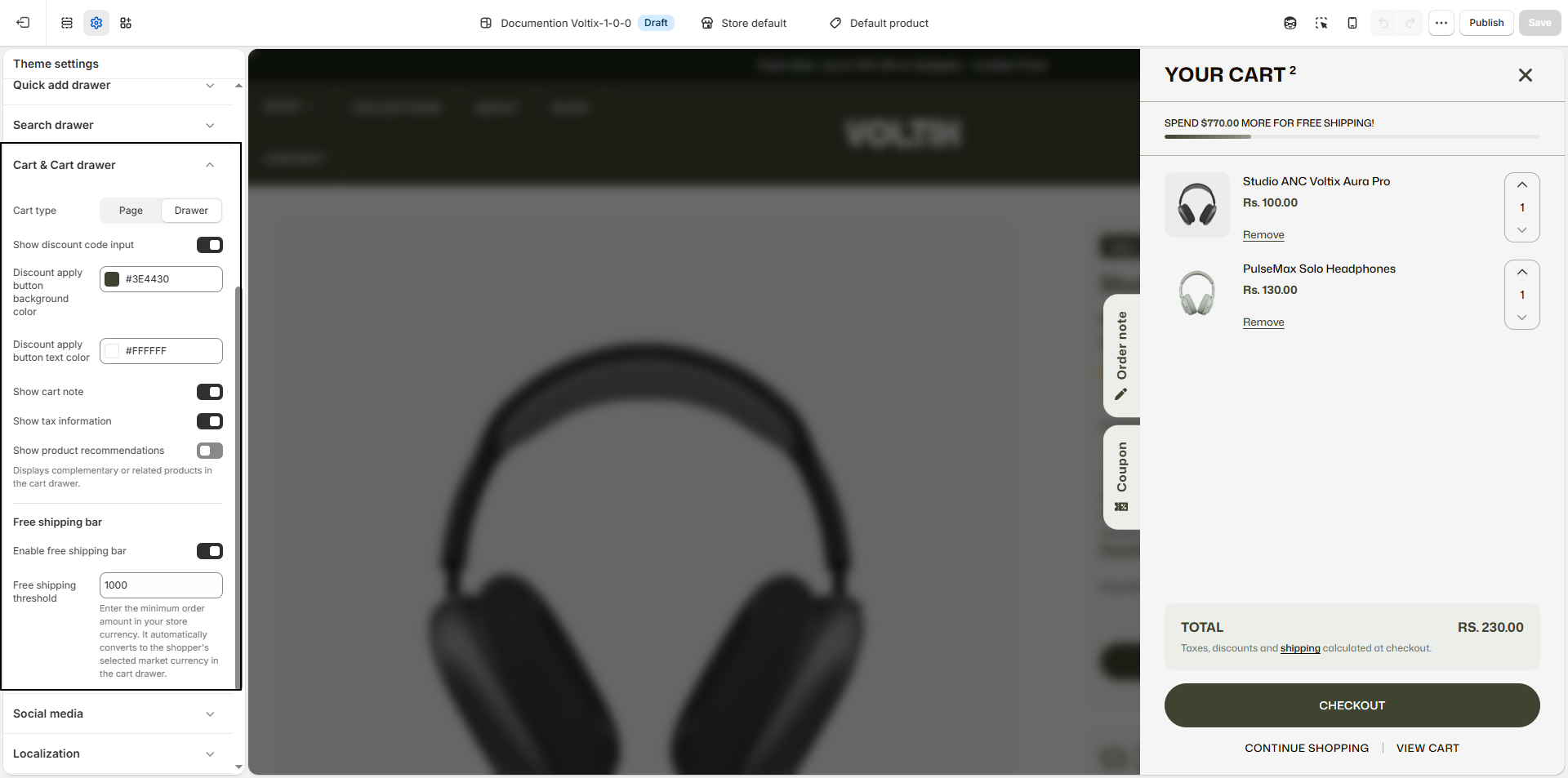
- Cart type: Choose how the cart is displayed to customers. Select Page to open the cart on a dedicated cart page, or select Drawer to display the cart in a side panel without leaving the current page.
- Show discount code input: Enable this option to display a discount code field in the cart, allowing customers to enter and apply promotional or coupon codes to their order.
- Discount apply button background color: Select the background color for the button used to apply a discount code, such as #3E4430.
- Discount apply button text color: Select the text color for the discount apply button, such as #FFFFFF.
- Show cart note: Enable this option to allow customers to add special instructions or notes to their order from the cart.
- Show tax information: Enable this option to display relevant tax information in the cart.
- Show product recommendations: Enable this option to display complementary or related products in the cart drawer, helping customers discover additional products before checkout.
- Enable free shipping bar: Enable this option to display a free shipping progress bar in the cart, helping customers understand how much more they need to spend to qualify for free shipping.
- Free shipping threshold: Enter the minimum order amount required to qualify for free shipping in your store's currency. The threshold is automatically converted to the shopper's selected market currency when displayed in the cart drawer.