
Product Swatches
The Product Swatches feature in the Voltix theme transforms product options like colors into interactive visual swatches. Instead of relying on text-based selections, customers can easily view and choose options through intuitive, clickable samples.
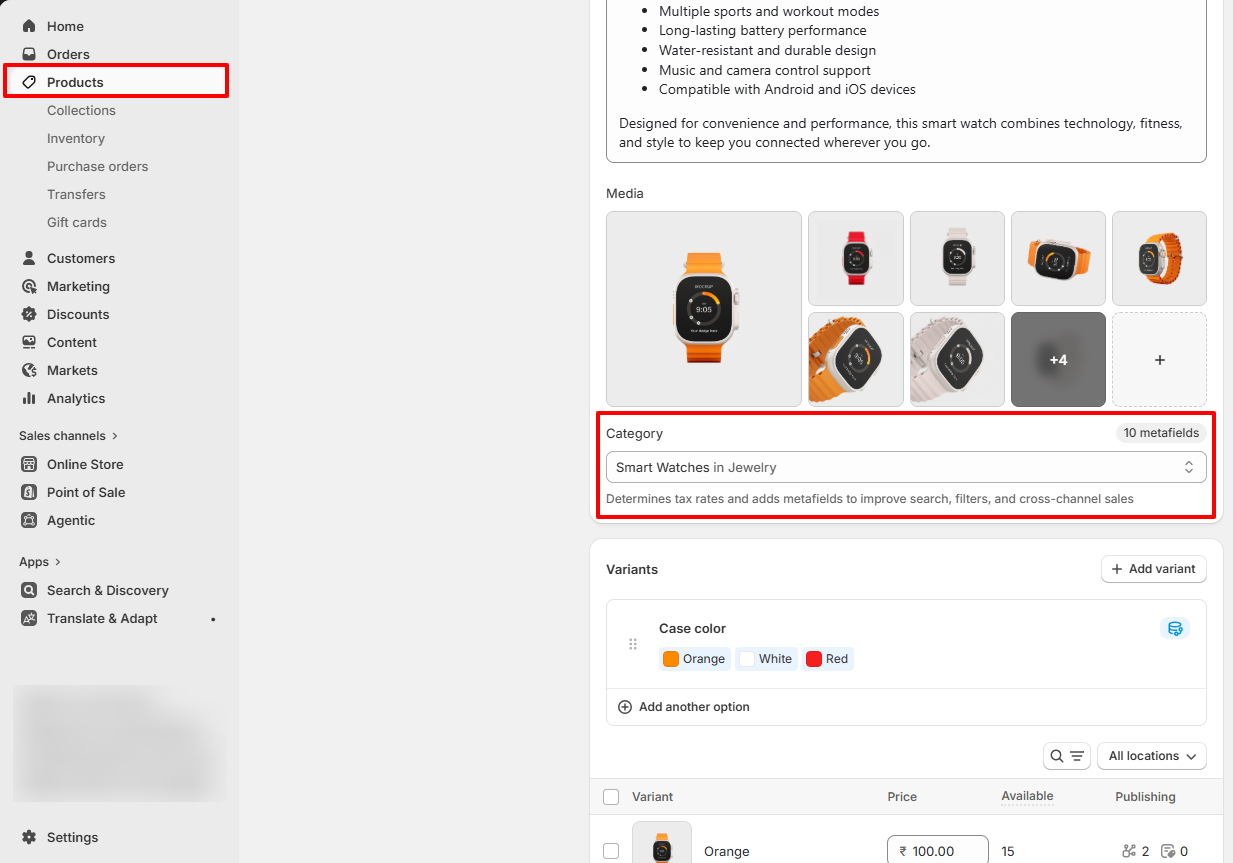
Step 1: Assign a Product Category
Shopify enables native color swatches only when a product category is assigned. Categories provide access to Shopify’s standard metafields such as Color and Size.
- From your Shopify admin, go to Products.
- Click the product you want to edit.
- In the Category section, click Select category.
- Choose a category that supports color metafields, for example: Apparel & Accessories > Clothing > Shirts.
- Click Save.
Note: Shopify category metafields will not appear until a valid category is assigned.
Step 2: Add Color Values
After assigning a category, Shopify automatically provides the Color category metafield.
- Open the same product from the Products section.
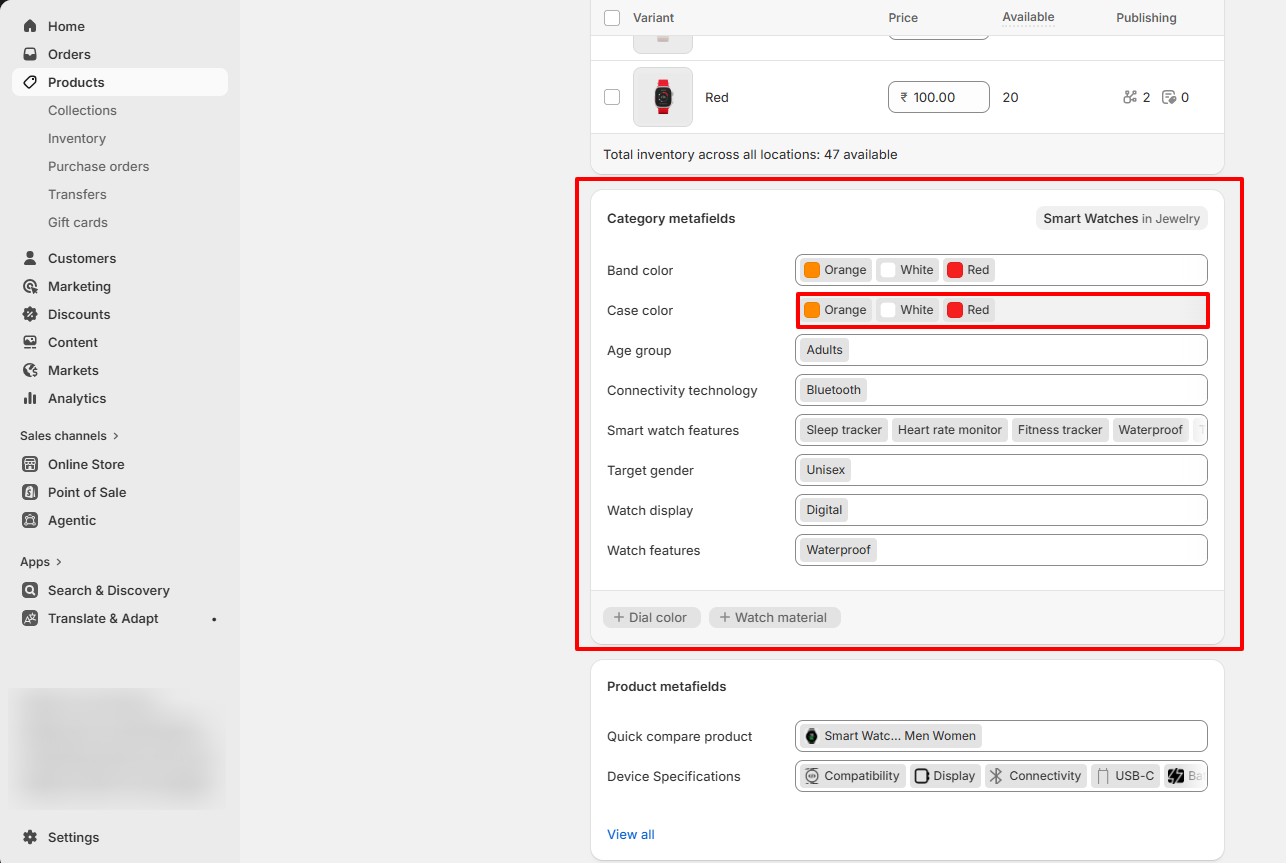
- Scroll down to the Category metafields section.
- Locate the Color metafield.
- Click inside the Color field to add available color values.
-
Select existing standard colors such as:
- Black,Blue,Red
-
To create a custom color:
- Type the custom color name such as Ivory or Graphite.
- Click Add new entry when the option appears.
-
In the popup window, configure the color details:
- Add the color label/name.
- Optionally upload a swatch image.
- Optionally add a hex color code.
- Click Save to create the color entry.
- After adding all required colors, click Save on the product.
Step 3: Connect Color Values to Variants
Connect the Shopify Color metafield to your product variants to display swatches properly.
- Open your product in the Products section.
- Scroll to the Variants section.
- Click Add options like size or color.
- Select the suggested Color option.
- Shopify automatically fills the available color values.
- Assign the correct color to each variant.
- Click Save.
Refer to Shopify's Color option with swatches documenattion for more.
Also, refer to the Adding color swatches using category metafields