
Testimonials
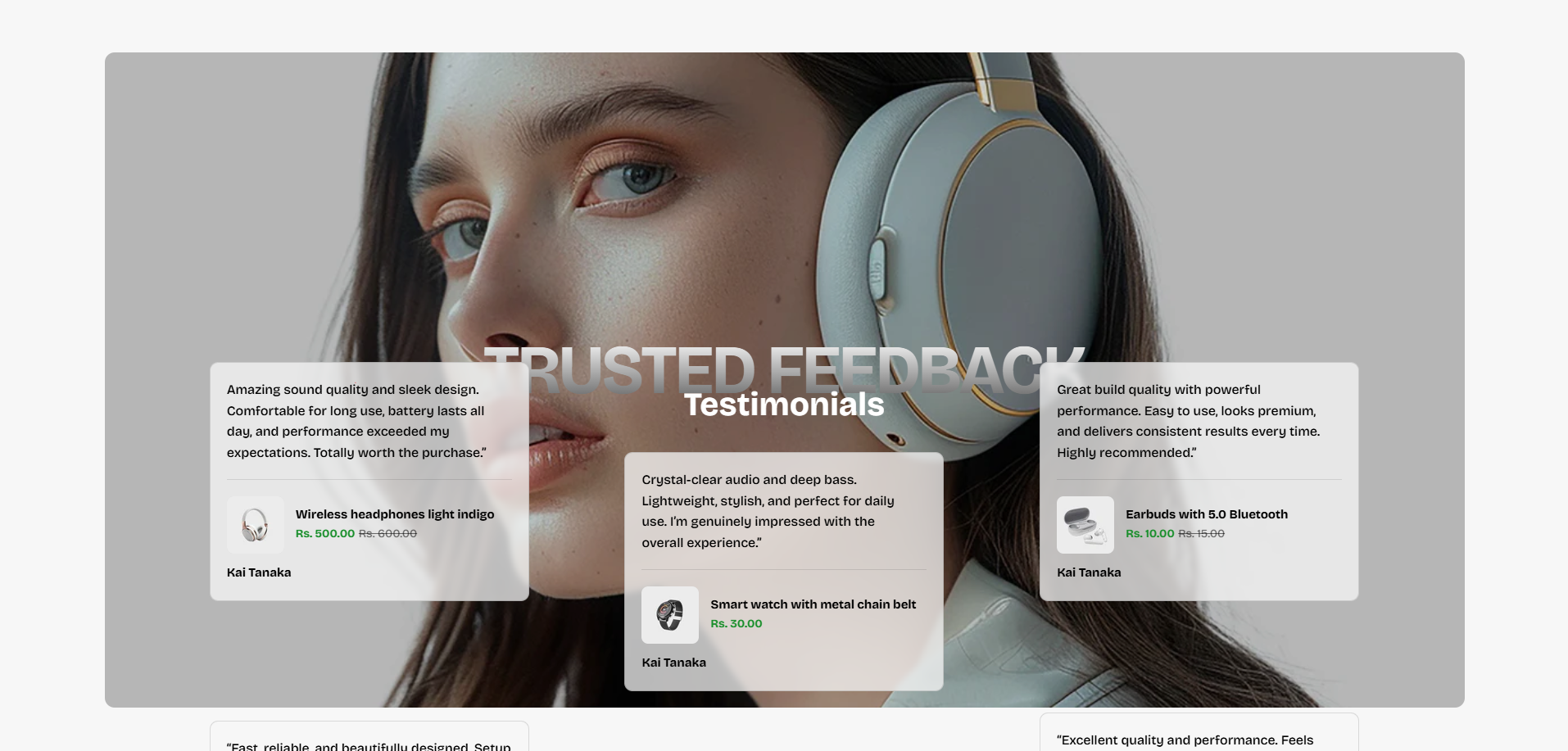
The Testimonials section allows merchants to showcase customer reviews, product experiences, and buyer feedback in an interactive and visually engaging layout. This section helps build customer trust, improve social proof, and increase product credibility by displaying authentic customer experiences directly on the storefront.
With customizable testimonial cards, product assignment options, responsive layouts, mobile slider functionality, banner overlays, spacing controls, and flexible content styling, the Testimonials section creates a modern and professional customer review showcase across all devices.
How to Add the Testimonials Section
- From your Shopify admin, go to Online Store → Themes.
- Click Customize on the Voltix theme.
- In the Theme Editor, click Add section.
- Select Testimonials from the available sections.
- Configure the section settings including heading content, banner image, layout controls, mobile slider options, spacing, overlay opacity, and card styling.
- Add multiple Review blocks to display customer testimonials.
- Click Save to publish your changes.
How To Configure The Testimonials Settings
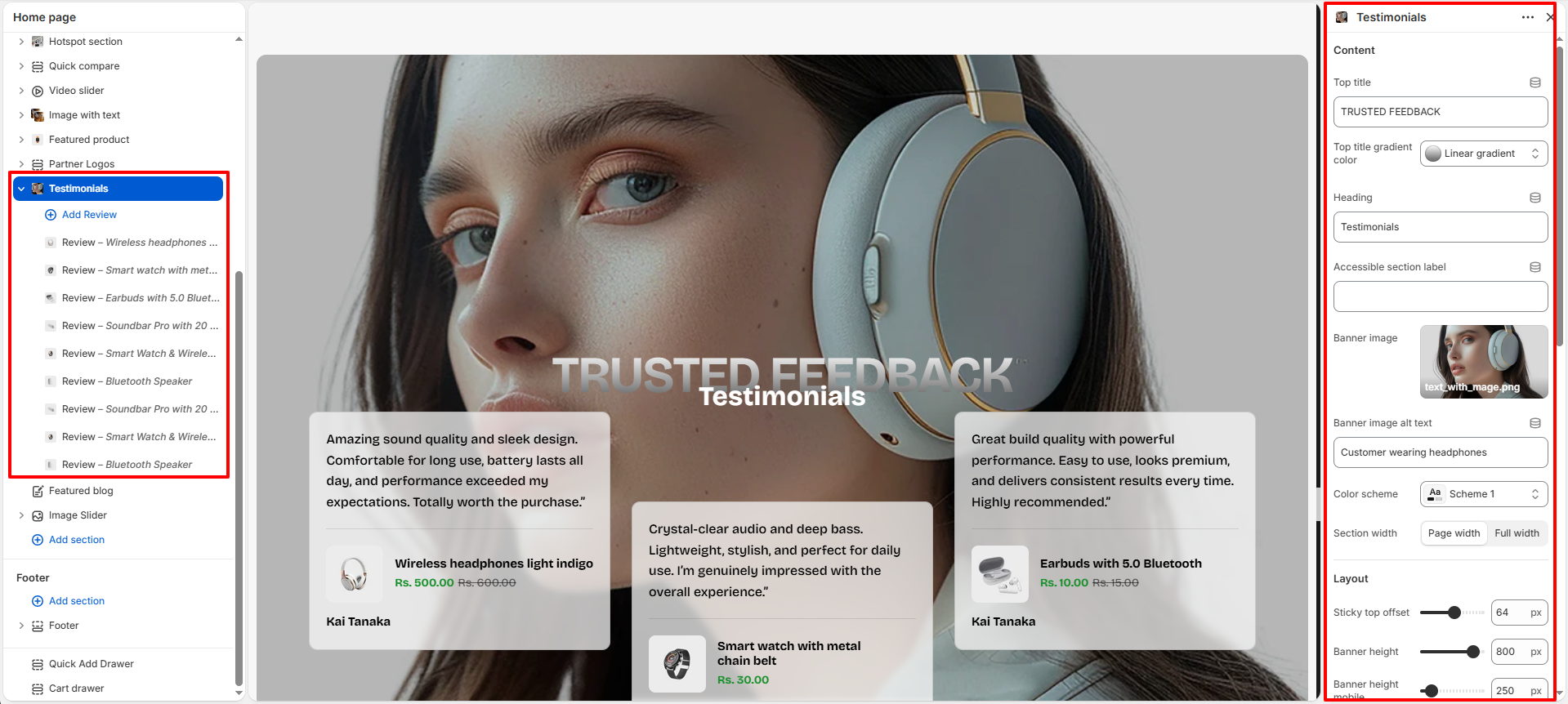
The section settings allow you to control the overall appearance, layout structure, responsiveness, typography, spacing, banner styling, and customer review presentation for the Testimonials section.
- Top Title: Add a small heading displayed above the main testimonial heading.
- Top Title Gradient Color: Apply gradient styling to the top title text.
- Heading: Add the main heading text displayed in the testimonials section.
- Accessible Section Label: Add accessibility labels for improved screen-reader support.
- Banner Image: Upload the background image displayed behind the testimonial cards.
- Banner Image Alt Text: Add descriptive alternative text for accessibility and SEO purposes.
- Color Scheme: Select the color scheme used for the section content and cards.
- Section Width: Choose between Page Width or Full Width layouts.
- Sticky Top Offset: Adjust the sticky positioning offset for desktop layouts.
- Banner Height: Control the height of the testimonial banner on desktop devices.
- Banner Height Mobile: Configure the banner height for mobile devices.
- Banner Overlay Opacity: Adjust the opacity of the overlay displayed above the banner image.
- Cards Overlap Banner: Control how much testimonial cards overlap the banner image.
- Cards Gap: Set spacing between testimonial cards.
- Card Radius: Adjust the rounded corner styling for testimonial cards.
- Enable Mobile Autoplay: Automatically slide testimonial cards on mobile devices.
- Mobile Autoplay Delay: Control the delay timing between mobile testimonial slides.
- Mobile Transition Speed: Adjust the transition animation speed for mobile sliders.
- Show Footer Button: Enable or disable the footer action button.
- Footer Button Label: Add custom text for the footer button.
- Footer Button Link: Assign a destination link to the footer button.
- Padding Top: Add spacing above the section.
- Padding Bottom: Add spacing below the section.
- Custom CSS: Add custom styling for advanced design customization.
Review Block Settings
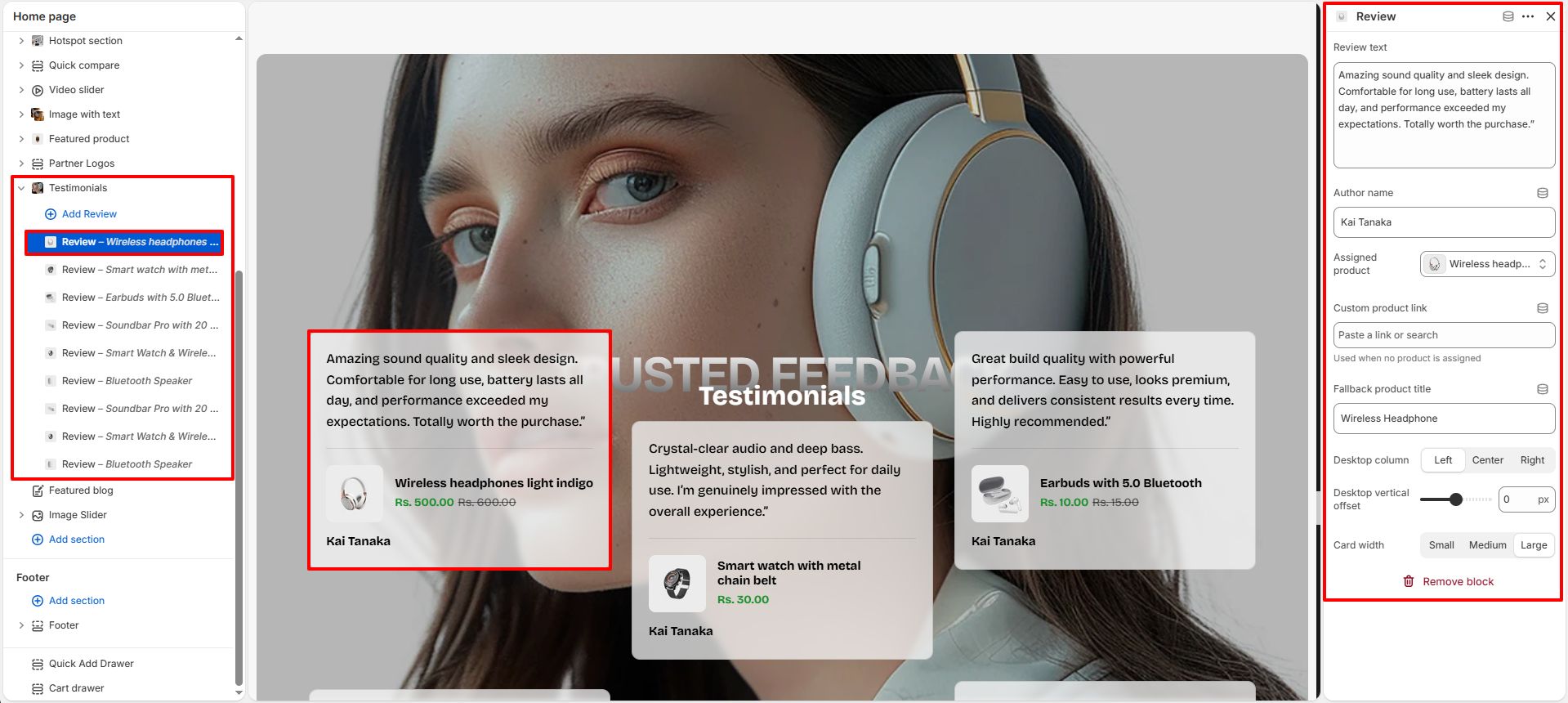
The Review block allows you to manage individual customer testimonials displayed inside the Testimonials section.
- Review Text: Add the customer review or testimonial content.
- Author Name: Enter the customer or reviewer name displayed on the testimonial card.
- Assigned Product: Link a Shopify product directly to the testimonial card.
- Custom Product Link: Add a custom product URL when no Shopify product is assigned.
- Fallback Product Title: Display a custom product title when no product is connected.
- Desktop Column: Choose the testimonial card alignment position on desktop layouts.
- Desktop Vertical Offset: Adjust the vertical spacing position for individual cards.
- Card Width: Select the testimonial card size such as small, medium, or large.