Cart
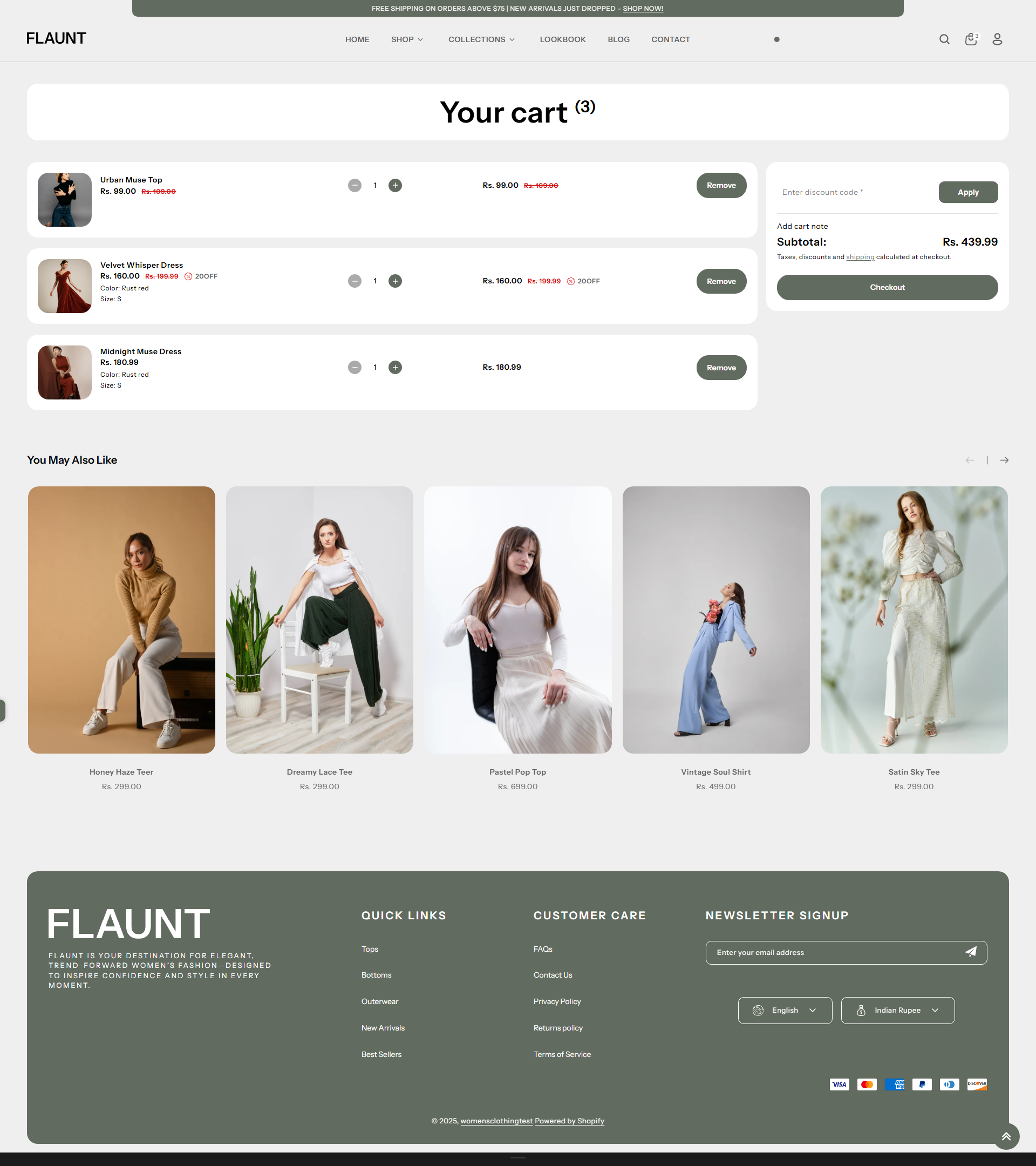
In the Flaunt theme, the Cart is where your customers accumulate and review the products they have selected before proceeding to the checkout. It provides a clear and organized overview of the items added, allowing customers to update quantities, remove products, and view estimated totals.
The Flaunt theme also supports additional cart-focused features such as promotional messages, discount box, and custom notices to enhance the shopping experience and improve conversions.
How to Set Up the Cart
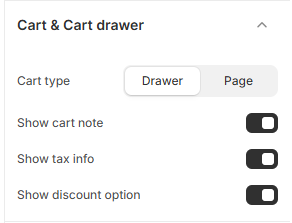
The Cart in the Flaunt theme allows customers to review the products they have added before proceeding to checkout. You can configure the cart to appear as a drawer or a full cart page and enable additional features to improve the shopping experience.
To configure your cart settings:
- From your Shopify admin, go to Online Store → Themes and open the Flaunt theme by clicking Customize.
- In the theme editor sidebar, navigate to Cart or Cart & Cart Drawer settings.
- Cart Type: Choose between Drawer or Page to define how the cart appears when an item is added.
- Show Cart Note: Enable this option to allow customers to add notes or special instructions to their order.
- Show Tax Info: Turn on this setting if you want tax-related information displayed in the cart.
- Show Discount Option: Enable this to let customers apply discount codes directly on the cart before checkout.