
Dropdown Menu
An Adorn Dropdown menu is a navigational feature commonly used in Shopify themes to display multiple submenu items under a main menu item. It enhances the user experience by organizing and collapsing large navigation structures into a cleaner and more interactive format. Dropdown menus are often used to categorize products, collections, or other important links in a store, making it easier for customers to browse.
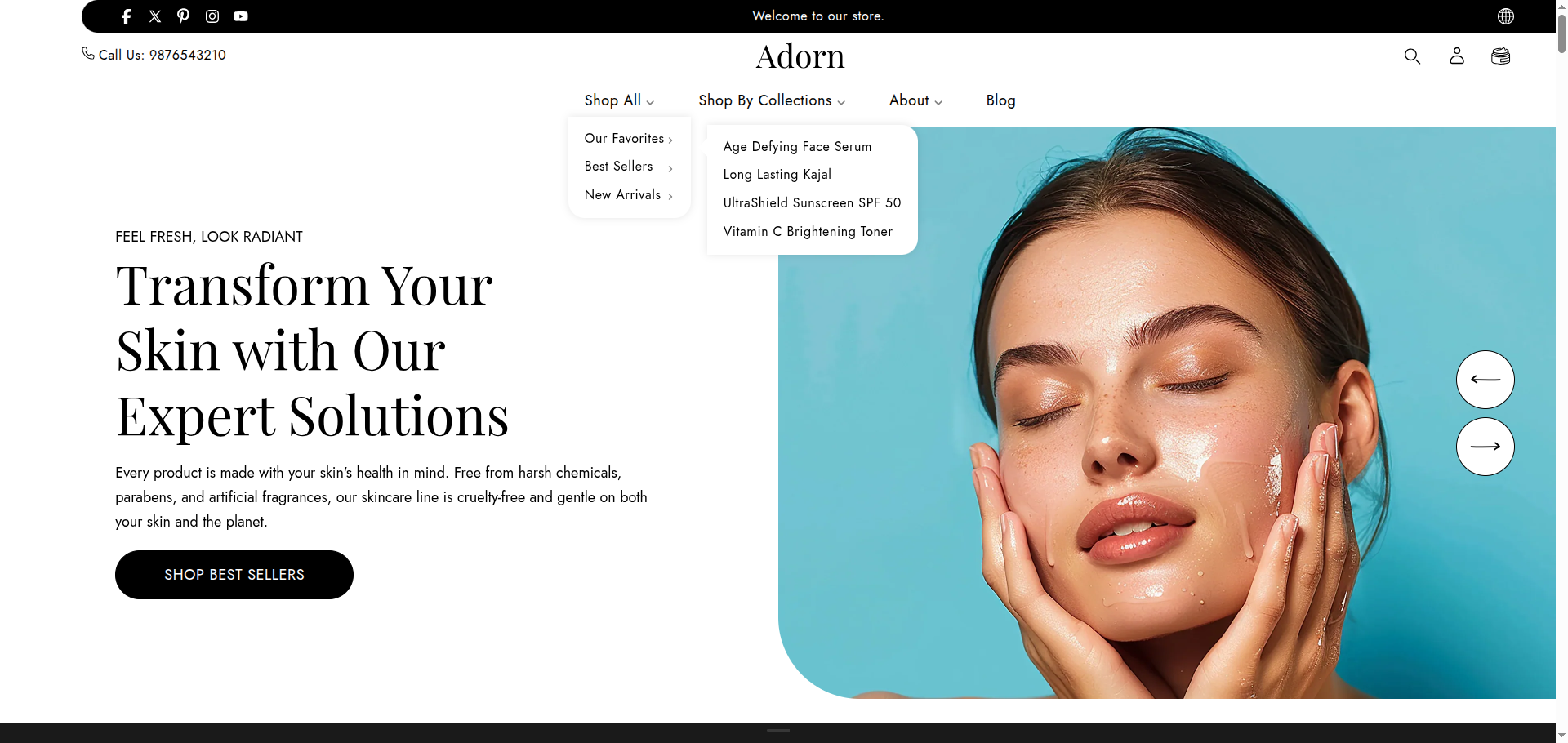
Follow these steps to configure your theme Dropdown
- Open the Customizer: Navigate to the Header Group, and then open the Header section.
- Choose Menu Type: You will see options for the menu type. choose type Dropdown
- Create dropdown menu: Go to Online Store >> Navigation >> Add menu
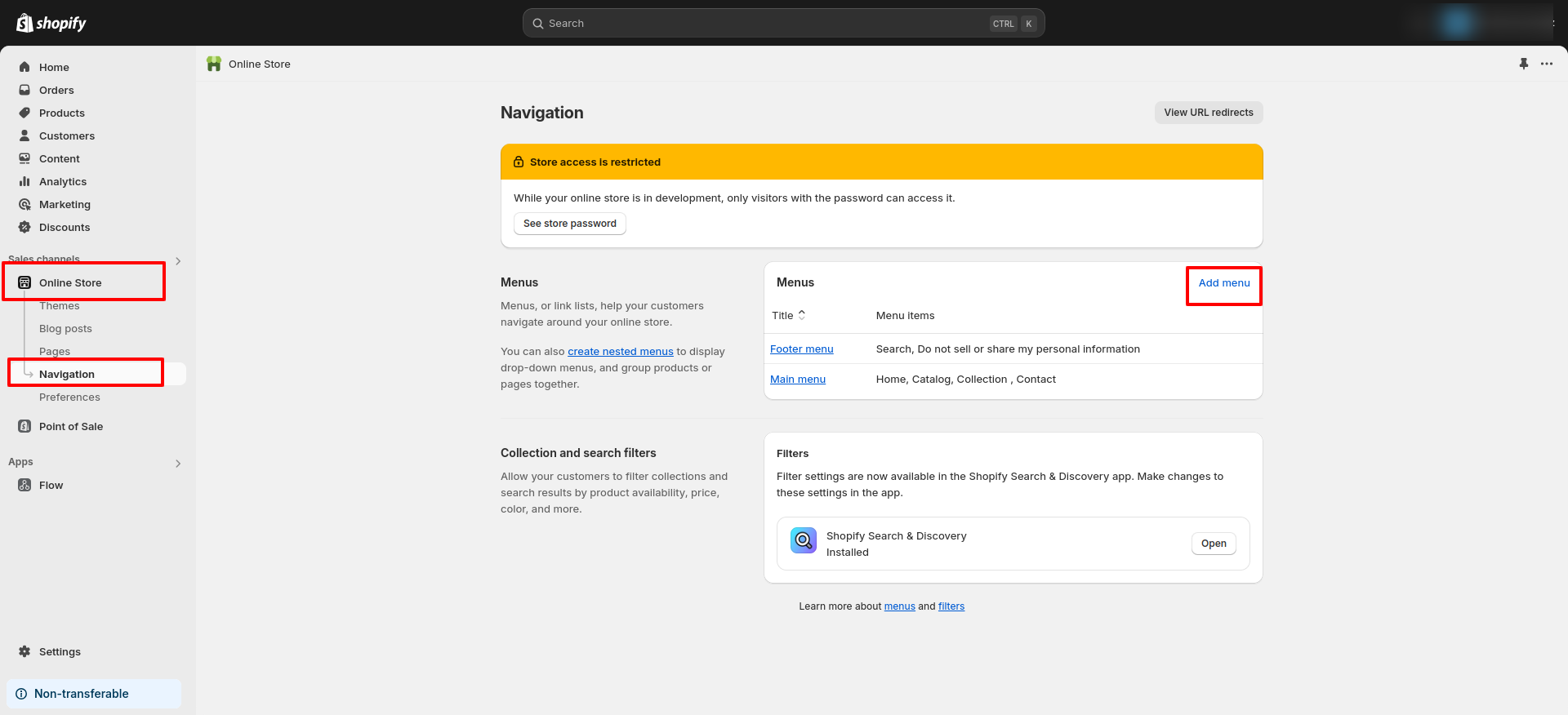
Your online store has two default menus: Main menu and Footer menu. You can edit these menus. If you want to add your own menu,click on the "Add menu" button in the navigation.
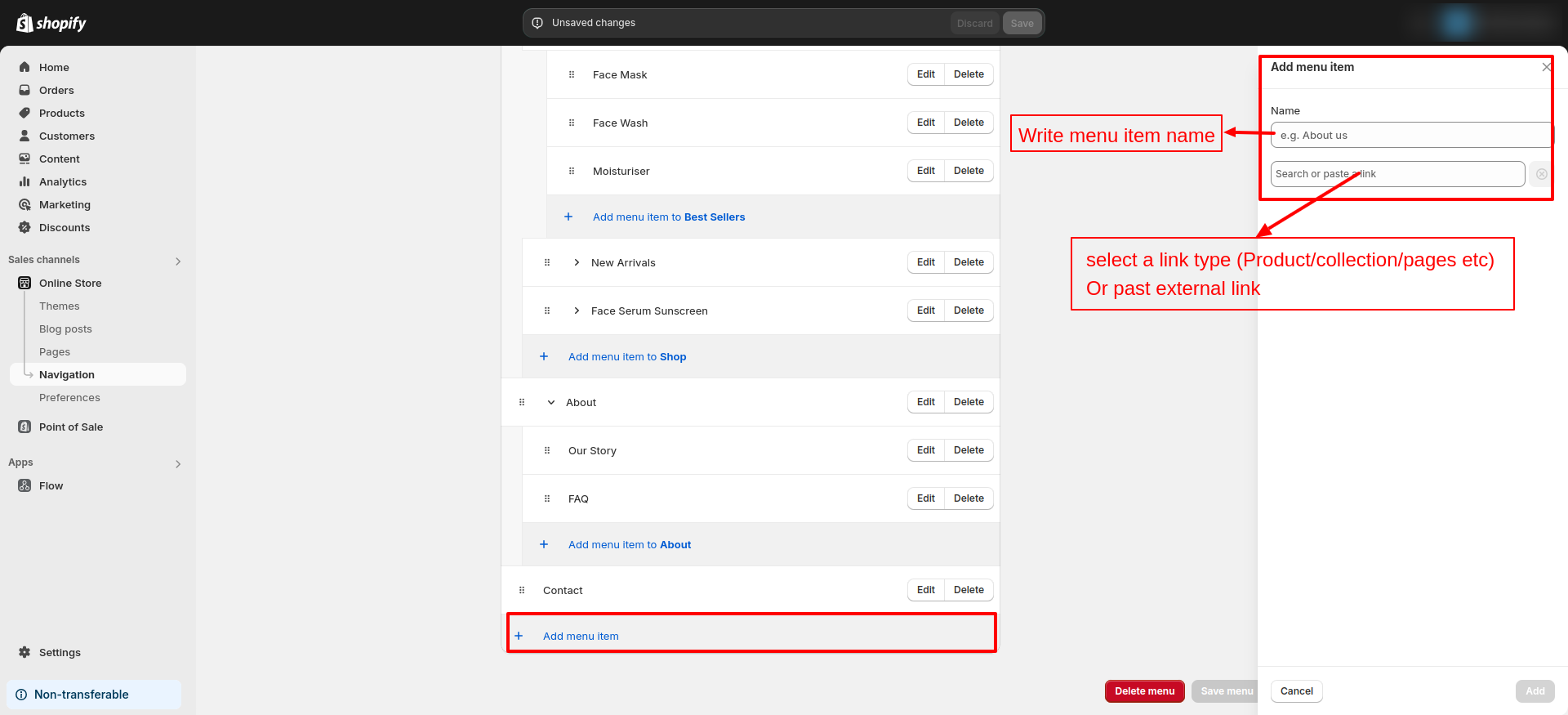
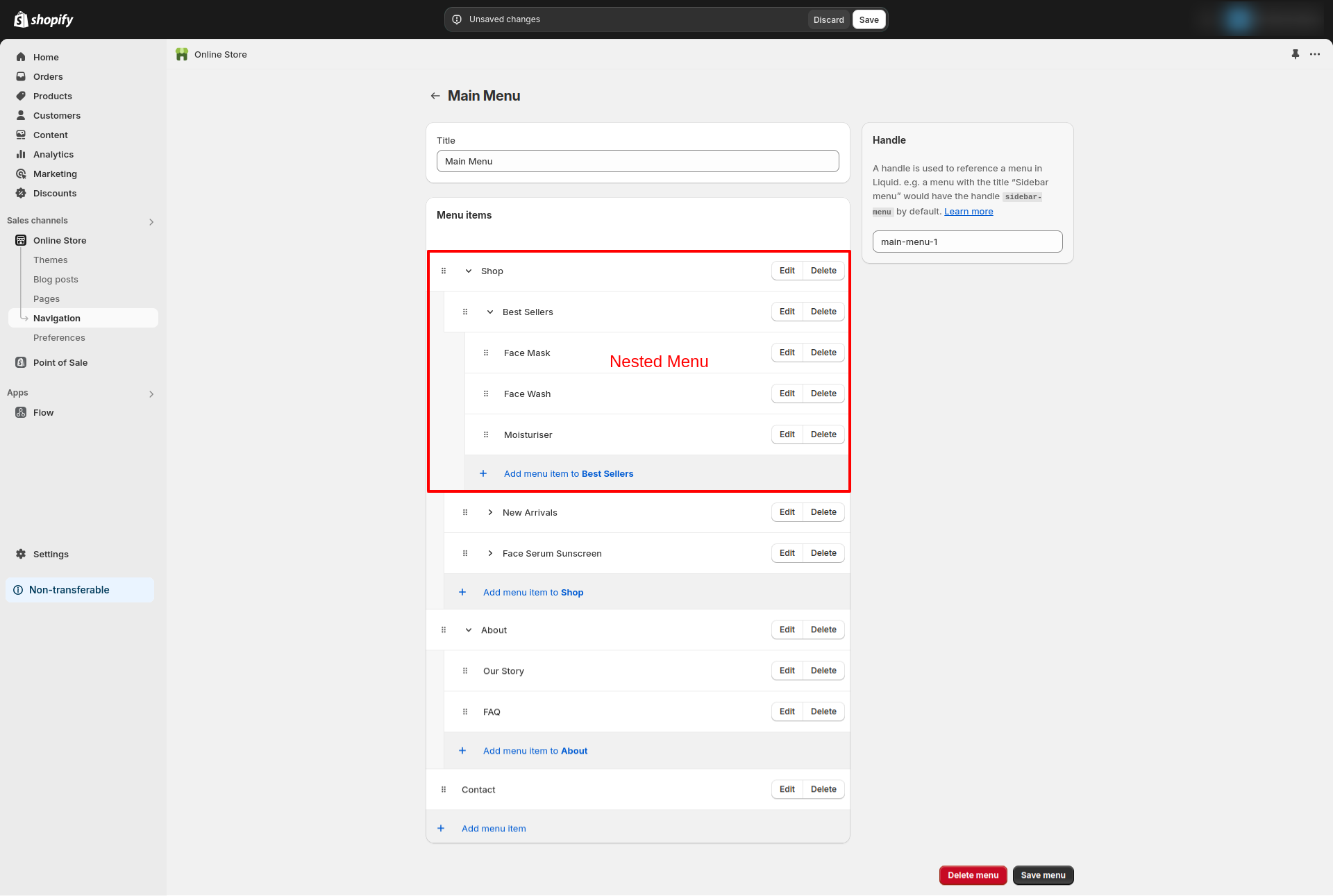
Also, read How to set up drop-down menus for more information.