
Featured Collection
The Featured Collection section highlights key collections to capture customer attention and encourage exploration. Typically displayed on the homepage, this section showcases products from curated collections, making it easy for visitors to browse items like New Arrivals, Most Popular, and Best Sellers. It is an ideal spot to drive cross-selling and up-selling while spotlighting your store's most notable products.
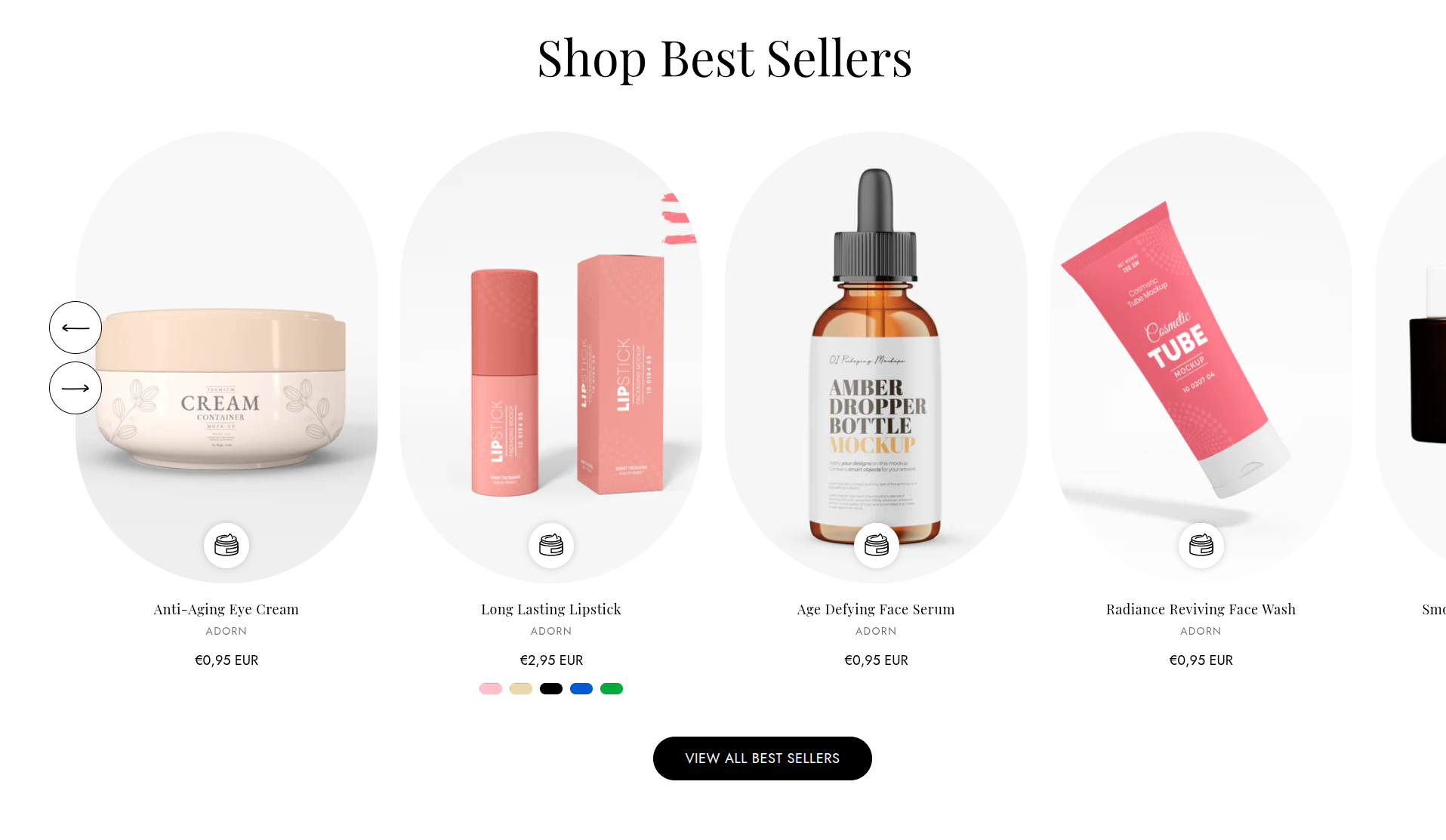
Adding the Featured Collection section
- Login to your Customizer and navigate to the page you would like to display this section.
- You'll see a list of available sections on the left-hand side. Locate the Add section button and click on it
- From the list of available sections, find and select Featured Collection.
How to Edit Featured Collection
Here’s a step-by-step guide to configure these settings in your Adorn Shopify theme:
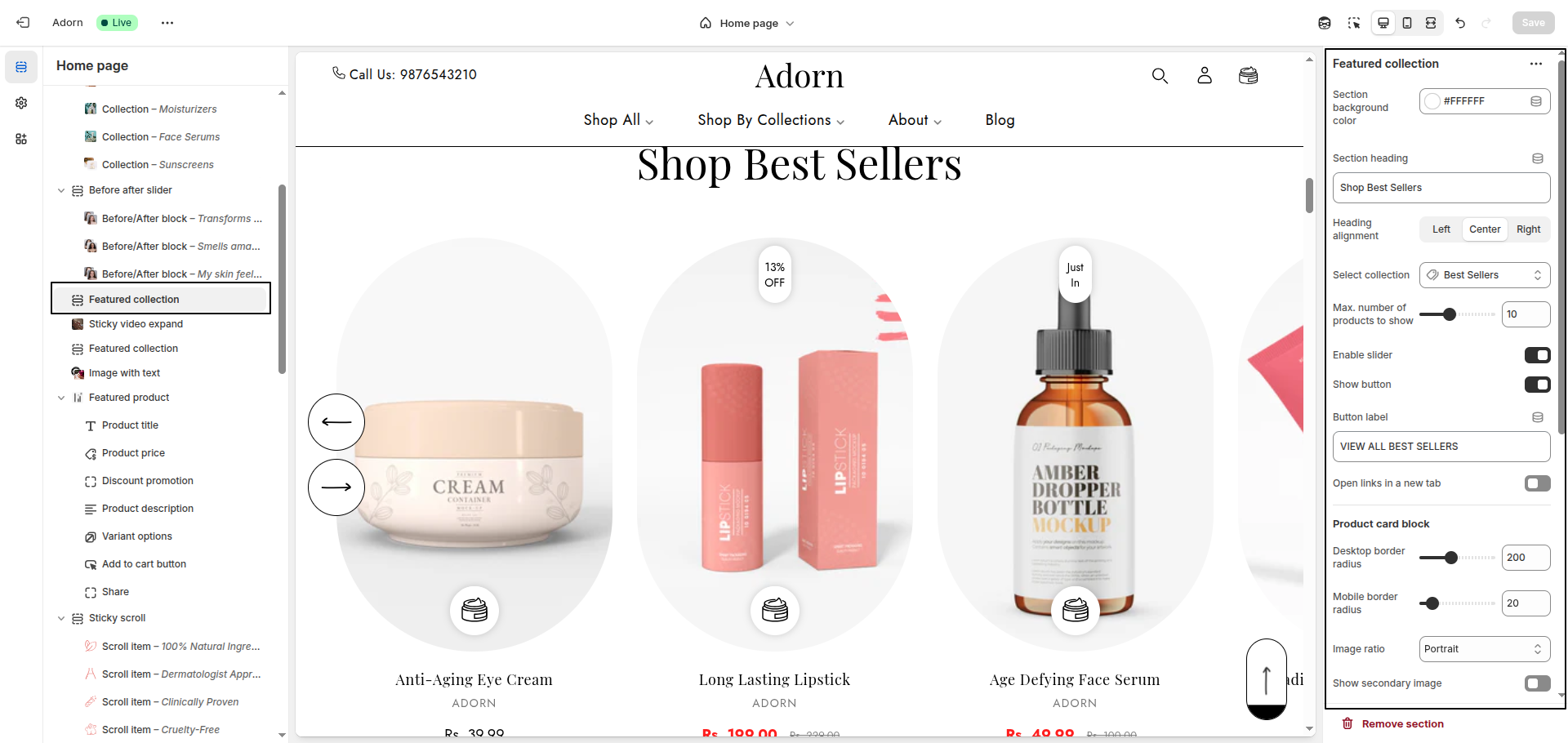
1. Section Background Color
- Use the Section Background Color setting to pick a color
2. Set the Section Heading
- Enter a heading for the section in the Section Heading field.
- Choose the alignment option for the heading: Left, Center, Right
3. Select Collection
- Choose a collection to display in this section.
4. Number of Products to Show
- Set the desired number of products to display.
5. Enable Slider
- Toggle Enable Slider to On if you want products displayed in a slider format.
- Hide Arrows on MobileToggle to hide navigation arrows on mobile devices.
6. Button Setting
- Toggle Show View All to On if you want to display the Show View All Button on section.
- Enter the button label you want to display on the button.
- Open Links in a New Tab: Toggle to open the button link in a new tab when clicked.
7. Set Border Radius
- Desktop Border Radius: Specify the border radius for desktop displays.
- Mobile Border Radius: Specify the border radius for mobile displays.
8. Configure Image Ratio
Under Image Ratio, select one of the following options:
- Adapt to image: Keeps the original image ratio.
- Portrait: Displays images in a portrait ratio.
- Square: Crops images into a square format.
9. Additional Display Options
- Show second image on hover: Enable this option to display a secondary product image when customers hover over the product.
- Show vendor: Toggle this option to display the product vendor.
10. Quick Add Options
Select Quick Add style
- None: No quick add button..
- Standard: Adds a standard quick add button
11. Show Color Swatches
- Show color swatches: Toggle to show or hide product color swatches on product card, Adding color swatches using category metafields Follow this instruction for more detailed.
FAQs
How can I change the shape of product card images?
To customize the product card image shape:
- Go to the Customizer.
- Navigate to the Featured Collection section.
- Adjust the border radius setting to achieve your desired look.
How do I enable the product slider?
To showcase products in a slider format:
- Open the Customizer.
- Locate the Featured Collection section.
- Toggle the Enable Slider option to On.
How do I add color swatches on featured collection section pages?
Absolutely! Adorn supports color swatches on product cards. If your product variants use the color swatch metafield, swatches will automatically appear on collection pages.
Learn more about setting up swatches here.