Our Story
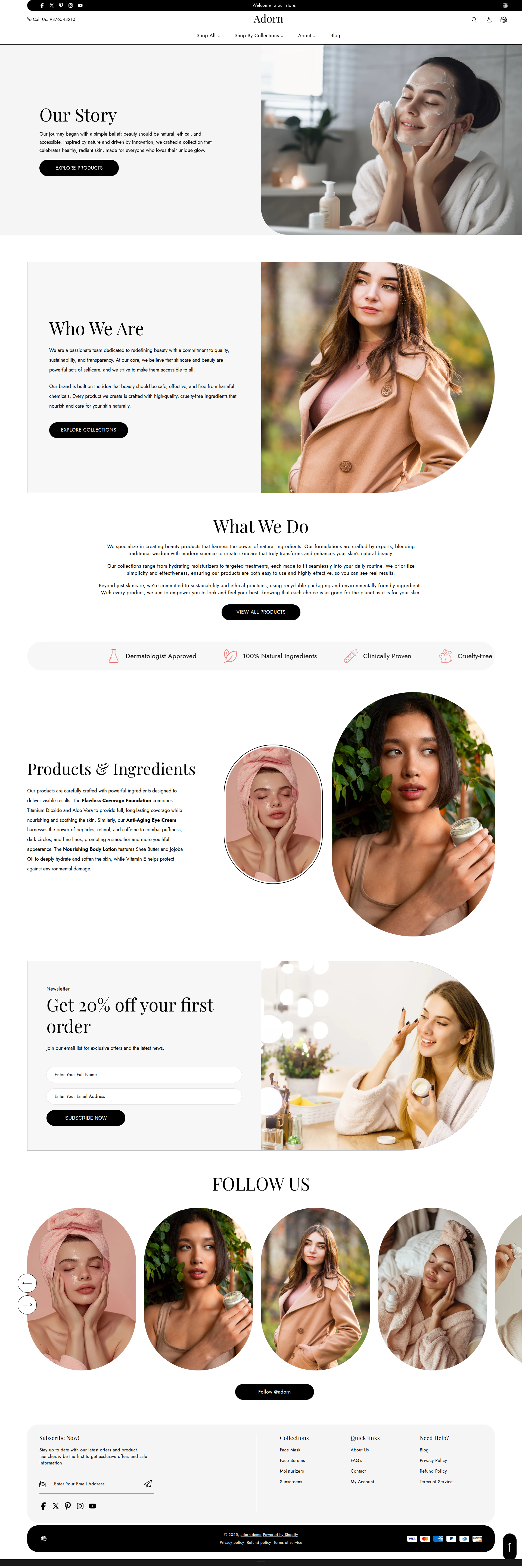
In your Adorn theme, the Our Story page is a dedicated space to share the unique journey behind your brand. It allows you to connect with customers by showcasing your mission, values, and the inspiration driving your business. Use this page to highlight your brand's personality, build trust, and deepen customer relationships by giving them an inside look at what makes your store special.
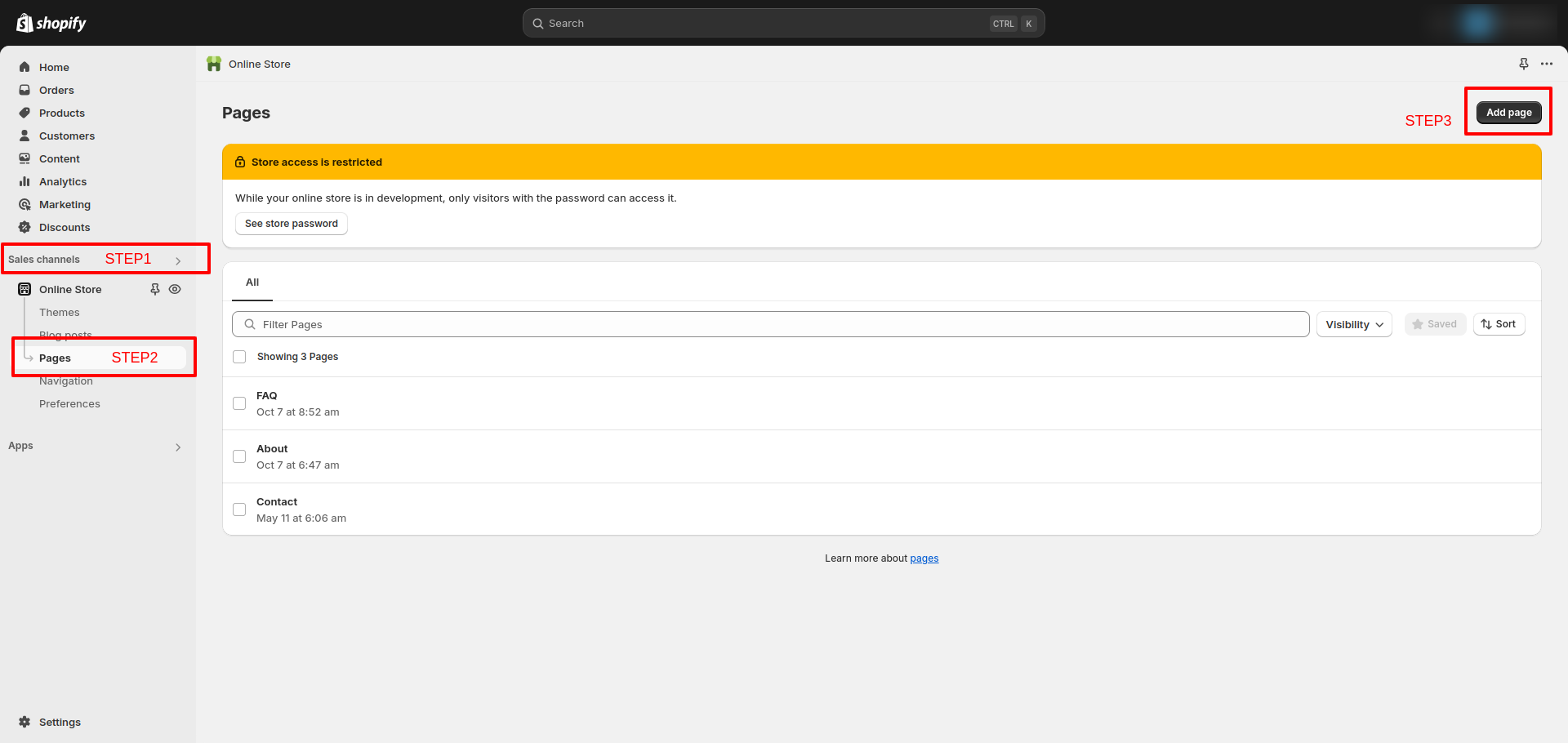
How to Edit Adorn Our Story Page
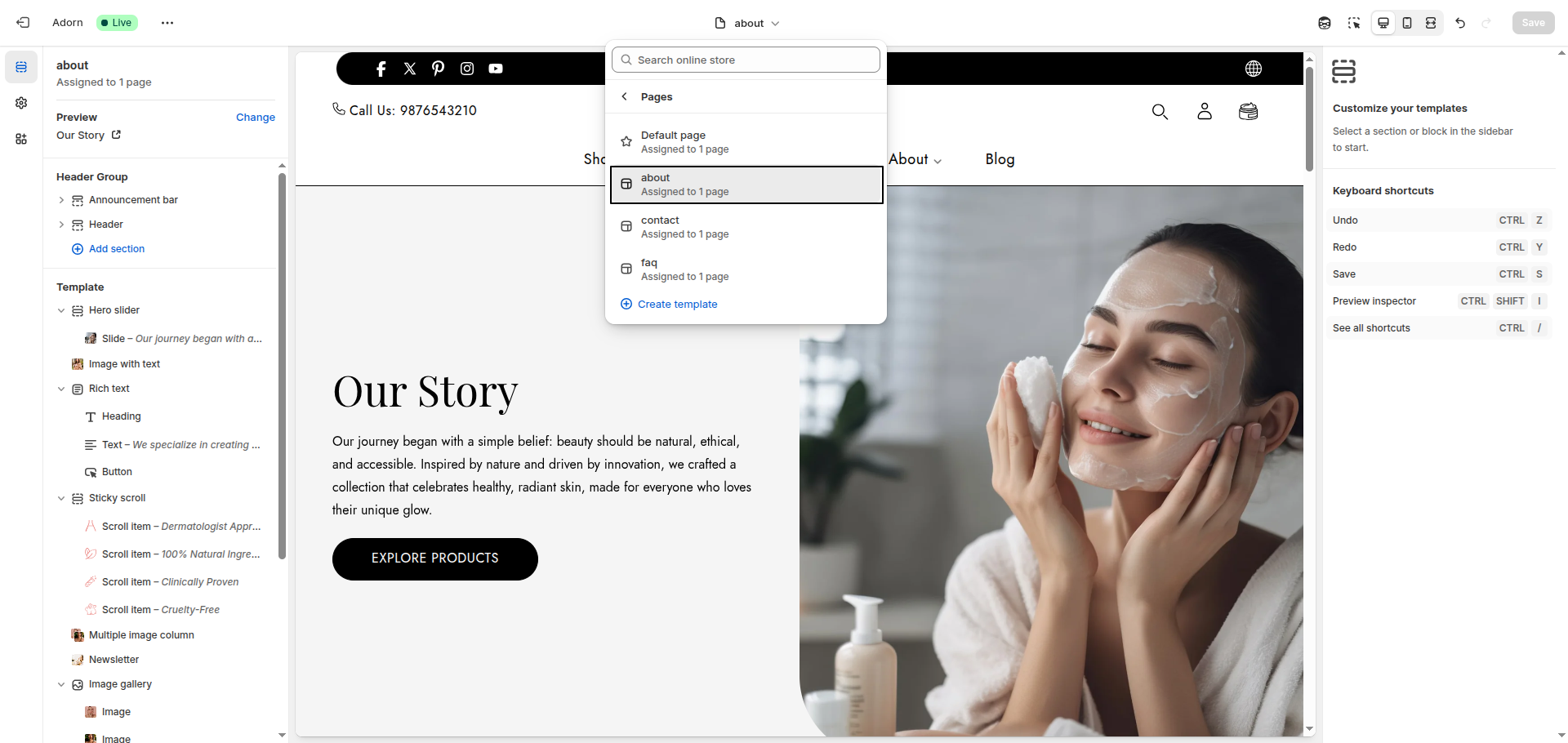
- Open the Customizer
- From the drop-down menu, type “About” to view the available About Us page templates in Adorn.
- Select and customize your preferred template, then click Save to apply changes.
Static pages
Static pages are the unchanging parts of your website that provide essential information, such as policies, about us, FAQs, and contact details. In your Adorn Shopify theme, pages hold essential information that rarely changes but is frequently referenced by customers. Learn more about utilizing pages effectively in Shopify.
Types of static pages
This user guide will cover some of the common types of static pages you can create for your website
- About Us page: This is where you can tell your brand's unique story.
- FAQ Page: Answer common customer questions in a clear and organized way.
- Contact Page: Make it easy for customers to reach you.
- Policy page: These detail your shipping, return, and privacy policies.
How to customize the Policy page layout?
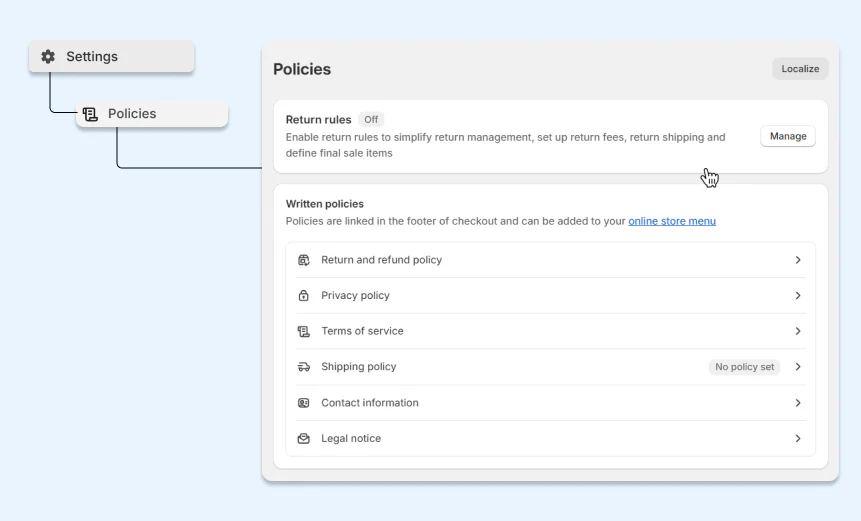
Your Shopify store automatically comes with a few pre-made policy pages (like your refund policy or privacy policy). These policy pages:
- Can’t change the layout: Their layout is fixed and cannot be adjusted in Theme Editor.
- Can only change the content: Head to Settings > Policies to update the content.
How to create a new page
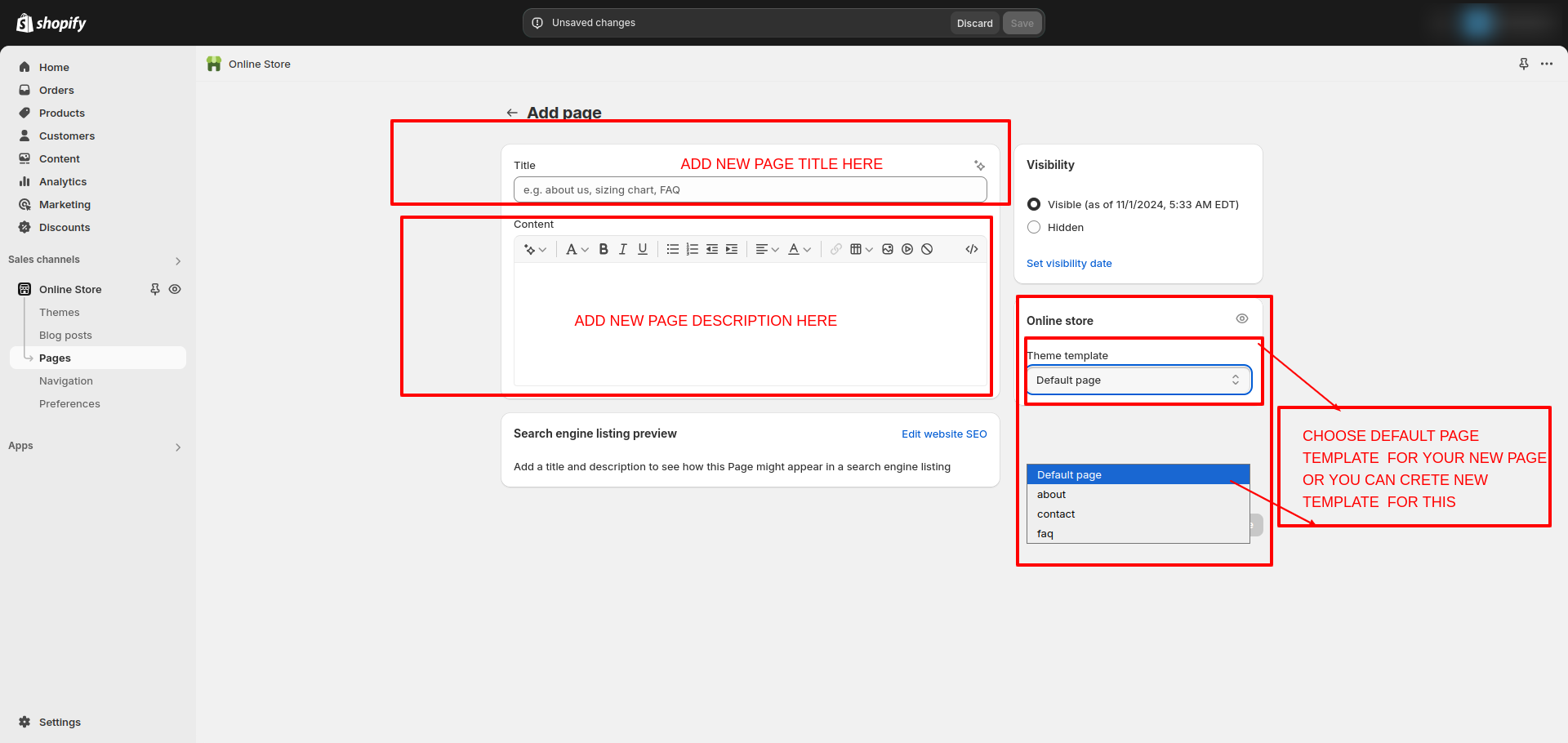
To create a new page in your Adorn theme, go to the Pages section in your Shopify admin. Add a title (required), optional content, and adjust the link in the Search Engine Listing Preview.
Next, select a theme template from the dropdown
- Default template for simple, rich-text content.
- Custom templates with preset sections and options.
When pages are added as blocks or sections in your store, only the title and rich text content will be displayed.
In the theme editor, you can create different templates for pages and add various sections, or you can use the following ready-made templates of the theme: