
Announcement Bar
The Announcement Bar in the Dynamic theme lets you share important updates, offers, or promotions at the top of your store. It's a simple yet effective way to grab attention, guide customers, and communicate key messages without interrupting the shopping experience.
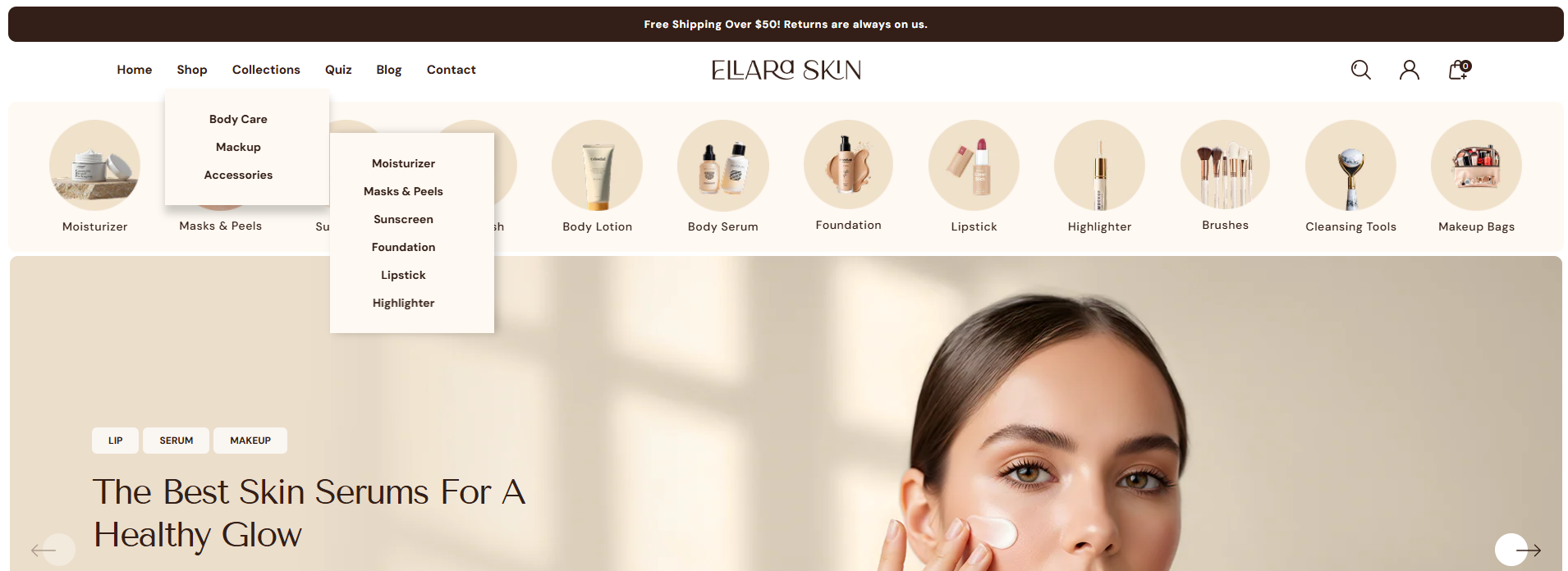
How to Configure the Announcement Bar
- From your Shopify admin, go to Online Store ? Themes.
- Click Customize on the Dynamic theme.
- In the Theme Editor, select the Announcement section from the left sidebar.
- Adjust the settings, blocks, and layout options according to your preferences.
- Click Save to apply your changes.
How to Configure the Announcement Bar Settings
- Color Scheme: Choose a predefined color scheme to control the background, text, and accent colors of the announcement bar.
- Max. Width: Set the maximum width of the announcement bar. This helps control how wide the bar appears on large screens.
-
Border Radius: Adjust the roundness of the bottom corners of the
announcement bar (e.g., 10px).
Note: This applies only to the bottom part. - Font Size: Define the text size for announcement messages (e.g., 12px) for better readability.
-
Display Type: Choose how announcements are displayed:
- Default: Shows a single static announcement.
- Slider: Rotates between multiple announcement slides (works only if more than one slide is added).
- Marquee: Displays continuously scrolling text.
-
Marquee Settings: (Visible when Marquee is selected)
- Marquee Direction: Choose whether the text scrolls Left or Right.
- Marquee Speed: Control how fast the text moves.
-
Slider Settings: (Visible when Slider is selected)
- Enable Autoplay: Automatically rotates announcement slides.
- Rotate Slides After Every: Set the time interval between slides.
- Enable Fade Effect: Adds a smooth fade transition between slides.