
Review Slider
The Review Slider section in the Dynamic theme lets you highlight real customer reviews and testimonials in a smooth, scrollable layout. By showcasing positive experiences, this section helps build trust, boost credibility, and encourage new customers to shop with confidence.
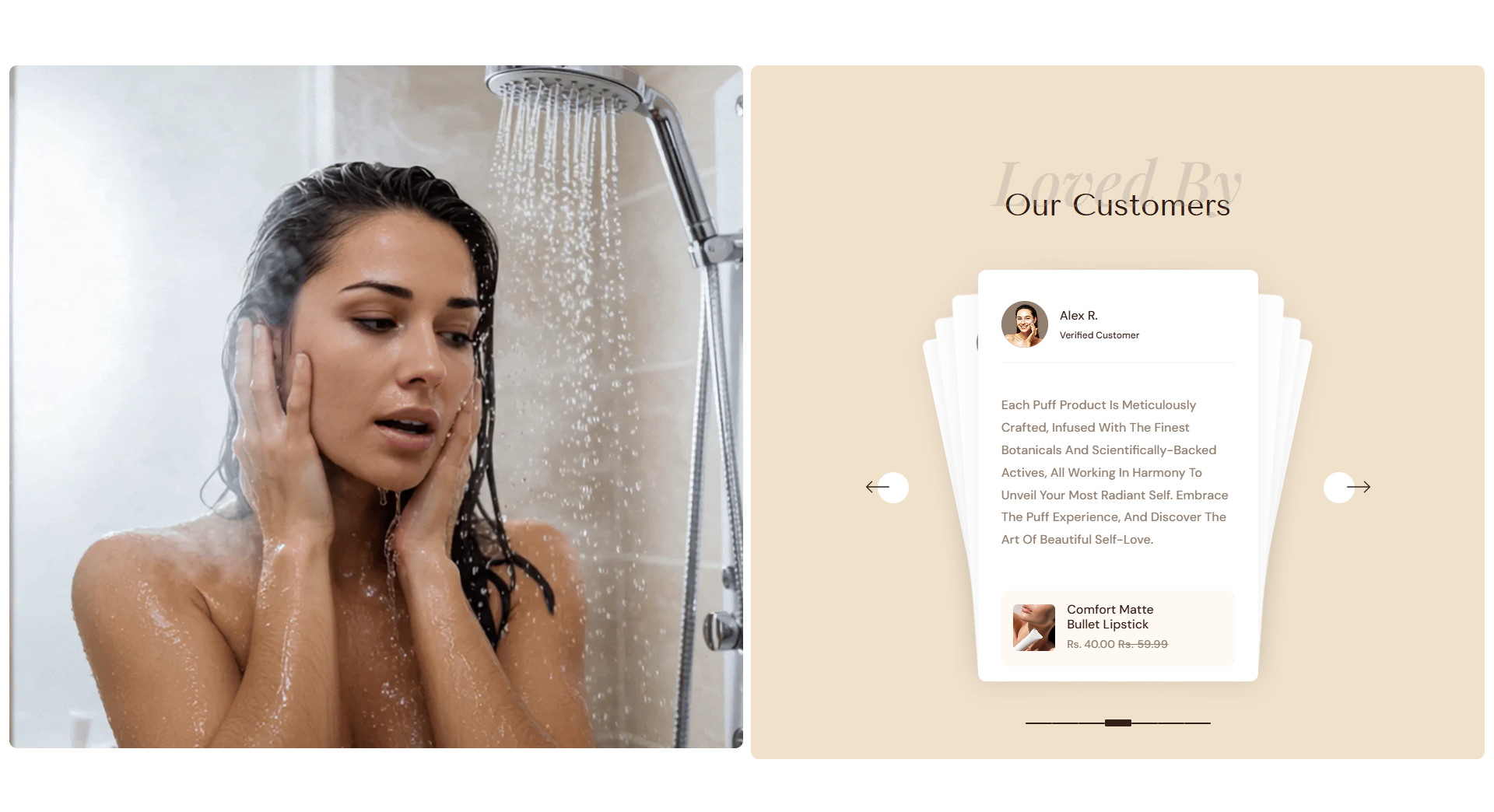
Adding the Review slider Section
- Open the Customizer and go to the page where you want to add the "Review slider Section" section.
- On the left-hand side, you'll find a list of available sections. Click the "Add section" button.
- From the available options, choose "Review slider Section"to add it to your page.
How to edit the Review slider Section
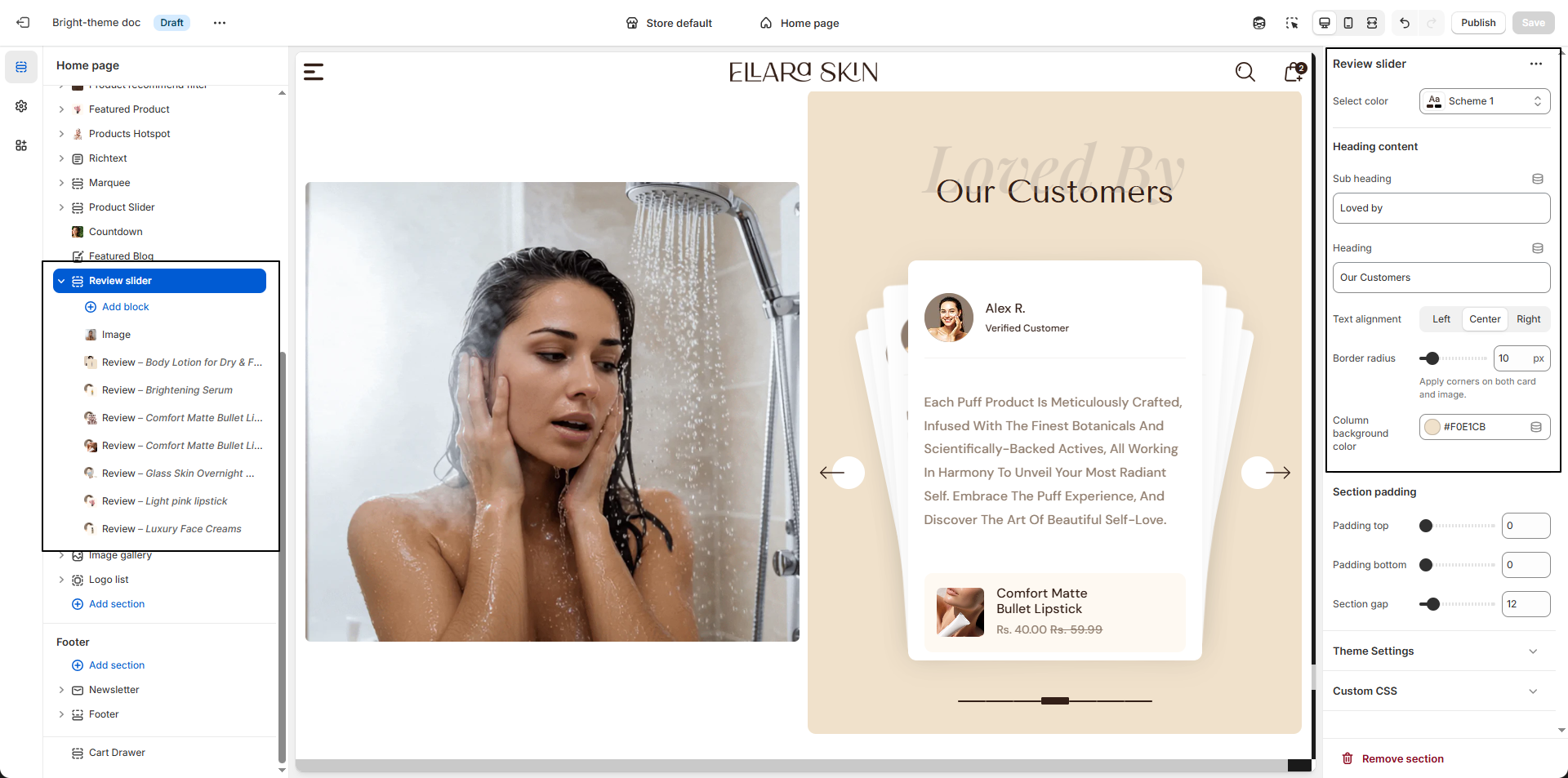
- Color Scheme: Choose a color scheme to control the background, text, and accent colors of the review slider.
- Sub Heading: Enter a short introductory line to appear above the main heading.
- Heading: Add the main title for the section to highlight customer feedback.
-
Text Alignment:
Choose how the heading and content align within the section:
- Left – Aligns text to the left.
- Center – Centers the text for a balanced look.
- Right – Aligns text to the right.
- Border Radius: Adjust the corner rounding to apply smooth edges to both review cards and images.
- Column Background Color: Set a background color for the review cards to enhance contrast and readability.
Configure the Testimonial Block Settings
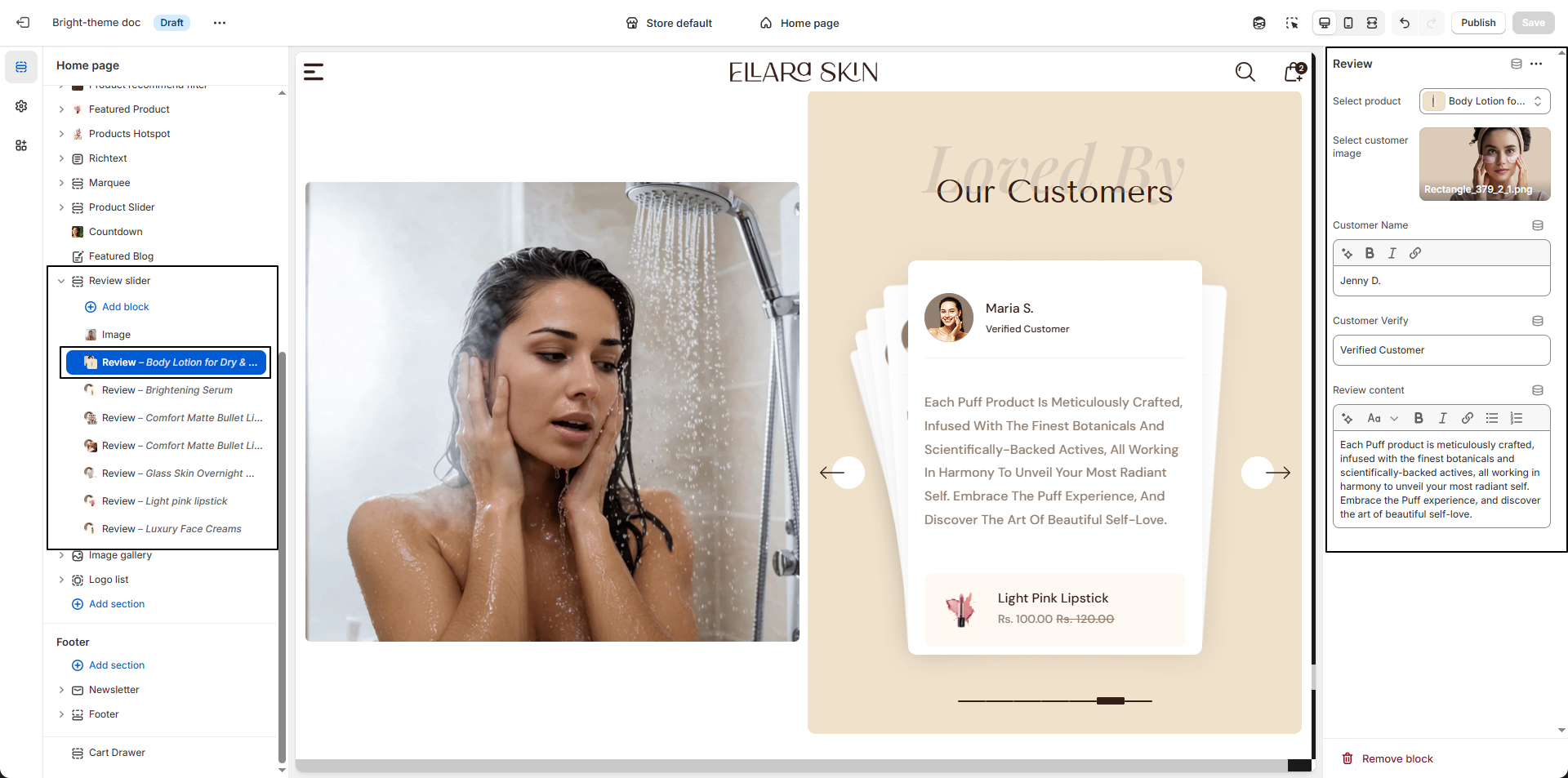
- Select Product: Choose the product this review is associated with.
-
Customer Image:
Upload an image of the customer to personalize the review.
- Click Upload images to add an image from your device.
- You can also select an existing image or use Explore free images.
- Customer Name: Enter the name of the customer to add authenticity.
- Customer Verification Text: Add a label such as Verified Customer to build trust and credibility.
- Review Content: Write the customer's testimonial or feedback describing their experience with the product. This text appears inside the review card.