
Image Marquee Slider
The Image Marquee Slider section allows you to display scrolling text combined with images in a continuous horizontal marquee layout. This section is perfect for highlighting promotions, announcements, or featured messages in a visually dynamic way.
By combining moving text with product or lifestyle images, you can create an eye-catching banner that keeps customers engaged while showcasing important offers like sales, discounts, or brand messaging.

How To Add the Image Marquee Slider
- Login to your Shopify Theme Customizer.
- Navigate to the page where you want to add this section.
- Click on the Add section button.
- Select Image marquee slider from the list.
How To Edit the Image Marquee Slider
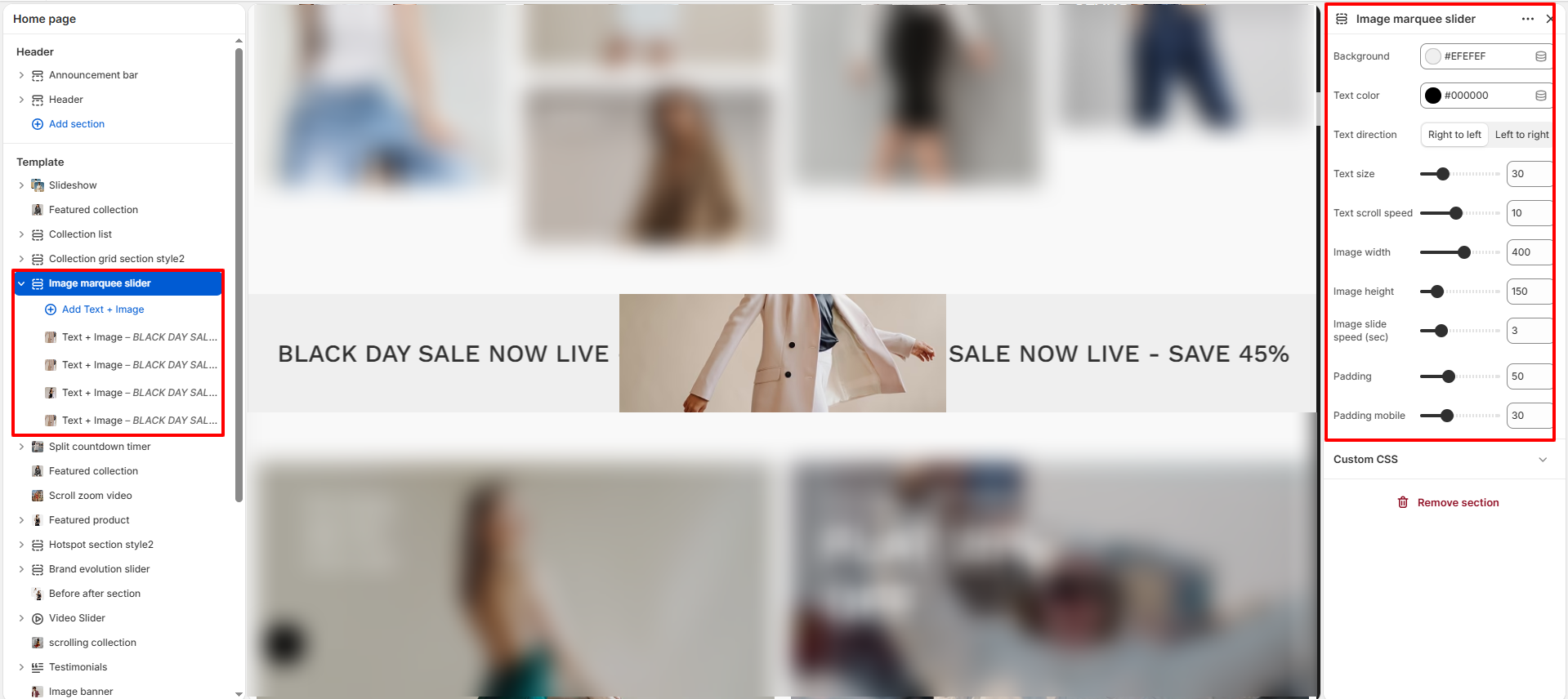
- Background: Choose a background color for the marquee section.
- Text Color: Set the color of the scrolling text.
- Text Direction: Select the scrolling direction (Right to Left or Left to Right).
- Text Size: Adjust the font size of the scrolling text.
- Text Scroll Speed: Control how fast the text moves across the screen.
- Image Width: Set the width of the images displayed in the marquee.
- Image Height: Define the height of the images.
- Image Slide Speed (sec): Adjust the speed at which images slide within the marquee.
- Padding: Control the spacing around the section for desktop view.
- Padding Mobile: Adjust spacing specifically for mobile devices.
Configure Text + Image Blocks
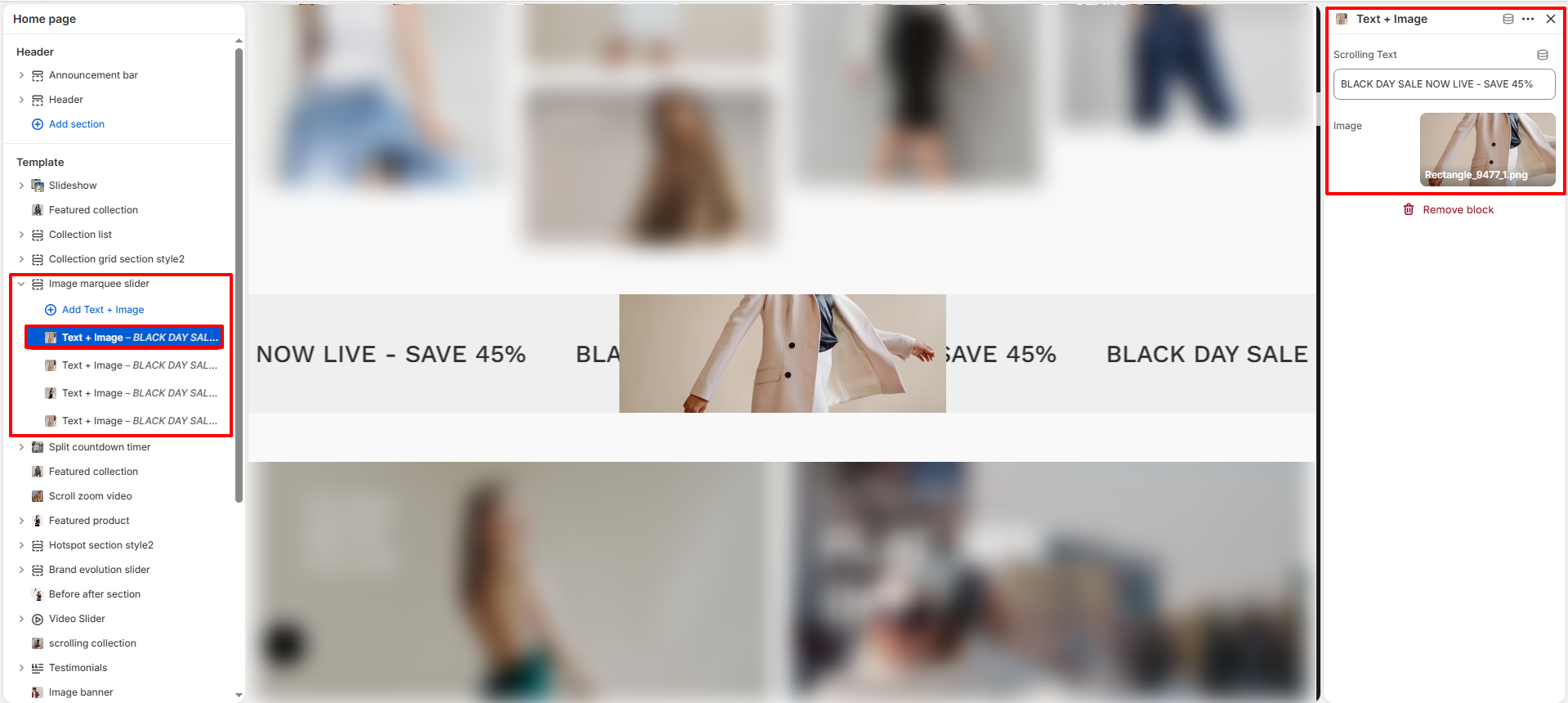
- Add Block: Click Add Text + Image to create a new marquee item.
- Scrolling Text: Enter the text you want to display (e.g., BLACK DAY SALE NOW LIVE).
- Select Image: Upload or choose an image to display alongside the text.