
Scrolling Image Text
The Scrolling Image Text section allows you to display a bold, layered heading style with text behind a prominent centerpiece image. It creates a modern parallax/overlay effect where text wraps around a featured product image, completed by a supporting description and a call-to-action button below. This section is ideal for high-impact brand statements or highlighting key product launches.
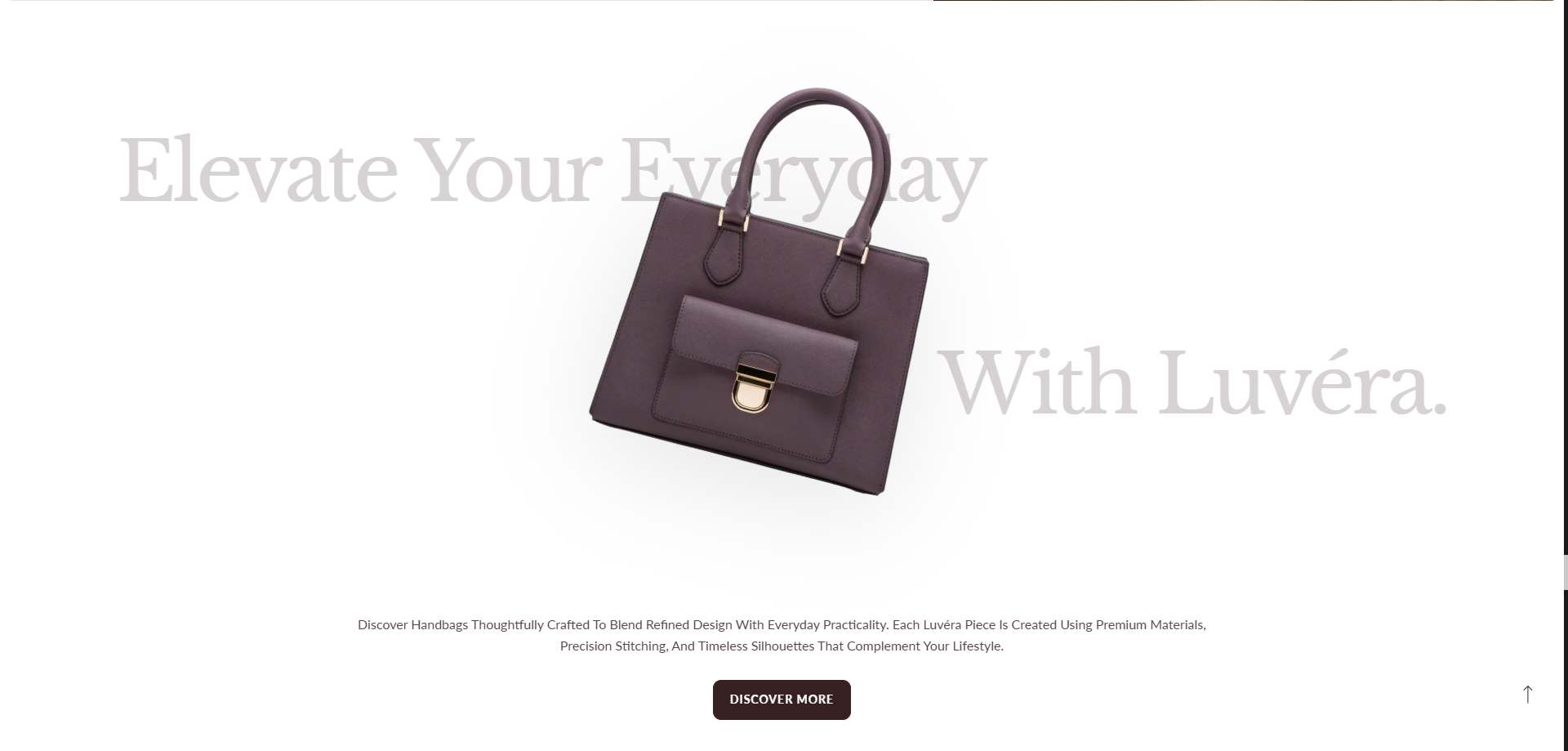
How To Add the Scrolling Image Text section
- Login to your Customizer and navigate to the page where you want to display this section.
- On the left sidebar, click the Add section button.
- From the available sections list, select Scrolling Image Text.
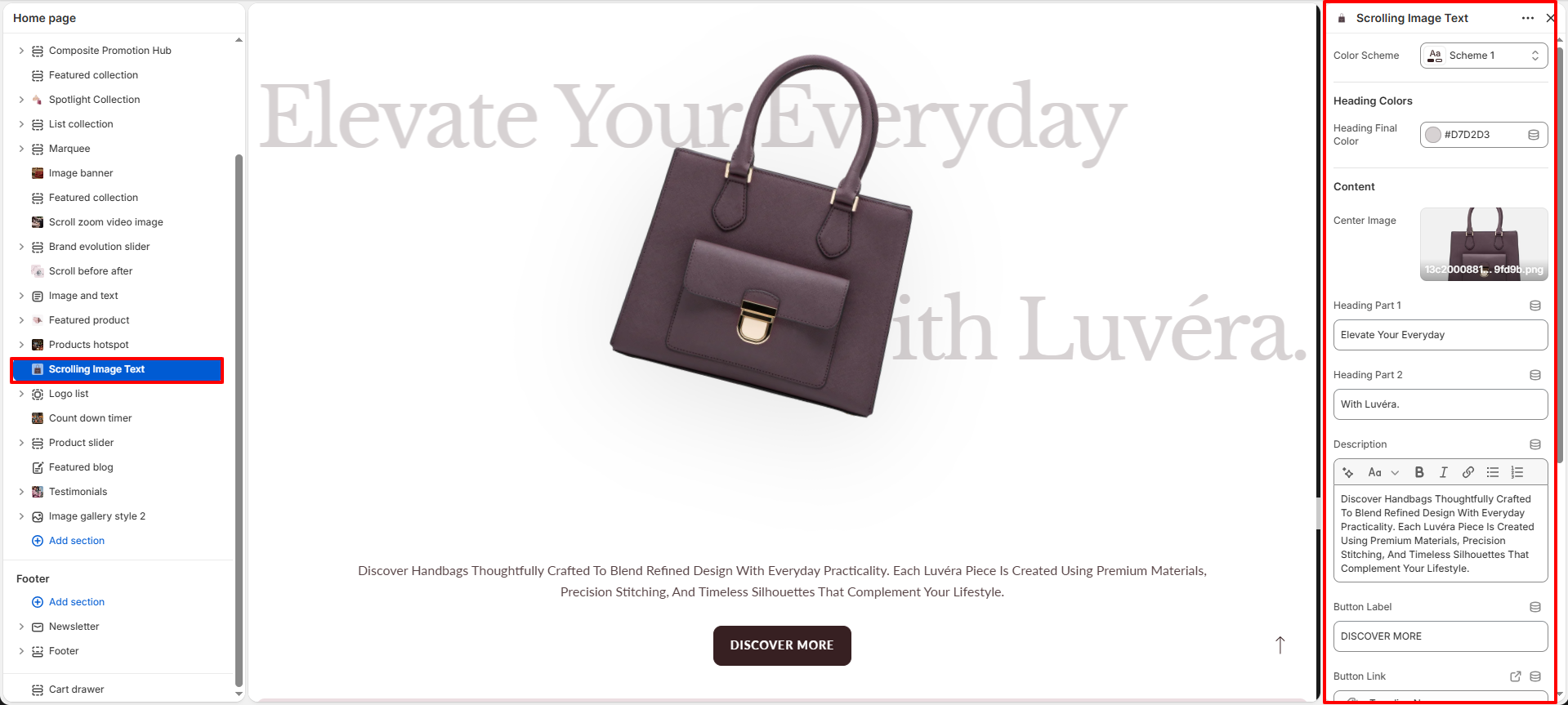
How To Edit the Scrolling Image Text settings
Configure the layout, styling, content, and spacing using the section settings:
- Color Scheme: Select a color scheme (e.g. Scheme 1) to control the background and text styling of the section.
-
Heading Colors:
- Heading Final Color: Set the color code (e.g. #D7D2D3) used for the background header text.
-
Content:
- Center Image: Upload the primary featured product image that overlays the text in the center.
- Heading Part 1: Enter the first part of the large header text (e.g. "Elevate Your Everyday").
- Heading Part 2: Enter the second part of the large header text (e.g. "With Luvéra.").
- Description: Add a descriptive paragraph to tell your story, detail product features, or introduce a campaign.
- Button Label: Customize the call-to-action button text (e.g. "DISCOVER MORE").
- Button Link: Choose the destination URL or collection page for the button.
-
Desktop Spacing:
- Padding Top: Adjust top spacing for desktop displays (e.g. 40 px).
- Padding Bottom: Adjust bottom spacing for desktop displays (e.g. 40 px).
-
Mobile Spacing:
- Padding Top Mobile: Adjust top spacing specifically for mobile viewports (e.g. 24 px).
- Padding Bottom Mobile: Adjust bottom spacing specifically for mobile viewports (e.g. 24 px).