
Brand Evolution Slider
The Brand Evolution Slider section allows you to visually showcase the journey and growth of your brand over the years. Each slide represents a milestone such as product launches, achievements, or important brand moments. This section helps you tell your story in a timeline format with images, headings, and descriptions that highlight how your brand has evolved.
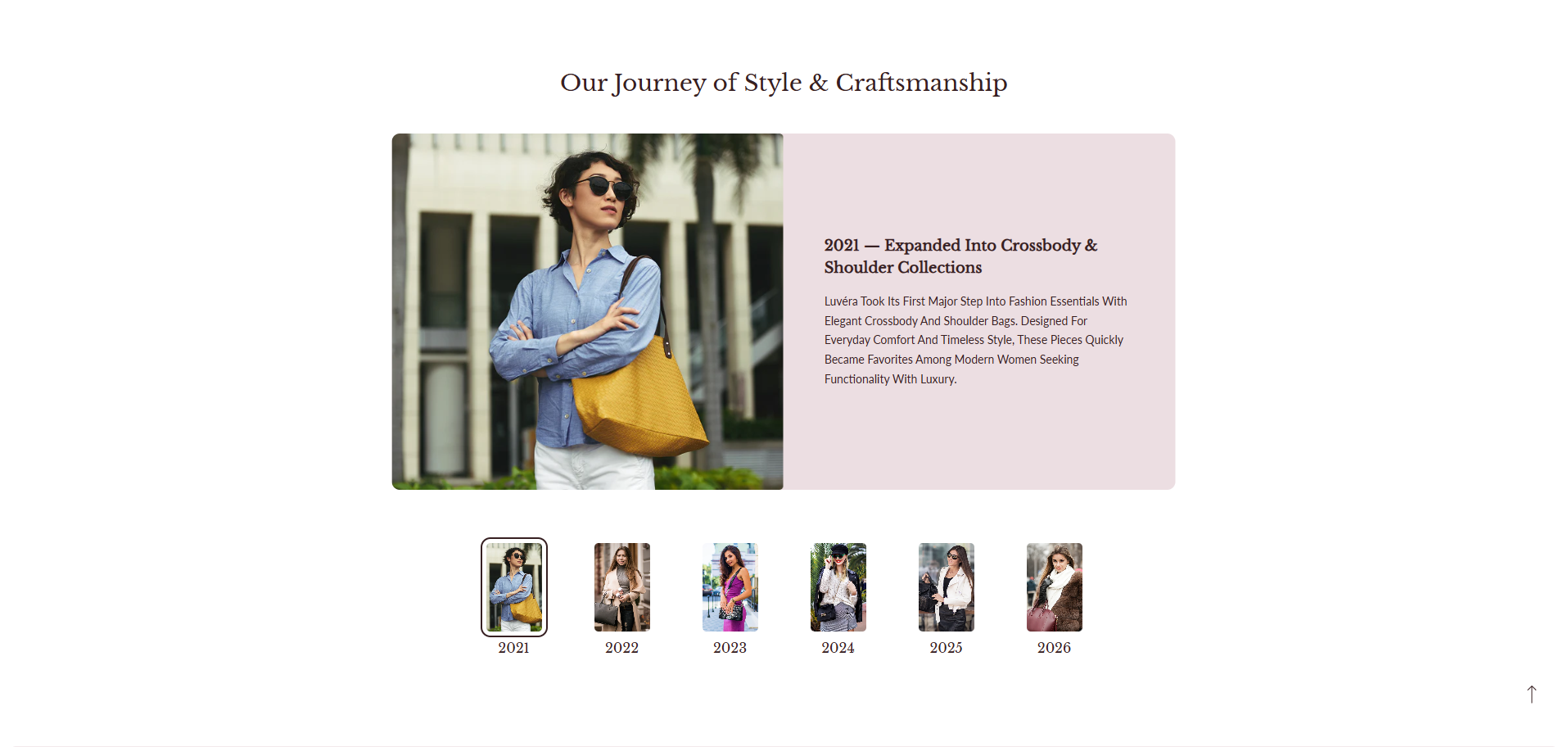
Adding the Brand Evolution Slider Section
- From your Shopify admin, go to Online Store ? Themes.
- Click Customize on your active theme.
- In the Theme Editor, select the page where you want to add this section.
- Click Add Section and select Brand Evolution Slider.
- Click Save to apply your changes.
How to edit the Brand Evolution Slider Section
Follow these steps to customize the Brand Evolution Slider and present your brand story effectively.
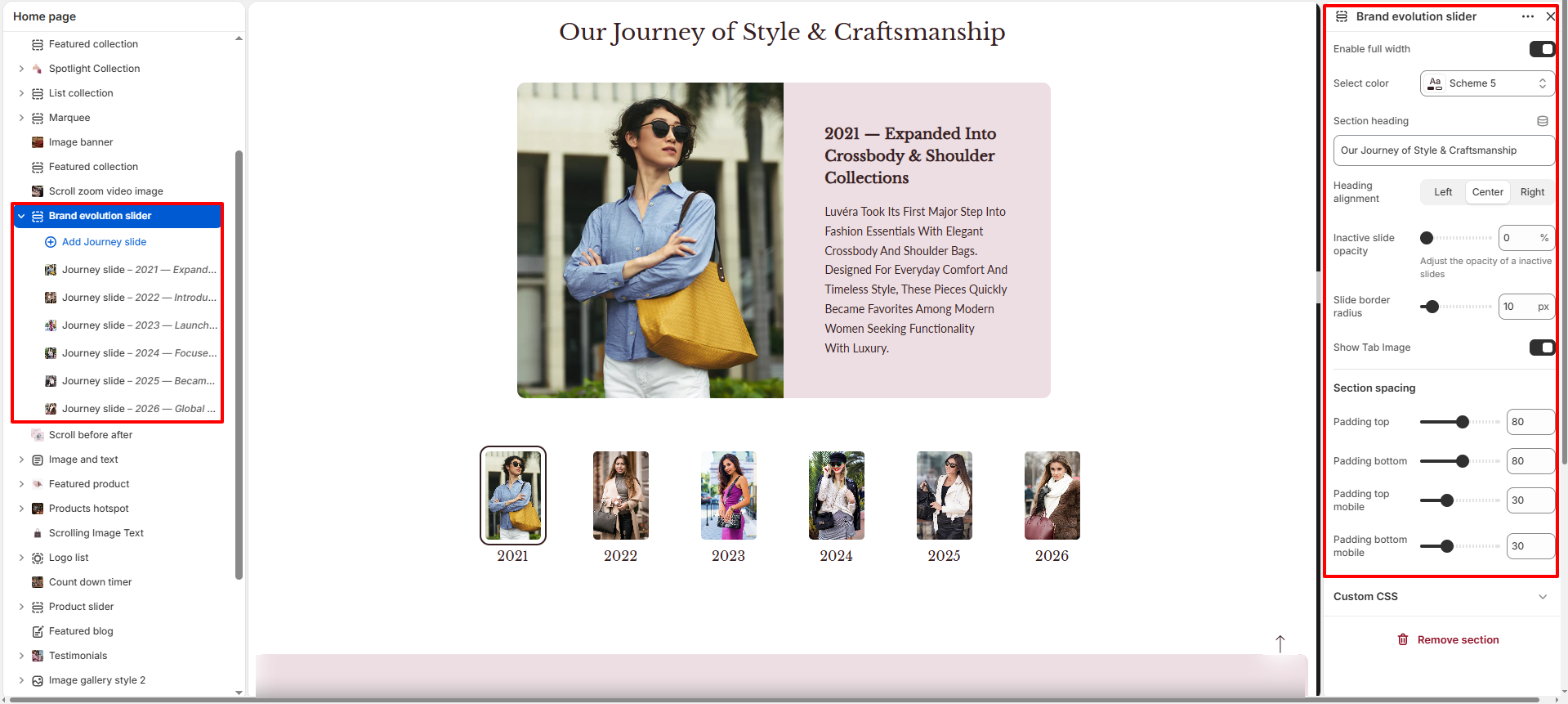
- Enable Full Width: Toggle this option to make the section stretch across the full width of the screen.
- Select Color Scheme: Choose a color scheme that controls the background and text appearance of the section.
- Section Heading: Add a title for the section such as "Our Journey".
- Heading Alignment: Adjust the alignment of the section heading (Left, Center, or Right).
- Inactive slide opacity: Adjust the opacity of inactive slides (slides that are not currently active). A lower value makes the inactive slides more transparent, while a higher value keeps them more visible.
- Slide border radius: Control the roundness of the corners of the slides.
- Show Tab Image: Toggle this option to show or hide the tab image.
- Section Padding Top: Adjust the space above the section.
- Section Padding Bottom: Adjust the space below the section.
- Mobile Padding Top: Control the top spacing of the section on mobile devices.
- Mobile Padding Bottom: Control the bottom spacing of the section on mobile devices.
Adding and Editing Journey Slides
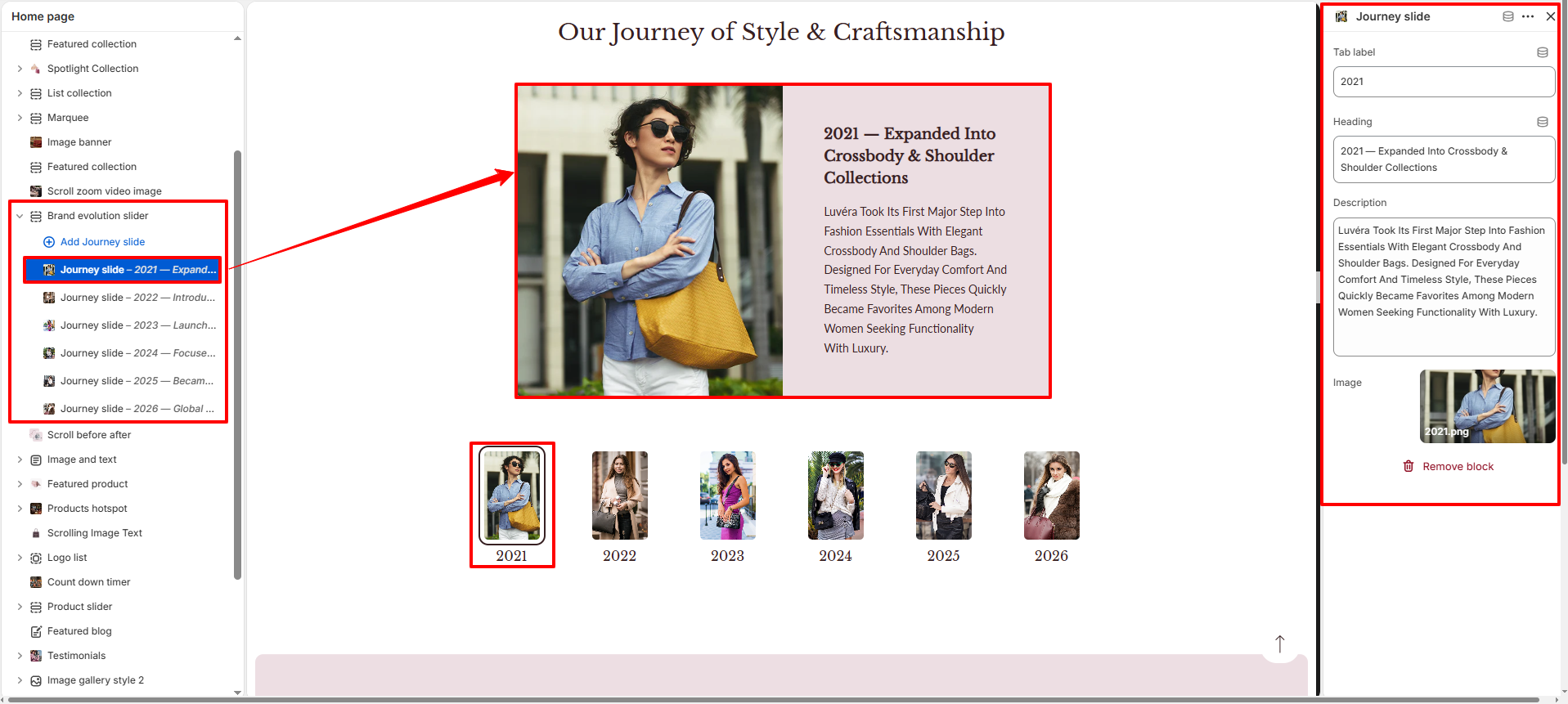
- Add Journey Slide: Click Add Journey Slide to create a new milestone in your brand timeline.
- Tab Label: Enter the year or short label that will appear in the navigation tabs (for example: 2020, 2021, etc.).
- Heading: Add a heading describing the milestone such as "2020 – The Beginning".
- Description: Write a short description explaining the milestone or achievement during that year.
- Image: Upload an image that visually represents that moment in your brand journey.