
Product Slider
The Product Slider section in the Dynamic theme is an interactive, animated feature
designed to showcase
products in a visually engaging way. It displays a smooth sliding carousel where the main
product view is paired
with supporting thumbnail images, allowing customers to preview multiple product visuals at a
glance.
As users interact with the slider, thumbnail images update the main product display, creating a
dynamic browsing
experience that feels modern and intuitive. This section is ideal for highlighting key products,
variations,
or product details, helping customers better understand the product while keeping them engaged
through subtle
animations and seamless transitions.
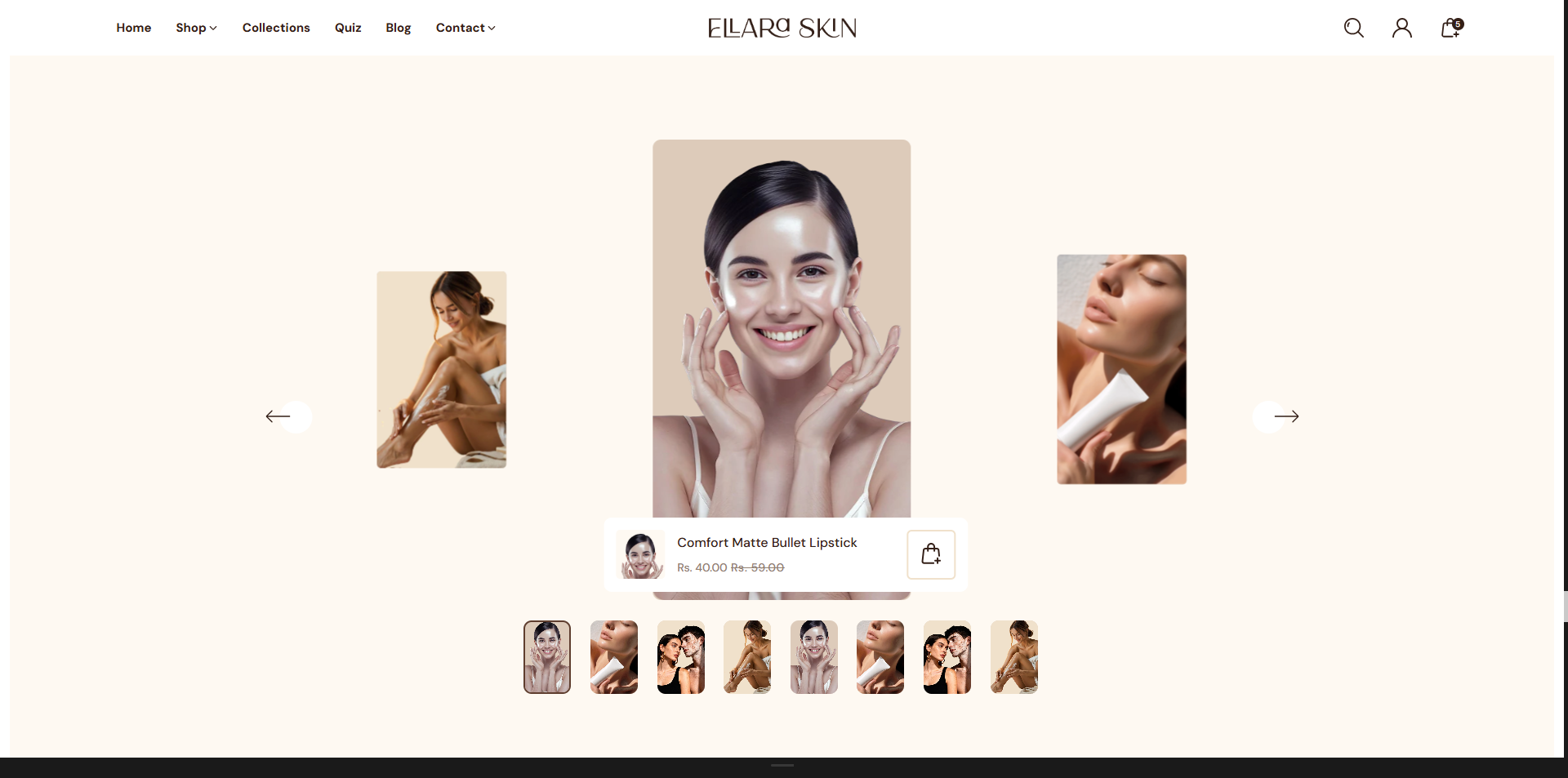
Adding the Product Slider section
- Login to your Customizer and navigate to the page you would like to display this section.
- You'll see a list of available sections on the left-hand side. Locate the Add section button and click on it.
- From the list of available sections, find and select Product Slider.
How to Edit Product Slider
Here's a step-by-step guide to configure these settings in your Dynamic Shopify theme:
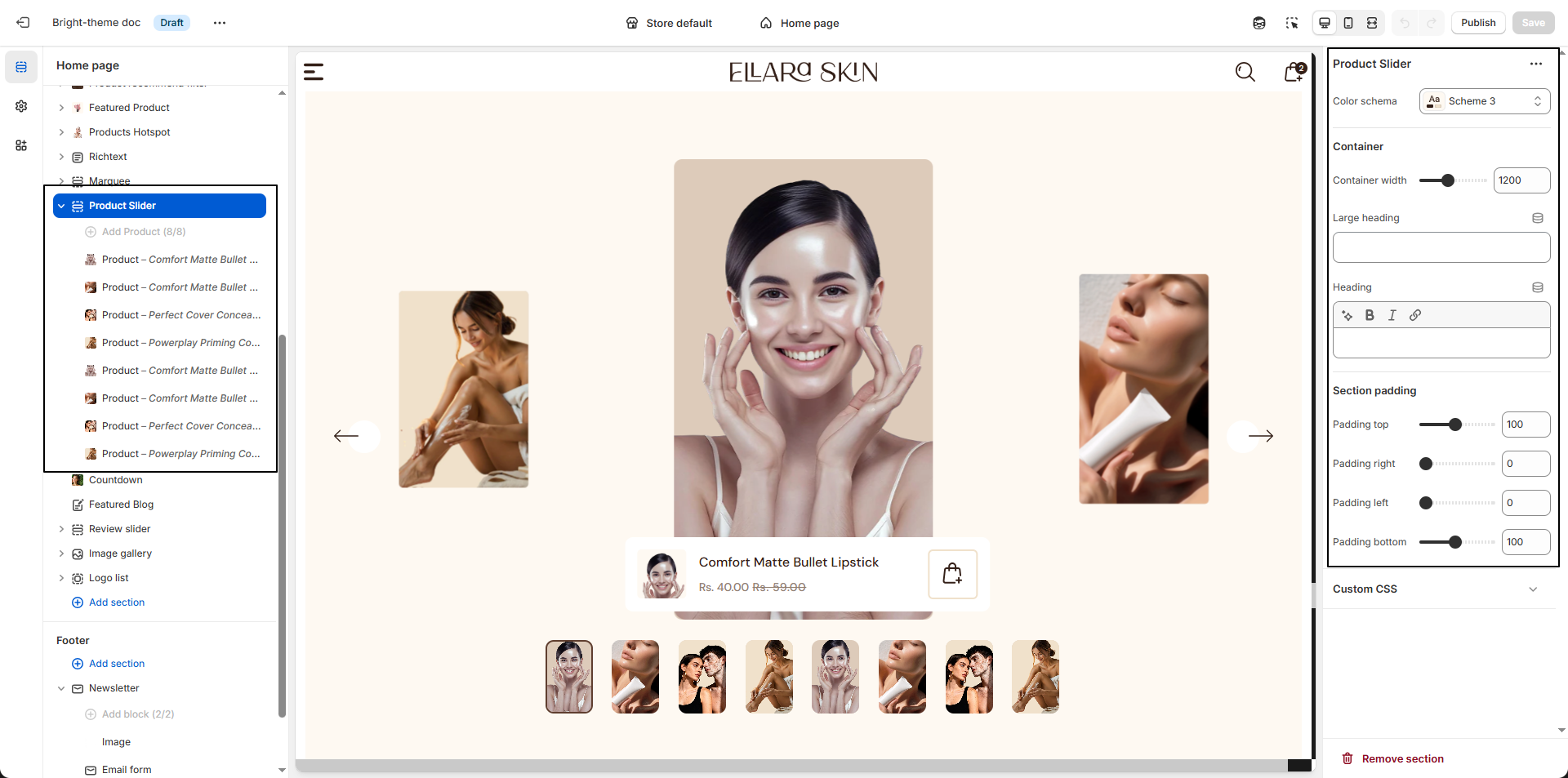
- Color Scheme: Select a color scheme (e.g., Scheme 3) to control the background, text, and accent colors of the Product Slider section.
- Container Width: Set the maximum width of the section content (e.g., 1200px) to control how wide the slider appears on the page.
- Large Heading: Add a prominent heading that appears above the slider, ideal for highlighting the section's main message.
- Heading: Enter a supporting or secondary heading to provide additional context or emphasis for the Product Slider section.
Configure the Block Settings
- Select Product: Choose the product to associate with this slide. Customers can click the product card to view details or proceed to purchase.
- Select Image:Click Upload images to add a custom product image.