
Promo Double Banner
The Promo Double Banner section allows you to display two promotional banners side by side. This section is ideal for highlighting offers, discounts, or featured collections with strong visual appeal and clear call-to-action buttons.

Adding the Promo Double Banner Section
- From your Shopify admin, go to Online Store ? Themes.
- Click Customize on the Dynamic theme.
- Select the page where you want to add the section.
- Click Add Section and choose Promo Double Banner.
- Click Save to apply your changes.
How to Edit the Promo Double Banner Section
Follow these steps to customize the section settings:
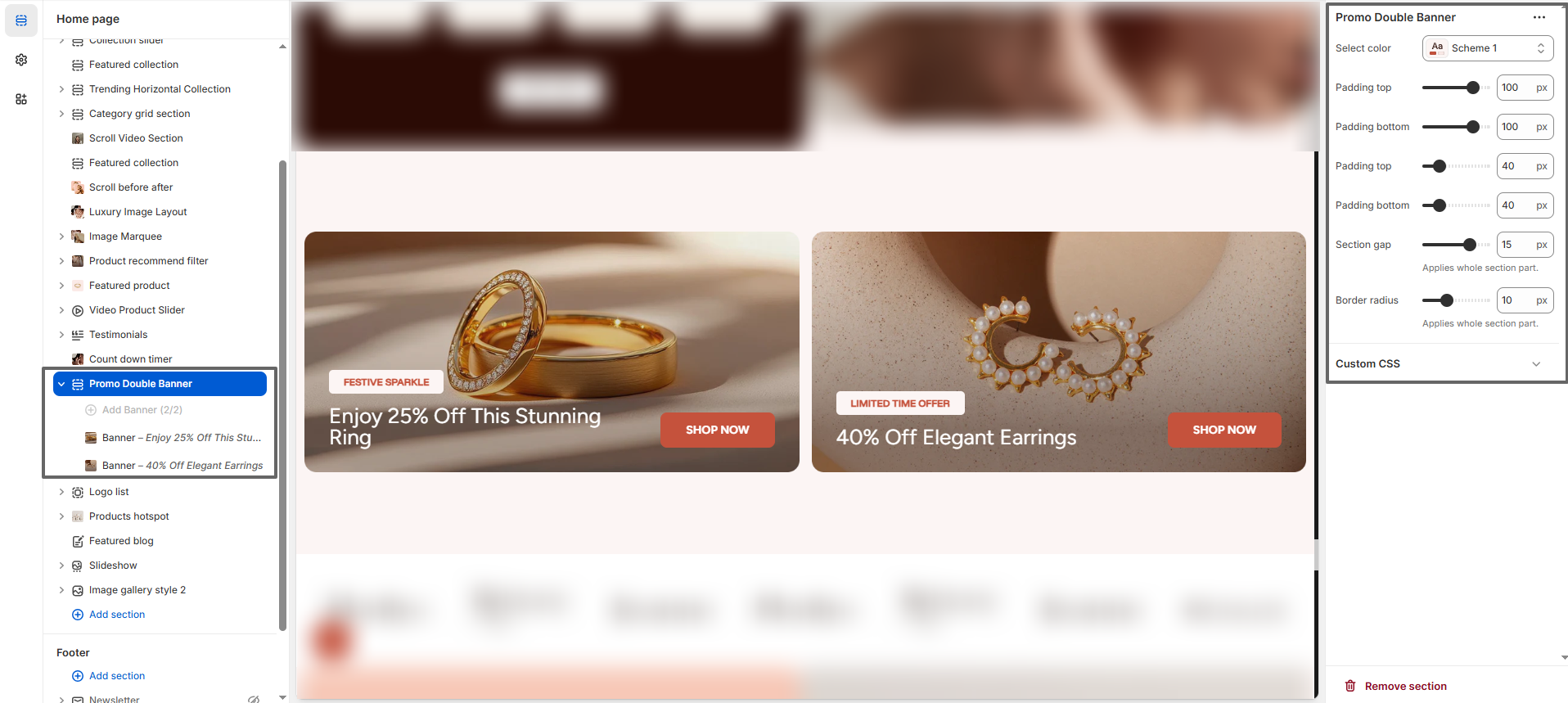
- Select Color Scheme: Choose a color scheme that matches your store branding.
- Padding Top & Bottom: Adjust spacing at the top and bottom of the section.
- Content Padding: Control inner spacing of banner content.
- Section Gap: Set the spacing between the two banners.
- Border Radius: Adjust the roundness of the banner corners.
- Custom CSS: Add custom styles for advanced design control.
Banner Blocks
The Promo Double Banner section allows you to add multiple banner blocks. Each banner can be customized with its own image, text, and button.
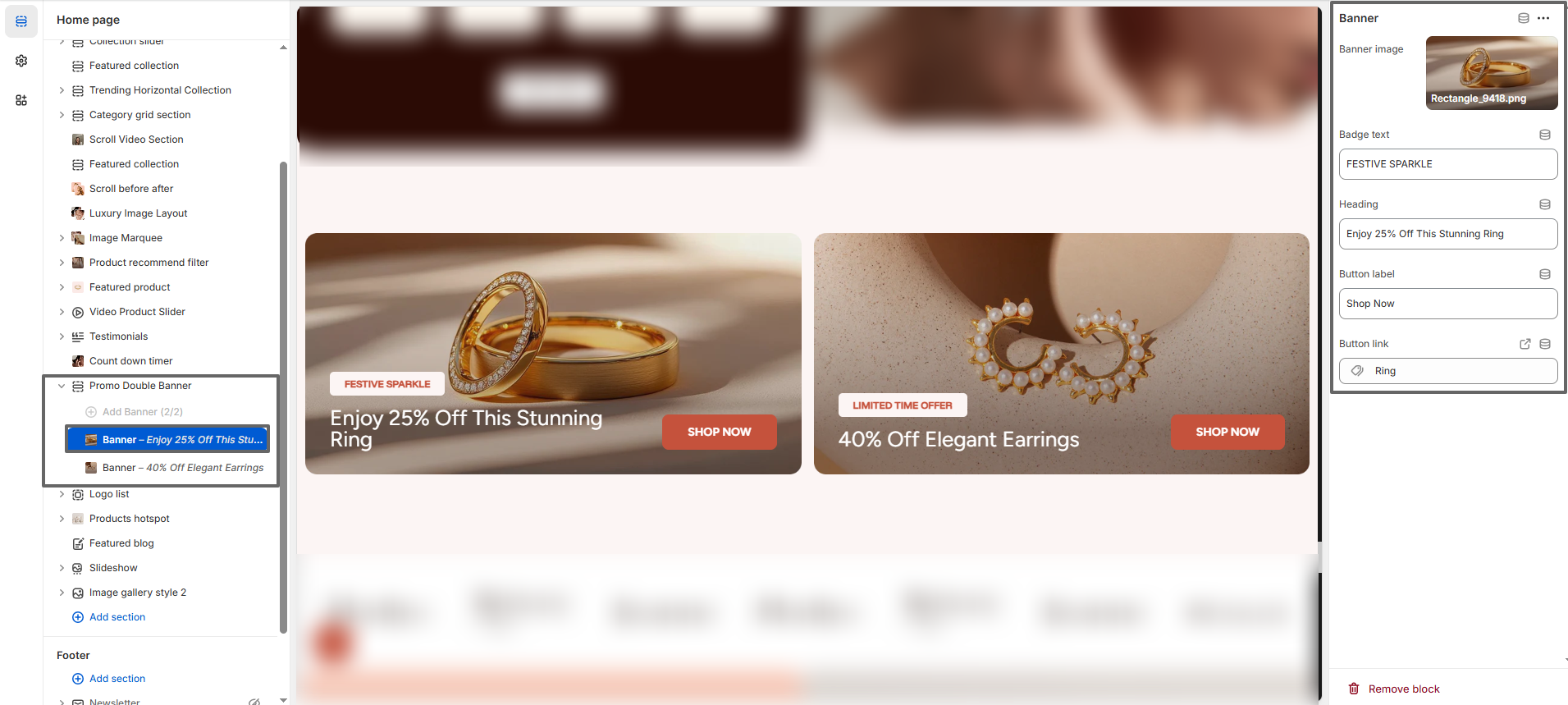
- Banner Image: Upload an image to visually represent your promotion.
- Badge Text: Add a small label (e.g., “Festive Sparkle” or “Limited Time Offer”).
- Heading: Enter the main promotional text to attract attention.
- Button Label: Customize the call-to-action text (e.g., “Shop Now”).
- Button Link: Link the button to a product, collection, or page.
This section is perfect for showcasing offers, increasing conversions, and guiding users toward important products or collections with visually engaging banners.