
Image Gallery Style 2
The Image Gallery Style 2 section allows you to create a visually engaging Instagram-style gallery layout. This section is ideal for showcasing product visuals, lifestyle imagery, or social media highlights. With a dynamic grid structure and multiple image columns, it helps you present your content in a modern and attractive way, encouraging users to explore more and connect with your brand.
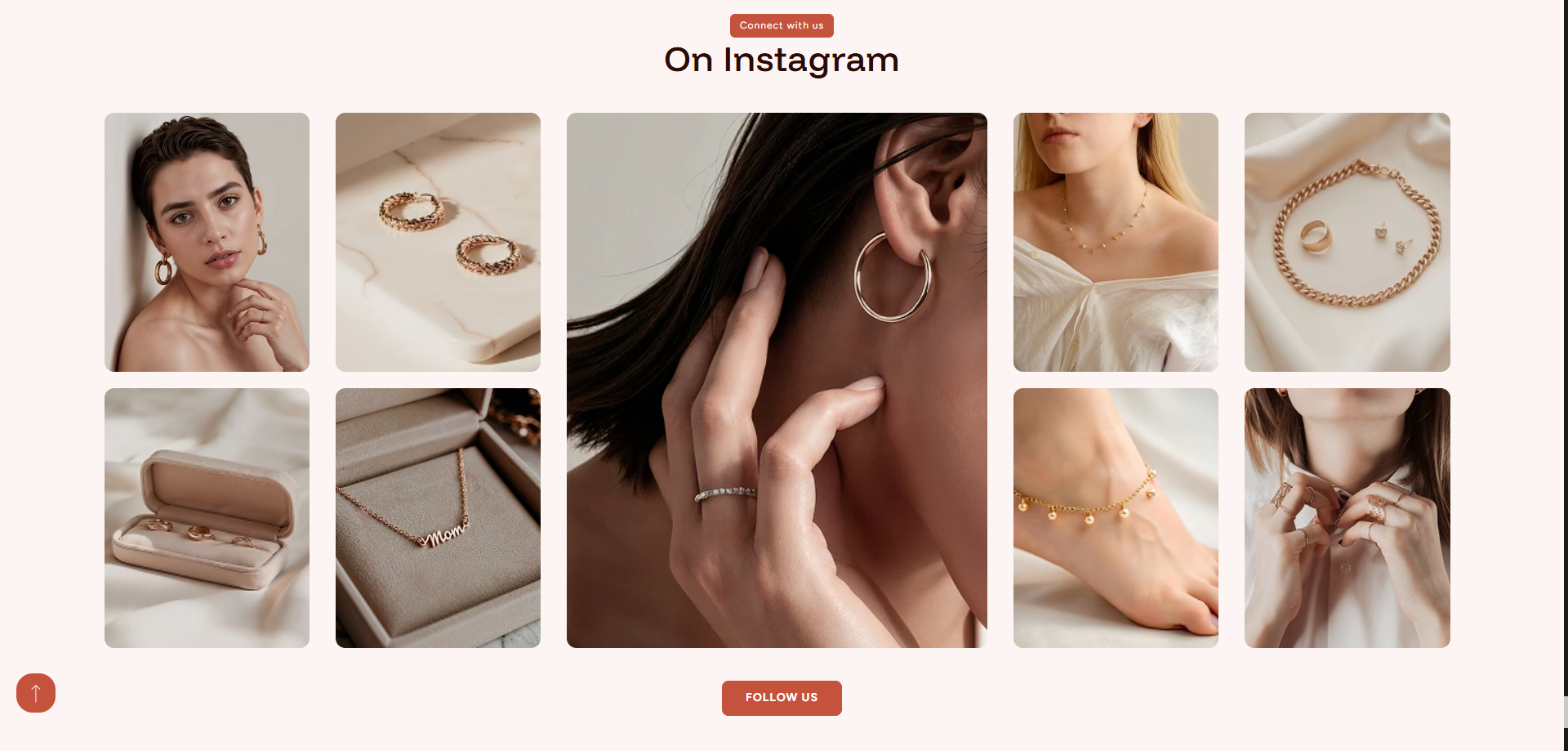
Adding the Image Gallery Style 2 Section
- From your Shopify admin, go to Online Store ? Themes.
- Click Customize on the Dynamic theme.
- In the Theme Editor, choose the page where you want to add the section.
- Click Add Section and select Image Gallery Style 2.
- Click Save to apply your changes.
How to edit the Image Gallery Style 2 section
Follow these steps to customize the gallery layout and align it with your store branding.
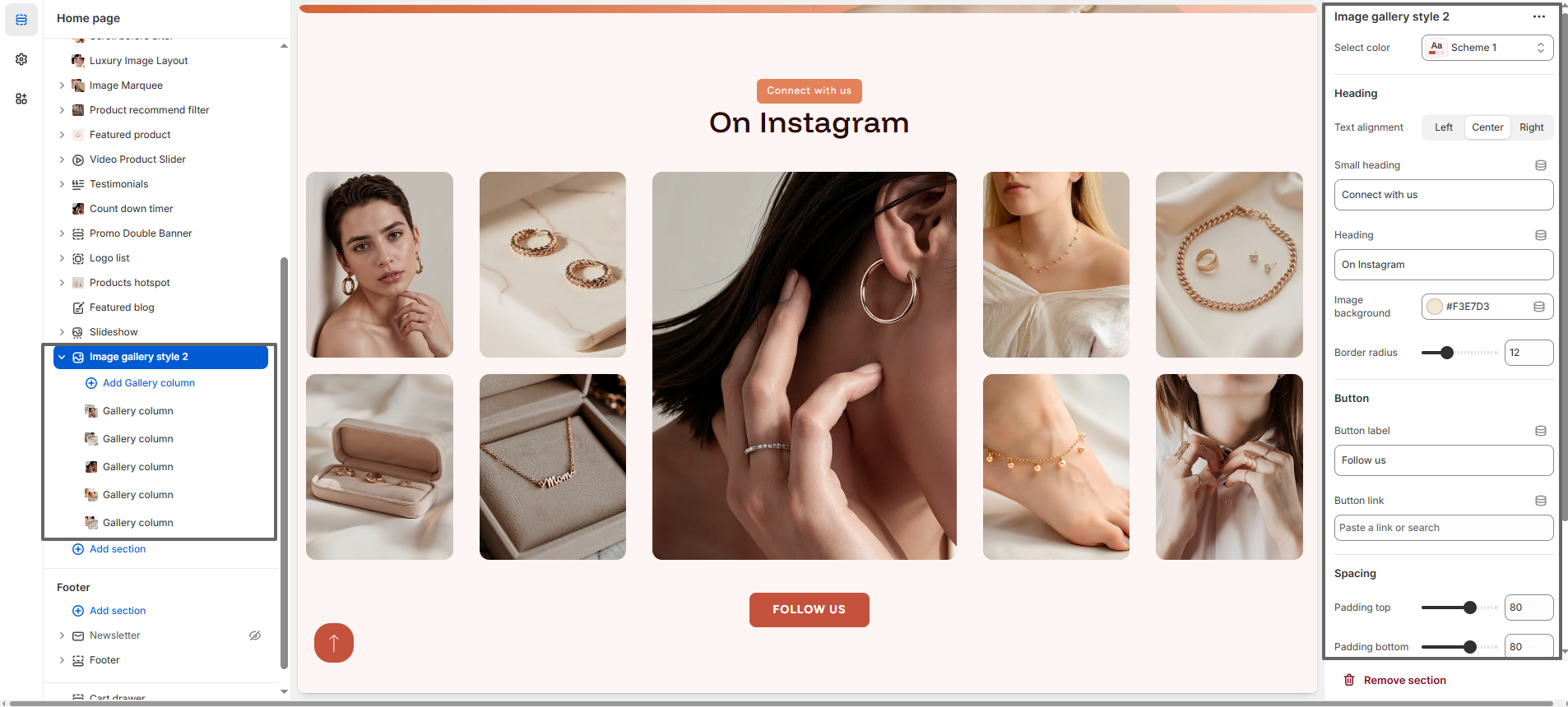
- Color Scheme: Choose a color scheme to control the overall appearance of the section.
- Layout: Choose between Masonry or Grid layout.
- Heading Alignment: Set the heading alignment to left, center, or right.
- Small Heading: Add a short label such as "Connect with us".
- Main Heading: Add a title like "On Instagram" to highlight your gallery.
- Image Background: Select a background color to enhance the visual presentation of images.
- Border Radius: Adjust the roundness of image corners for a modern look.
- Button Label: Customize the button text such as "Follow us".
- Button Link: Add a link (e.g., Instagram profile or collection page).
- Spacing: Control top and bottom padding to maintain proper layout spacing.
Gallery Column Settings
Each Gallery Column block includes the following settings:
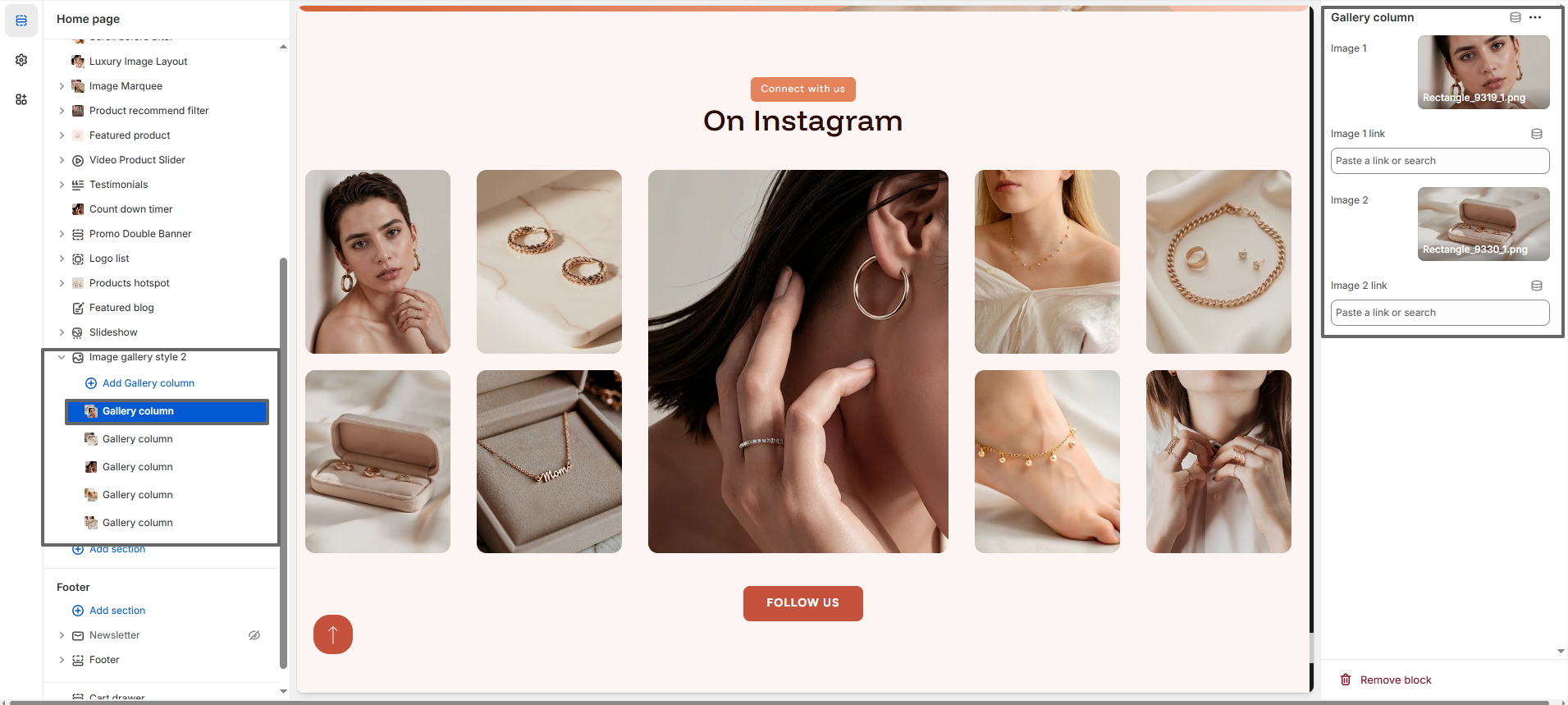
- Image 1: Upload the first image for the column.
- Image 1 Link: Add a link for the first image.
- Image 2: Upload the second image for the column.
- Image 2 Link: Add a link for the second image.
- Full Height Image Tip: If you want a single image to take the full height of the column, upload only first image and leave the other image field empty. This will allow the image to expand and occupy the full height, creating a more dynamic layout.
By combining multiple gallery columns with different image arrangements, you can create a unique and visually rich layout that reflects your brand style and highlights your products effectively.