
Scroll Video Section
The Scroll Video Section allows you to showcase an engaging video alongside compelling text content. This section is designed to create an immersive storytelling experience by combining motion visuals with strong messaging. It is perfect for highlighting brand stories, product craftsmanship, or promotional content that captures user attention as they scroll.
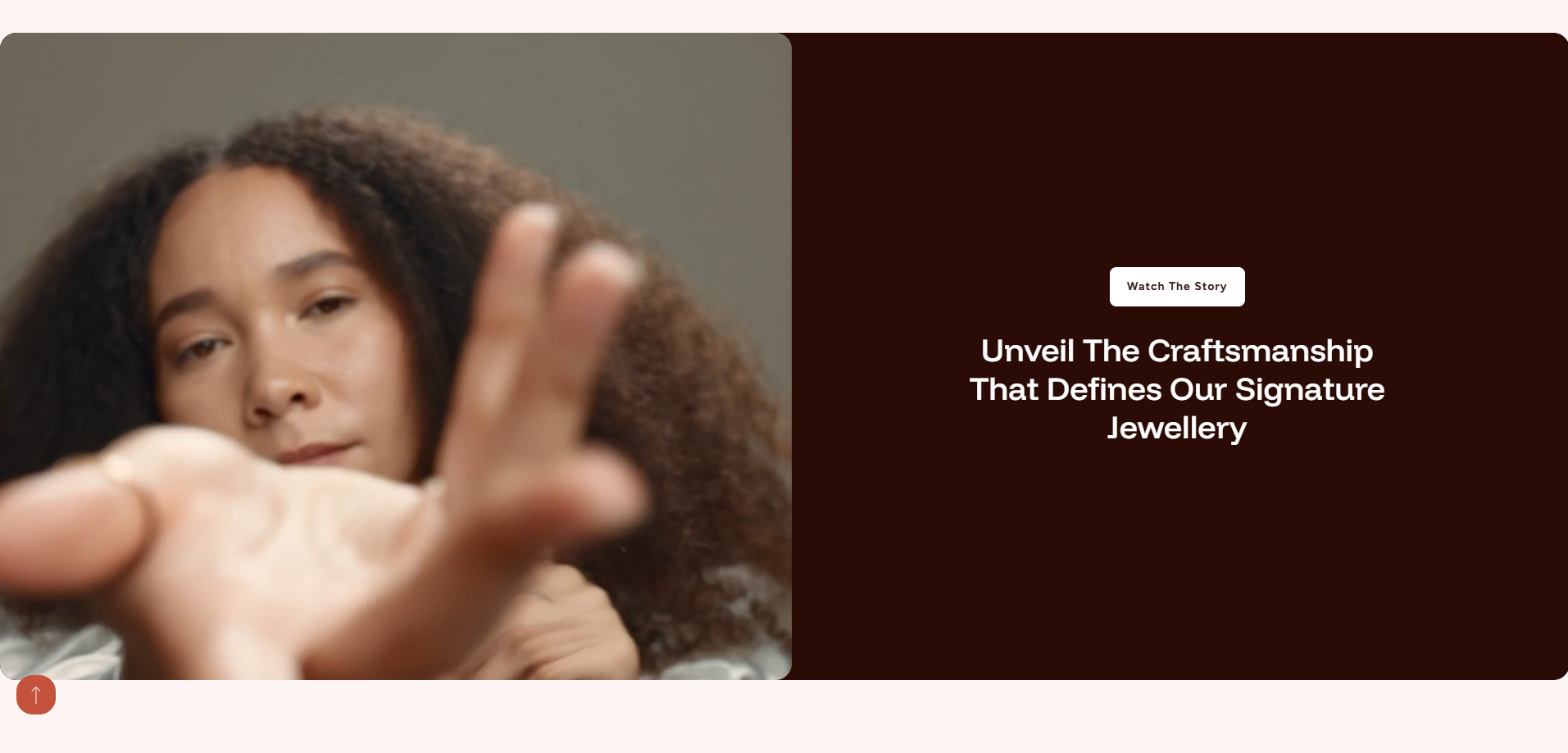
Adding the Scroll Video Section
- From your Shopify admin, go to Online Store ? Themes.
- Click Customize on the Dynamic theme.
- In the Theme Editor, choose the page where you want to add the section.
- Click Add Section and select Scroll Video Section.
- Click Save to apply your changes.
How to edit the Scroll Video Section
Follow these steps to customize the video section and align it with your brand presentation.
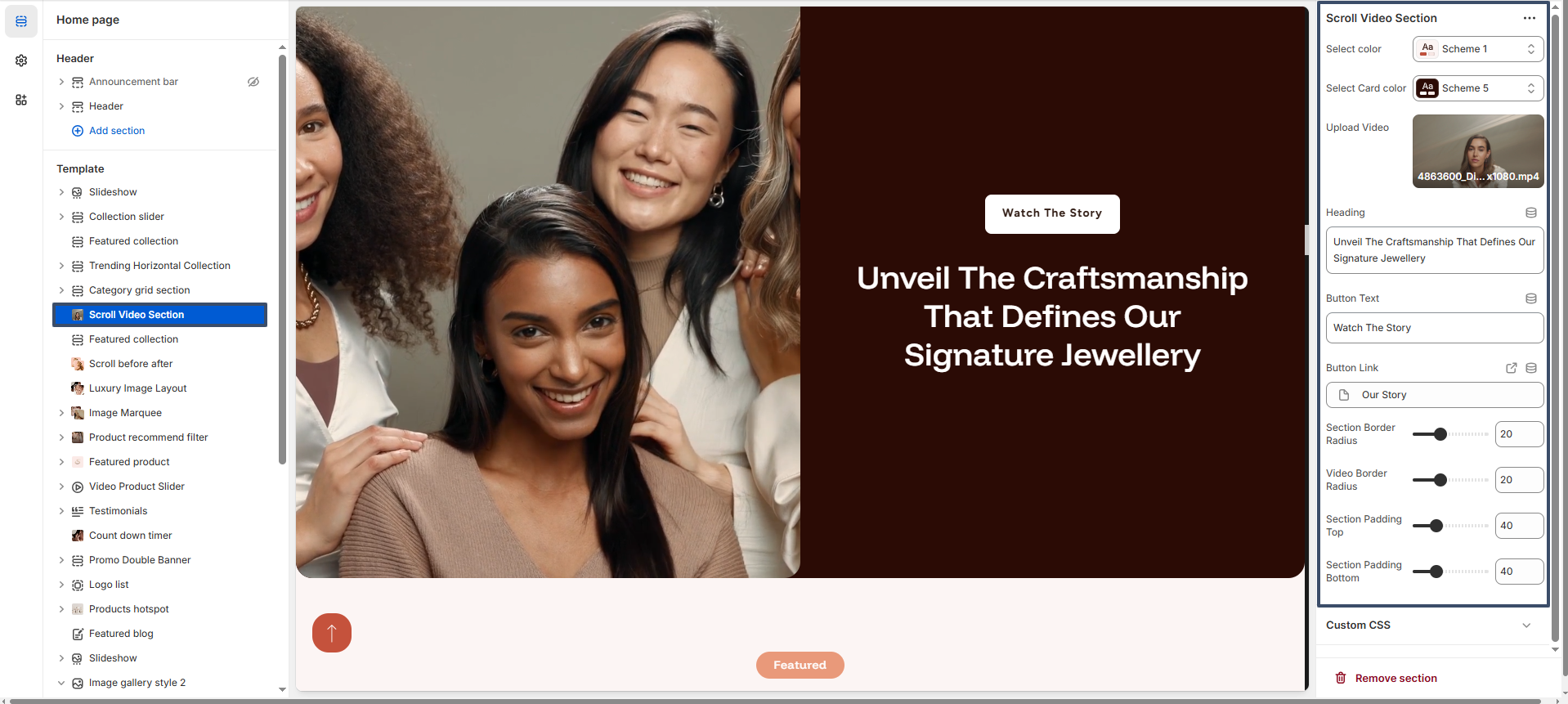
- Select Color Scheme: Choose a color scheme to control the overall appearance of the section.
- Select Card Color Scheme: Apply a separate color scheme for the content area (text and button side).
- Upload Video: Upload a video file to showcase your product, brand story, or campaign.
- Heading: Add a strong and engaging heading such as "Unveil The Craftsmanship That Defines Our Signature Jewellery".
- Button Text: Customize the button label (e.g., "Watch The Story").
- Button Link: Add a link to redirect users to another page such as a story page or collection.
- Section Border Radius: Adjust the roundness of the entire section for a modern look.
- Video Border Radius: Control the corner roundness of the video container.
- Section Padding Top: Adjust the top spacing of the section.
- Section Padding Bottom: Adjust the bottom spacing of the section.