
Featured Collection
The Featured Collection section highlights key collections to capture customer attention and encourage exploration. Typically displayed on the homepage, this section showcases products from curated collections, making it easy for visitors to browse items like New Arrivals, Most Popular, and Best Sellers. It is an ideal spot to drive cross-selling and up-selling while spotlighting your store's most notable products.
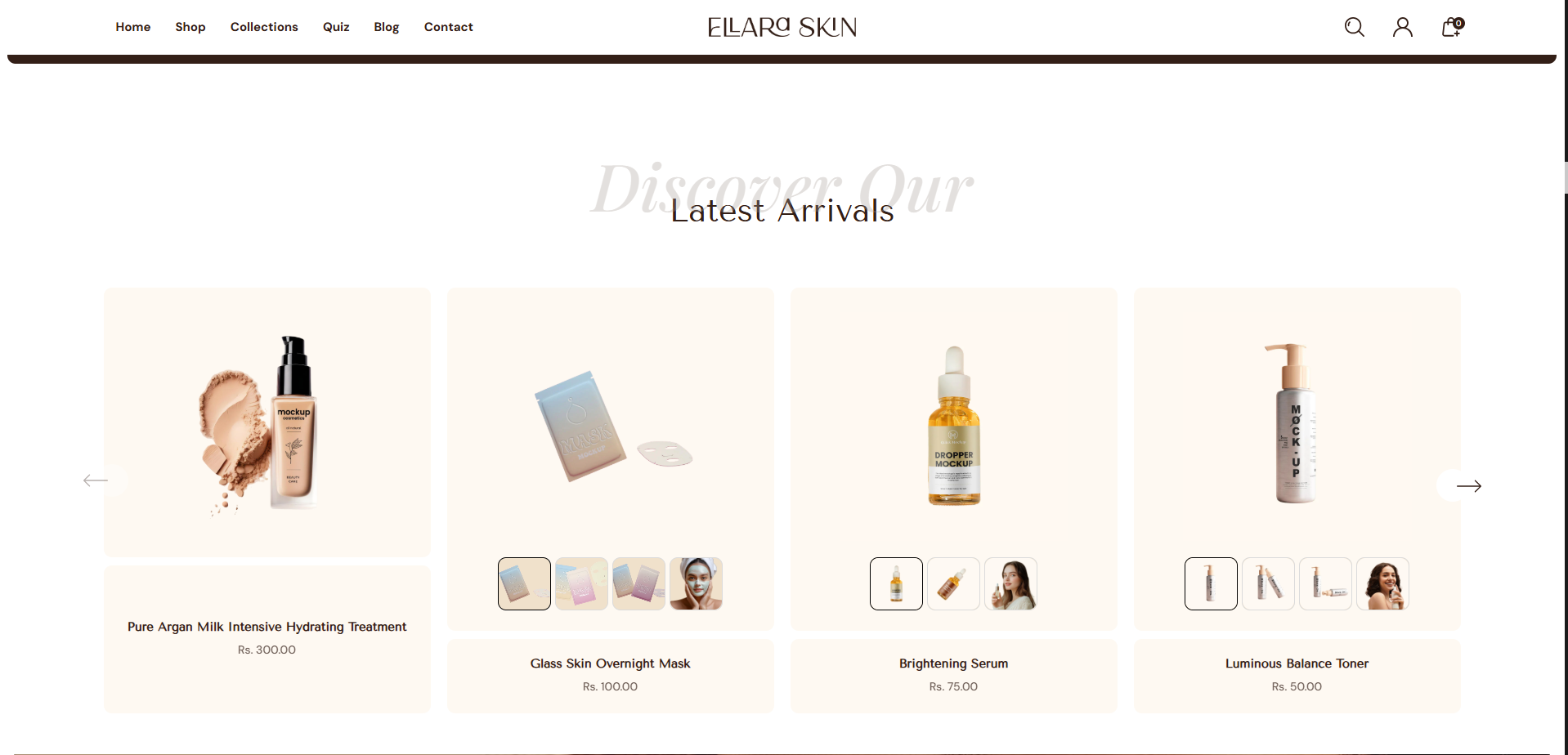
How To Add the Featured Collection section
- Login to your Customizer and navigate to the page you would like to display this section.
- You'll see a list of available sections on the left-hand side. Locate the Add section button and click on it.
- From the list of available sections, find and select Featured Collection.
How To Edit the Featured Collection section
Here are the steps to configure the options mentioned for the Featured Collection section in your Dynamic Shopify theme:
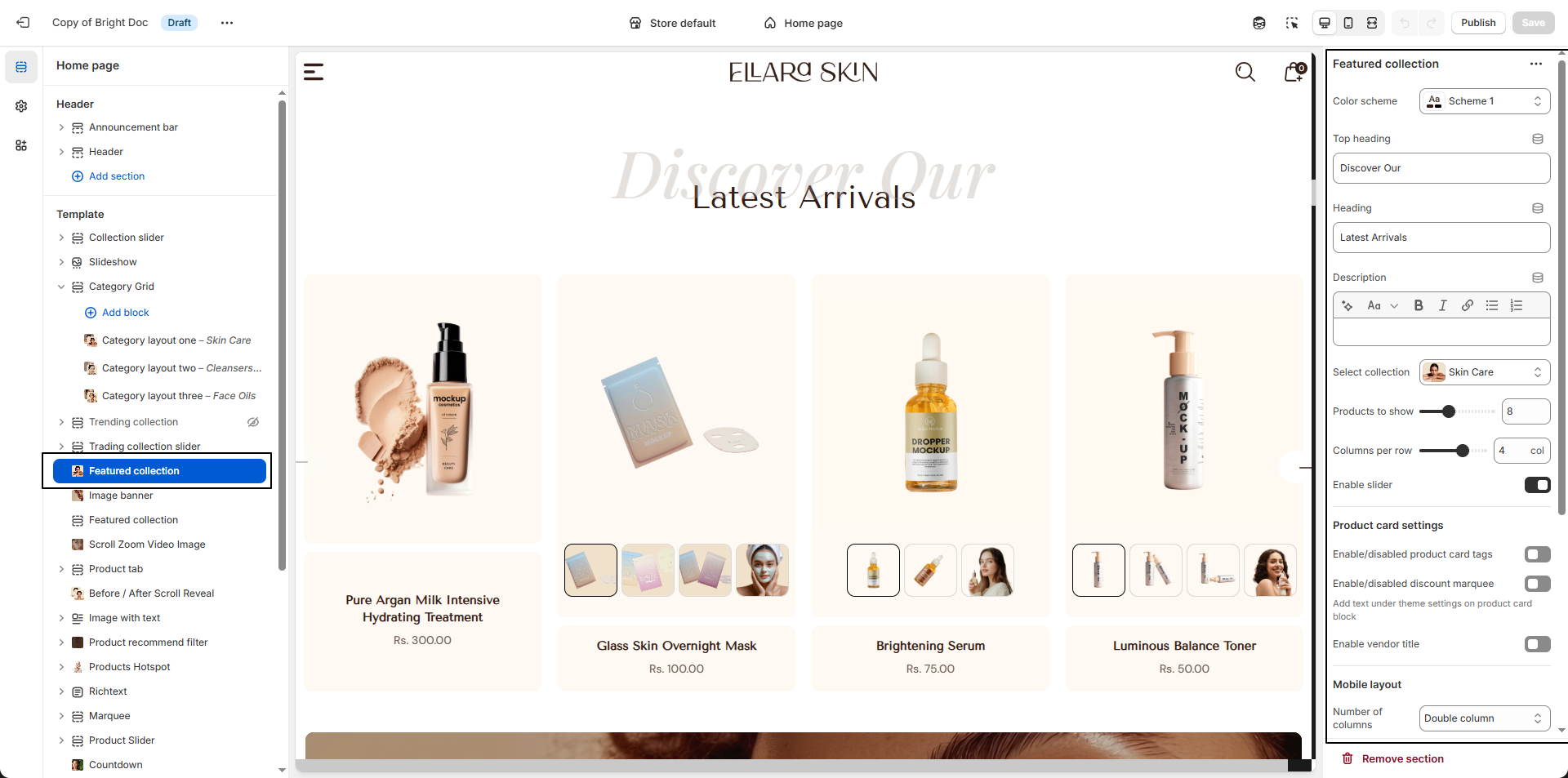
- Color Scheme: Choose a predefined color scheme (e.g., Scheme 1) to control the background, text, and accent colors of the section.
- Top Heading: Enter a short introductory label displayed above the main heading (e.g., “Discover Our”).
- Heading: Add the primary section title (e.g., “Latest Arrivals”) to highlight the featured products.
- Description: (Optional) Add supporting text below the heading to provide more context or promote the collection.
- Select Collection: Choose the collection whose products you want to display (e.g., Skin Care).
- Products to Show: Set the maximum number of products to display in this section (e.g., 8 products).
- Columns per Row: Define how many products appear in a single row on desktop (e.g., 4 columns).
- Enable Slider: Turn this option on to display products in a horizontal slider instead of a static grid.
-
Product Card Settings:
- Product Tags: Enable or disable tags displayed on product cards.
- Discount Marquee: Show or hide animated discount labels on products.
- Vendor Title: Toggle the display of the product vendor/brand name.
- Mobile Layout: Choose how products appear on mobile devices (e.g., Single column or Two columns).