
Video Product Slider
The Video Product Slider section allows you to showcase products alongside engaging videos in a synchronized layout. This section is perfect for highlighting featured products with visual storytelling, helping customers better understand product usage, style, and appeal.
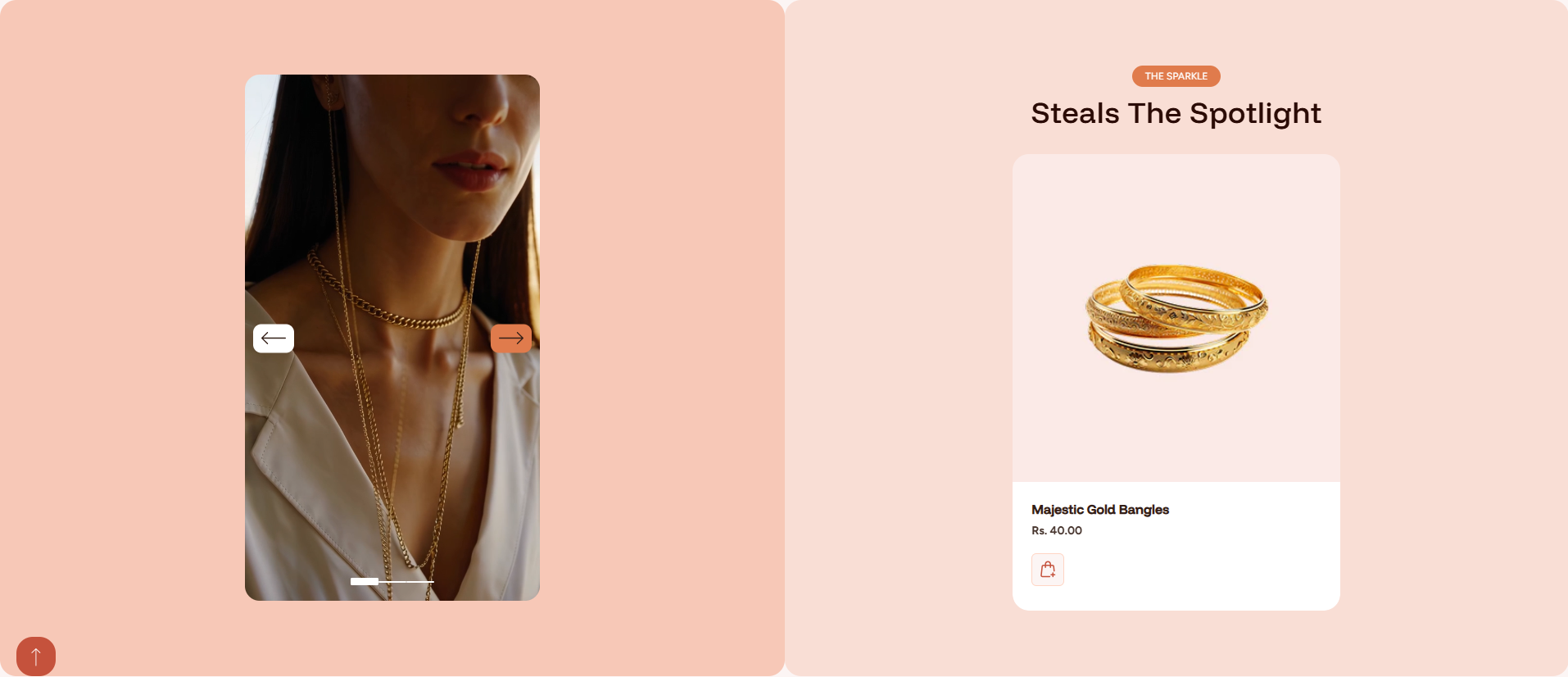
Adding the Video Product Slider Section
- From your Shopify admin, go to Online Store ? Themes.
- Click Customize on the Dynamic theme.
- Select the page where you want to add the section.
- Click Add Section and choose Video Product Slider.
- Click Save to apply your changes.
How to Edit the Video Product Slider Section
Follow these steps to customize the section settings:
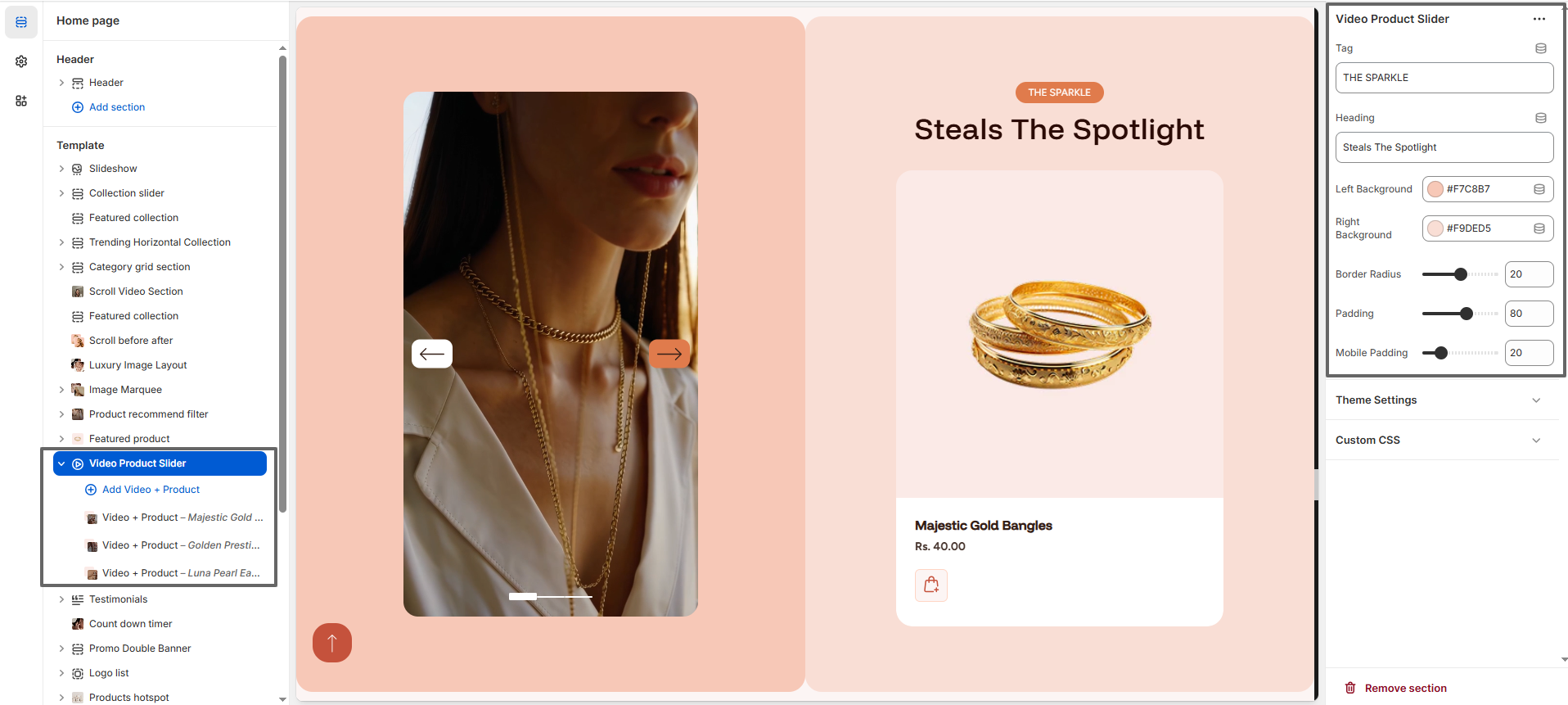
- Tag: Add a small label (e.g., “THE SPARKLE”) displayed above the heading to highlight your collection or theme.
- Heading: Enter the main title (e.g., “Steals The Spotlight”) to capture user attention.
- Left Background: Choose the background color for the video section area.
- Right Background: Select the background color for the product display area.
- Border Radius: Adjust the roundness of section corners for a modern look.
- Padding: Control spacing around the section for better layout alignment.
- Mobile Padding: Set padding specifically for mobile devices to ensure responsiveness.
Video + Product Blocks
This section allows you to add multiple Video + Product blocks. Each block connects a video with a specific product to create a seamless browsing experience.
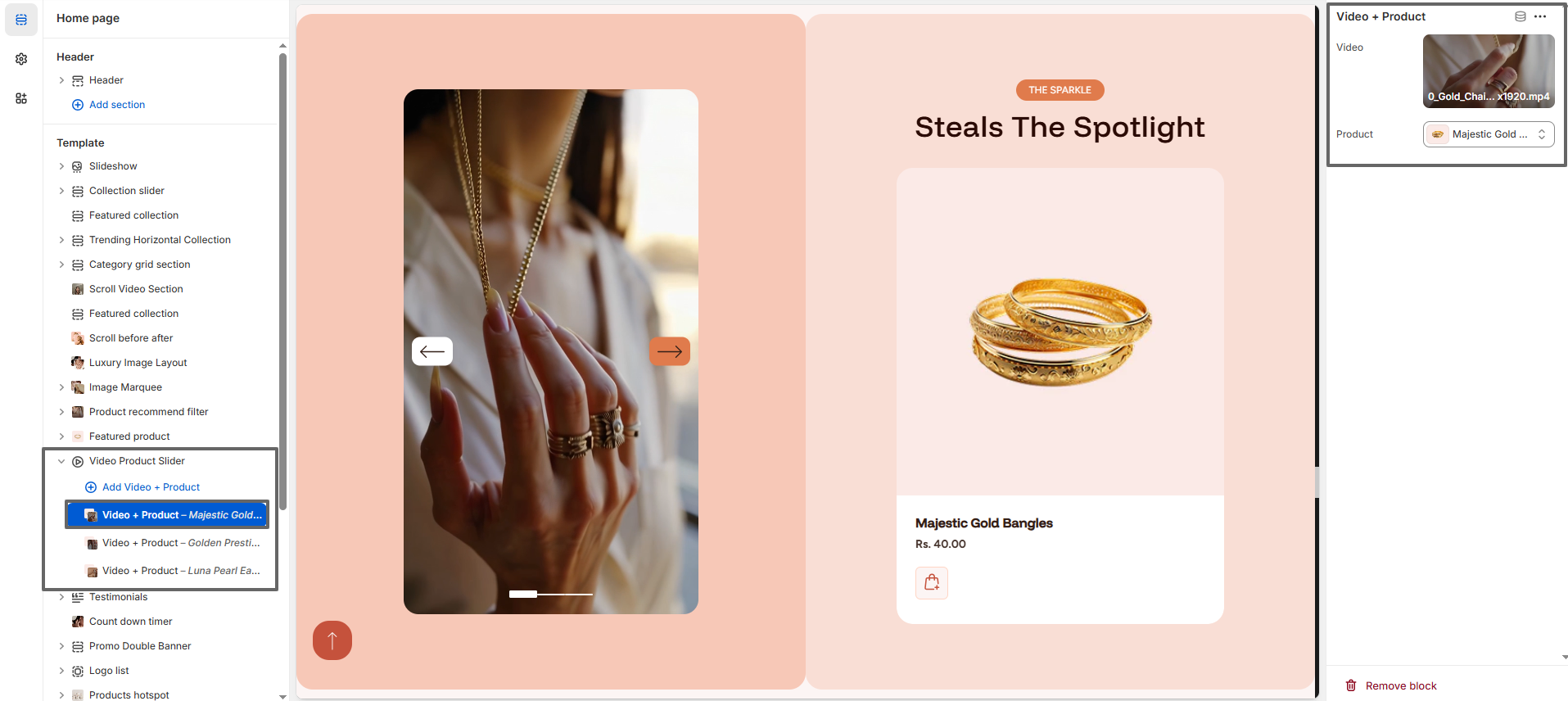
- Video: Upload or select a video file to showcase your product visually.
- Product: Select a product from your store to display alongside the video.
- Multiple Blocks: Add multiple video-product pairs to create a slider experience where users can navigate through different products.
By combining videos with products, this section enhances user engagement, improves storytelling, and increases the chances of conversion by giving customers a more immersive shopping experience.