
Scrolling Collection
The Scrolling Collection section allows you to showcase a collection of products alongside a large promotional image. This layout is ideal for highlighting a featured look, campaign, or style inspiration while displaying related products in a clean grid layout.
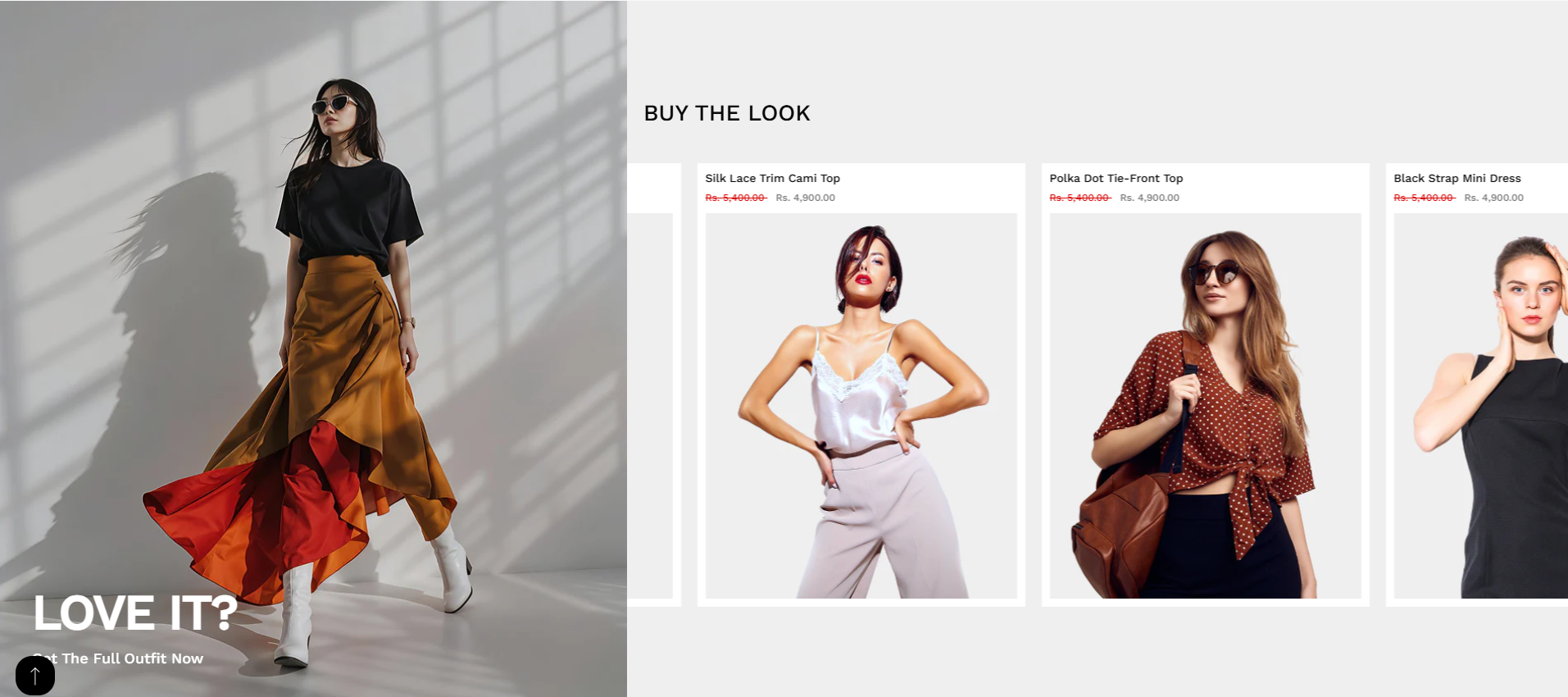
Adding the Scrolling Collection Section
- From your Shopify admin, go to Online Store ? Themes.
- Click Customize on your active theme.
- Select the page where you want to add the section.
- Click Add Section and choose Scrolling Collection.
- Click Save to apply changes.
How to edit the Scrolling Collection Section
Follow these settings to customize the layout, content, and appearance of the Scrolling Collection section.
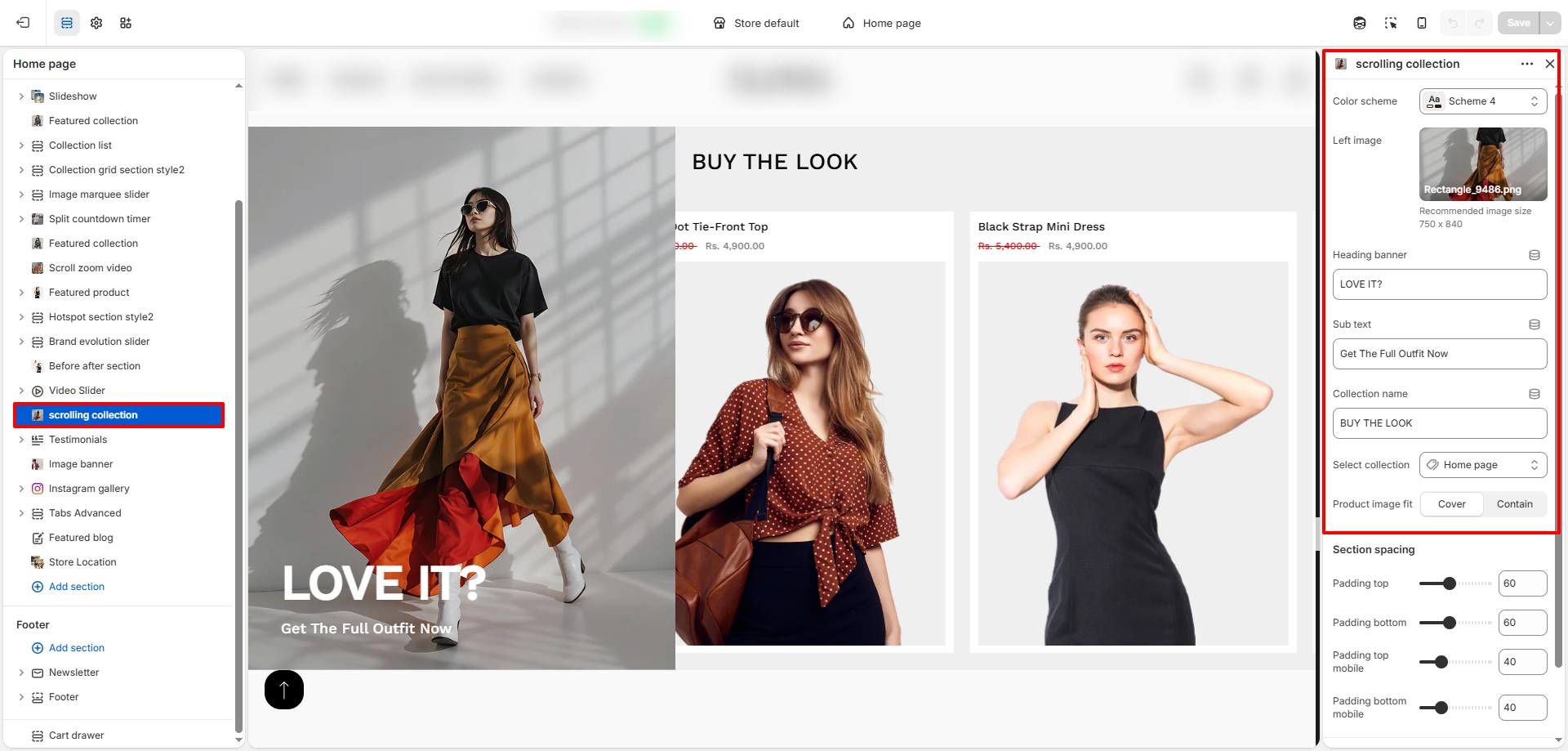
- Color Scheme: Choose a color scheme to control the background and text styling of the section.
- Left Image: Upload a large image that appears on the left side of the section. Recommended size: 750 x 840 px.
- Heading Banner: Enter a short heading text that overlays the left image, such as "LOVE IT?".
- Sub Text: Add supporting text below the heading, for example "Get The Full Outfit Now".
- Collection Name: Add a title for the product collection displayed on the right side, such as "BUY THE LOOK".
- Select Collection: Choose the collection whose products you want to display.
-
Product Image Fit: Select how product images should appear:
- Cover: Fills the container while maintaining aspect ratio (may crop).
- Contain: Ensures the full image is visible without cropping.
- Padding Top: Adjust spacing above the section.
- Padding Bottom: Adjust spacing below the section.
- Mobile Padding Top: Control top spacing for mobile devices.
- Mobile Padding Bottom: Control bottom spacing for mobile devices.