
Service Features
The Service Features section is designed to highlight your store's key benefits, such as "Easy Returns", "Free Shipping", and "Secure Payment". Each feature can be customized with an icon or custom image, a title, and a brief description, helping build trust and confidence with your customers at a glance.

Adding the Service Features section
- Open the Customizer and go to the page where you want to add the "Service features" section.
- On the left-hand side, click the "Add section" button.
- From the available options, choose "Service features" to add it to your page.
How To Configure Service Features section
Steps for Configuring the "Service features" Section in the Dynamic Theme
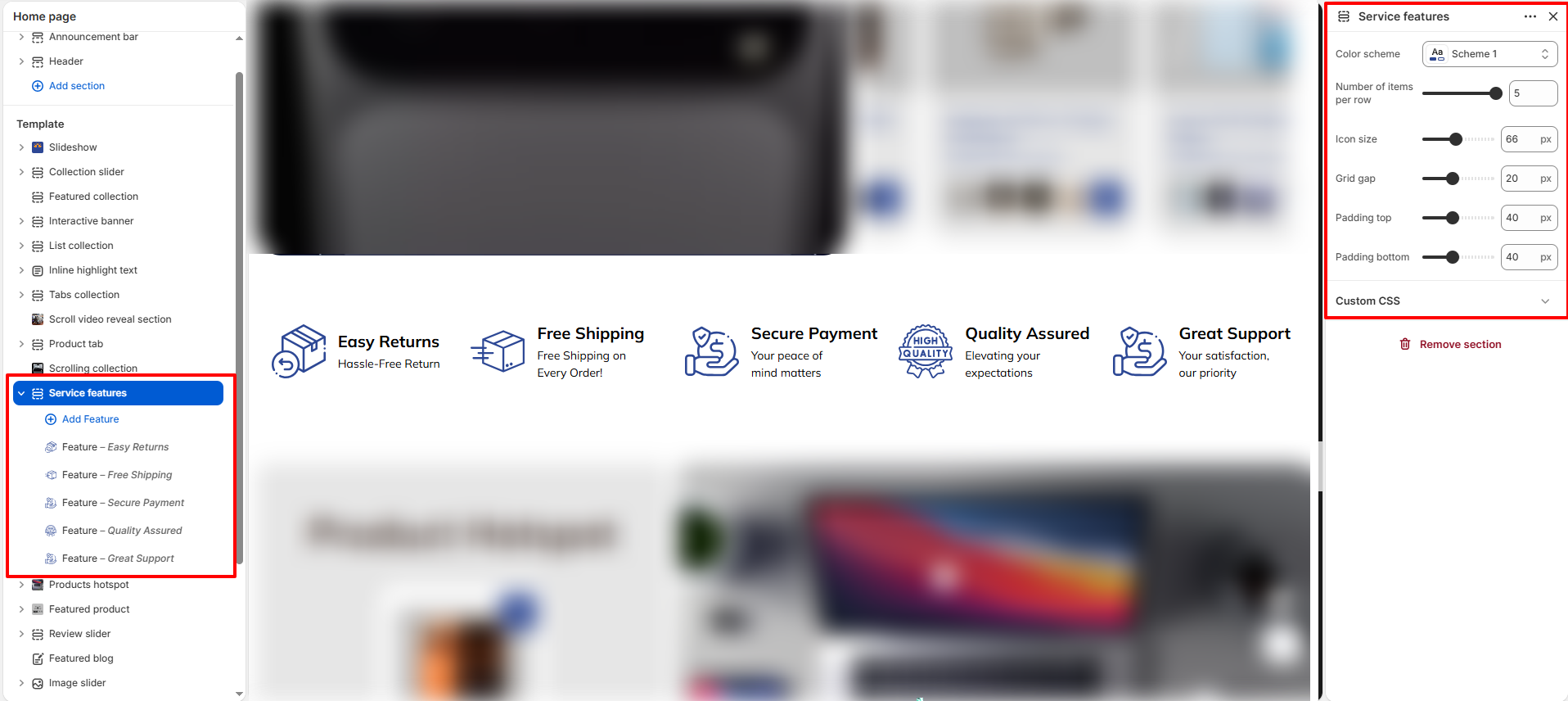
- Color scheme: Choose a predefined color scheme for the section.
- Number of items per row: Set how many features to display in a single row (e.g., 5).
- Icon size: Adjust the dimensions of the icons or custom images (e.g., 60px).
- Grid gap: Set the amount of space between individual feature cards (e.g., 20px).
- Padding top / Padding bottom: Customize the vertical spacing around the entire section (e.g., 40px).
How To Configure Feature (Blocks):
Each block represents a single service feature in the section grid.
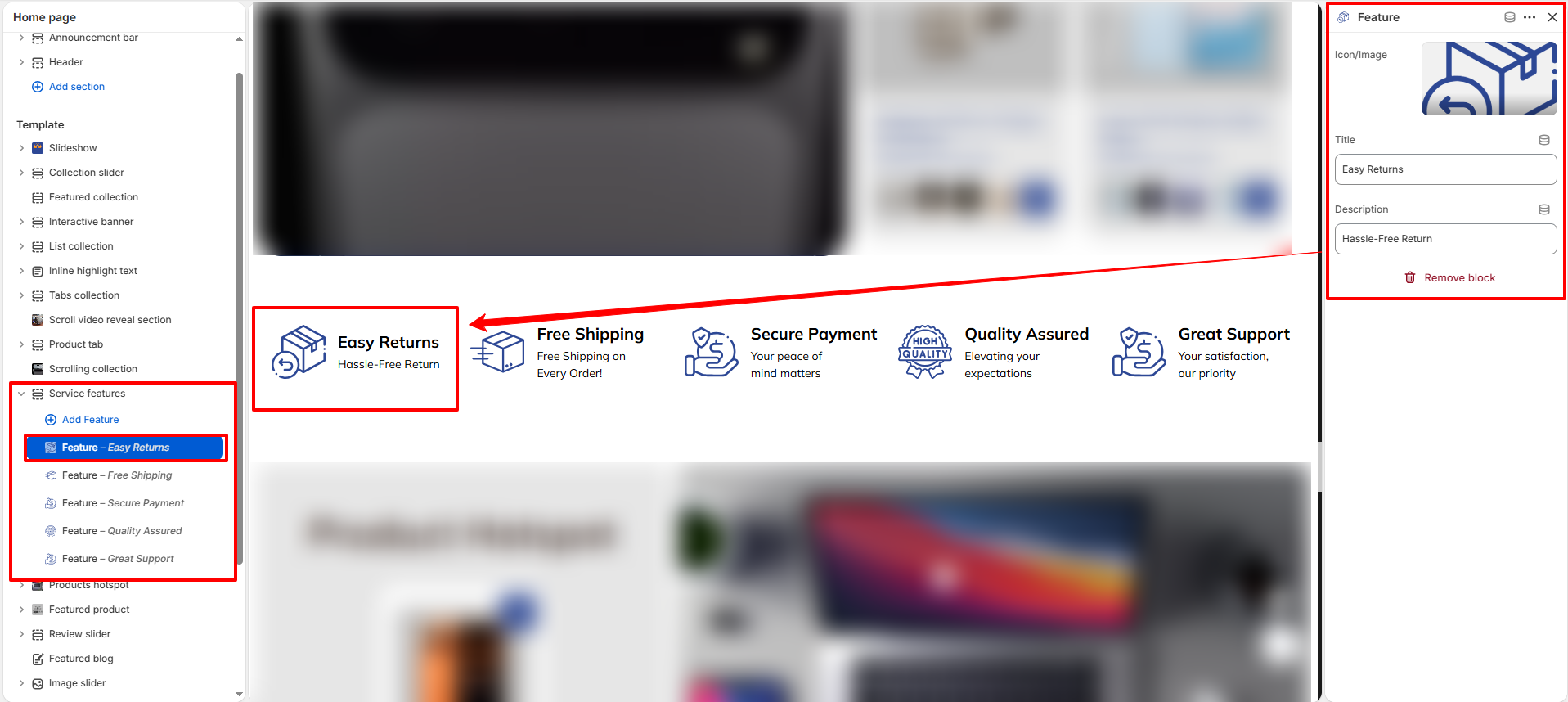
- Icon/Image: Upload a custom icon or image to represent the service feature.
- Title: Enter the main heading for the feature (e.g., "Easy Returns").
- Description: Provide a short explanation or benefit (e.g., "Hassle-Free Return").